
Google Business Profile optimization: the complete 2026 guide for Canadian businesses
Your Google Business Profile is often the first thing a customer sees, before your website, your ads or your reviews anywhere else. Accurate profile information can help customers assess your business and support local relevance, but ranking also depends on distance and prominence, and calls or visits are never certain. In Canada, “google business profile” draws an estimated 74,000 searches a month and “google my business” about 33,100, and both are among the more expensive terms to advertise on, with “google my business” costing more per click. These are search estimates, not profile fees or customer-acquisition costs. This guide covers the main profile elements, conversion opportunities and eligibility rules.
How the map pack decides who shows
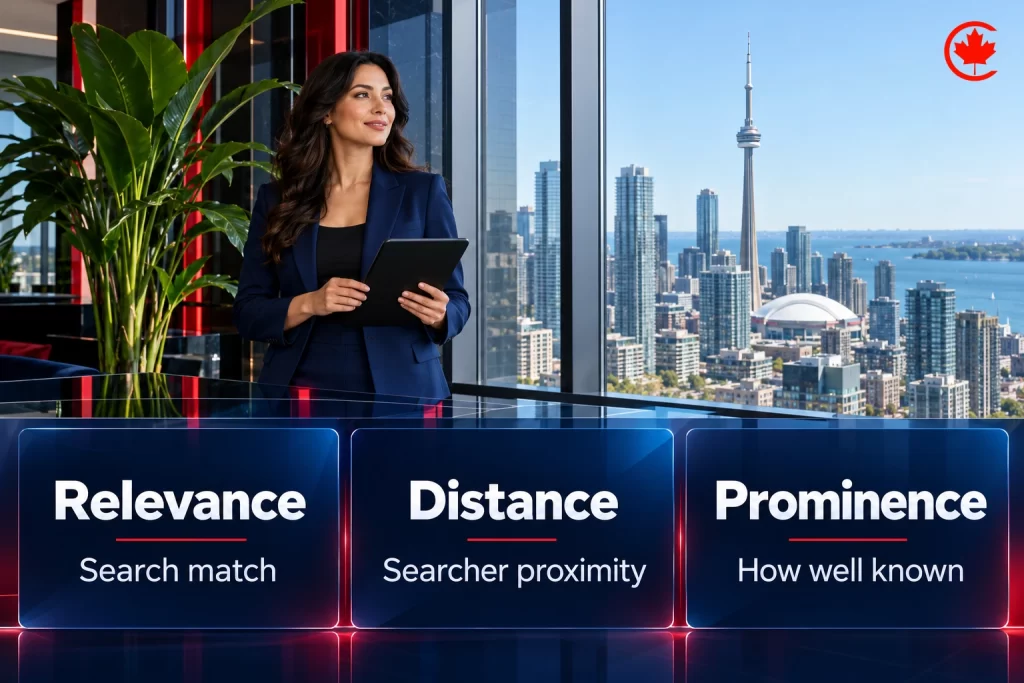
Google describes local ranking as a mix of three things: relevance (how well your profile matches the search), distance (how close you are to the searcher or the area searched) and prominence (how well known your business is, including reviews and links). You cannot change distance, so focus on relevance and prominence.

The profile checklist
| Element | What good looks like |
|---|---|
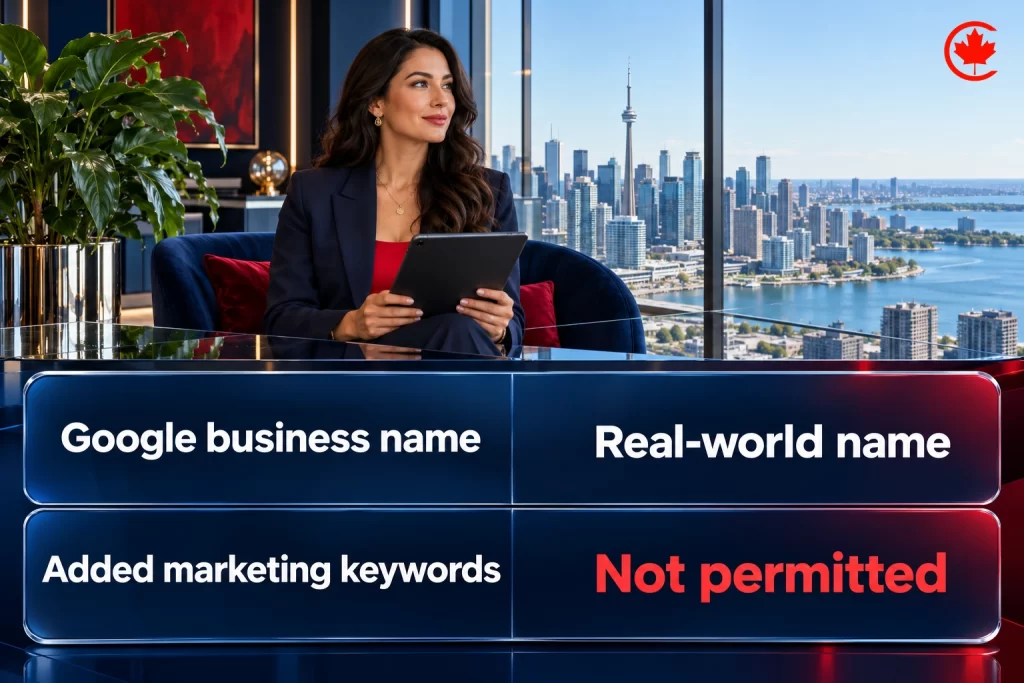
| Business name | Your real name exactly as on signage and documents, with no added keywords or cities |
| Primary category | The most specific category for your main service |
| Secondary categories | Only services you really provide, using as few categories from Google’s list as it takes to describe your core business |
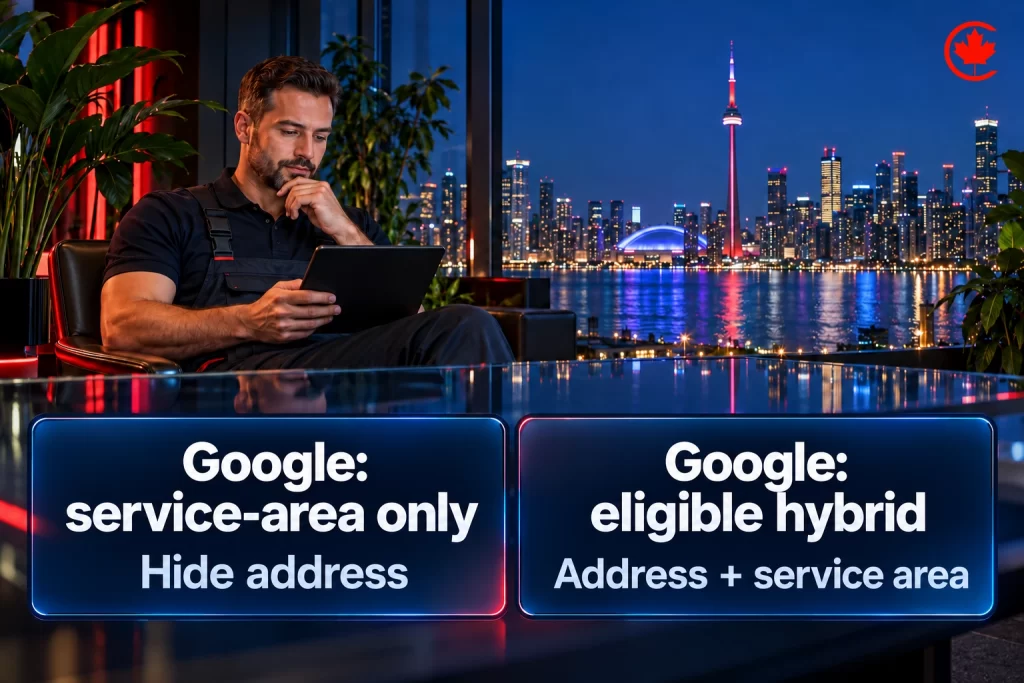
| Address or service area | A precise, real-world address. P.O. boxes, remote mailboxes and virtual offices are not eligible. Show the address if customers visit; hide it and set service areas if you go to them |
| Phone | A number under the business’s direct control, preferably a local number for that location rather than a central call centre |
| Hours | Regular customer-facing hours, with special hours set ahead of holidays and events. Some business types, such as hotels and schools, should not list regular hours |
| Locations | One profile per location. Never create a second profile for the same location, in one account or several |
| Services and products | Every service listed with a short, plain description |
| Description | What you do, who you serve and what makes you different, without links or promotions |
| Photos and videos | Real photos of the team, premises, vehicles and work, added monthly |
| Booking or appointment link | Goes straight to booking, not to the home page |
| Attributes | Accessibility, languages, payment options and other attributes that apply |
We manage Google Business Profiles, citations and reviews so local customers find and call you.
Read Google’s guidelines for representing your business before you change any of these fields. An accurate profile now does double duty: Google’s guidance on generative AI features in Search says Business Profiles help your services appear in AI responses as well as in regular results, so the same details feed both the map pack and AI Overviews.
Rules that get profiles suspended
- Adding keywords or cities to the business name, such as “Smith Plumbing Toronto Emergency Plumber”.
- Using a virtual office or mailbox as an address.
- Creating several profiles for the same business at one location.
- Buying, incentivizing or writing fake reviews, which Google prohibits and the Competition Bureau treats as deceptive marketing.
- Showing an address for a business that does not serve customers there.
If your visibility suddenly drops, read why your Google Business Profile visibility dropped.
Reviews: the strongest lever you control
- Use a neutral, optional review invitation for the eligible customer group, without selecting people by expected positive sentiment.
- Never offer a reward for a review or ask only happy customers through a filter.
- Reply to every review, positive or negative, professionally and briefly.
- In regulated professions, check your college or Law Society rules first; some prohibit soliciting reviews.
See what counts as a fake Google review and how to remove reviews that break Google’s policies.
Posts, questions and updates
- Share useful updates, events and offers only where the profile category and content policies allow them; choose a schedule based on genuine news rather than a required posting quota. Posts show activity and give searchers more reasons to choose you.
- Where a questions-and-answers feature is available for your profile, answer genuine customer questions. Keep important answers on your website too.
- Keep products and services current when anything changes.
Support the profile from your website
- Keep your business identity and contact details accurate and consistent across relevant records, while respecting address-display and location-eligibility rules. See our local citations guide.
- Build useful pages for real offices or service areas when you have distinct local information to offer; avoid near-identical pages made only to target city names.
- Add LocalBusiness structured data with the same details.
- Use Business Profile performance for call-button clicks, direction requests and website-link clicks. Add UTM tags to website or booking links for destination-site attribution; those tags do not directly measure every call or direction request.
Outside Ontario, the same profile work applies city by city: our pages on the Calgary SEO company and Kelowna SEO services show how it plays out across Calgary quadrants and Okanagan districts.
How the local pack and Business Profile behave in smaller Canadian markets, city by city: Belleville, Charlottetown, Chatham-Kent, Dartmouth, Leduc, Orangeville, Repentigny (en français), Saint-Jean-sur-Richelieu (en français), Sherwood Park, Stouffville, Thunder Bay.
Multi location businesses
Each separately eligible location can have its own verified profile, supported by accurate local information and a neutral review process. Check eligibility before creating a profile for an additional location. Manage them together in a business group, and keep naming consistent. Read how franchises and chains win in every local market.
For how the same signals earn AI search citations and phone calls, read how local businesses get cited in AI search. Industry guides that build on this: law firms, clinics and how home service companies get more calls in Canada. Want your profile managed for you? See our Google Business Profile management and local SEO services.
Frequently asked questions
How do I optimize my Google Business Profile as a Canadian business?
Use your real business name exactly as it appears on signage, choose the most specific primary category for your main service, and add secondary categories only for services you really provide. Keep hours accurate, updating holiday hours ahead of time, and list every service with a plain description. Add real photos of the team, premises and work each month, and point the booking link straight at booking.
What does Google Business Profile optimization actually involve?
It means making every part of the profile accurate and complete so it fits how Google ranks local results: relevance, distance and prominence. Distance is out of your hands. The work therefore goes into relevance, through categories, services and the description, and prominence, through reviews and links.
How much does it cost to optimize a Google Business Profile?
Google does not charge for the profile, so the cost is the time spent improving it. That depends on the number of locations, services and photos, how many reviews need replies, and whether the website needs supporting location pages. Canada Create puts its fee for profile management in writing after looking at your locations.
Is Google My Business the same thing as Google Business Profile?
Yes. Google Business Profile is the current name for the listing once called Google My Business, and Canadians still search for both. The newer name draws an estimated 74,000 searches a month in Canada and the older one about 33,100.
Does a local business really need a Google Business Profile?
For most local businesses it does, because the profile is often the first thing a customer sees, ahead of the website, ads or reviews elsewhere. Calls and direction requests from the map pack happen right on it. A business that travels to customers can hide its address and list the areas it serves.
What gets a Google Business Profile in Canada suspended?
Adding keywords or cities to the business name, using a virtual office or mailbox as the address, and creating several profiles for one business at one location are common causes. Buying, rewarding or writing fake reviews breaks Google's rules, and the Competition Bureau treats it as deceptive marketing. Showing an address where you do not serve customers is another trigger.
Can I remove bad reviews from my Google Business Profile?
You can ask Google to take down reviews that break its policies, while a genuine negative review generally stays. Reply to every review, good or bad, briefly and professionally. Never offer a reward for a review or filter invitations so only happy customers are asked, and in regulated professions check your college or Law Society rules first.
How do I manage Google Business Profiles for a business with several locations?
Each separately eligible location can have its own verified profile, and the profiles can be managed together in a business group with consistent naming. Check eligibility before adding a profile for a new location. Support each one with accurate local information and the same neutral review process.
Why does NAP consistency matter for a Google Business Profile?
When the business name, address and phone match across your website, directories and other records, customers and Google can see they all describe one business. Add LocalBusiness structured data carrying the same details. Service-area businesses should still respect the address-display rules while keeping everything else consistent.