
Toronto · Restaurant website design
Restaurant website design in Toronto
Your website is where a hungry guest checks the menu, the hours and how to book. We design restaurant websites that load fast on a phone, put reservations and ordering one tap away, show the food and the room honestly, and help nearby diners find you on Google Maps.
Restaurant web design for Toronto and GTA restaurants, cafes and groups, with mobile menus, reservations, online ordering and local search built in.
- BBB A+ accredited
- 18 years in business
- Mon to Fri 9 to 6, Sat 10 to 2
Get your restaurant website proposal
Tell us about your restaurant, locations and the booking or ordering system you use. We reply within one business day. A clear scope and quote follow discovery.
Please do not share passwords or other sensitive details here. We never sell your contact information and we comply with Canadian privacy law
(privacy policy).
What a better restaurant website does for you
More bookings and direct orders
Reserve and order buttons on every page turn menu checks into covers and pickup orders.
Fewer calls during service
Hours, parking, patio, dietary options and large-party details are answered online.
A menu guests trust
An editable text menu with current dishes and prices, readable on any phone.
Better local visibility
Consistent details, restaurant schema and location pages support Google Search and Maps.
What is included in a restaurant website project
Each project is scoped to your restaurant. These are the building blocks most restaurants need.
- Editable text menusLunch, dinner, brunch, drinks and seasonal menus your staff can update item by item.
- Reservations and orderingYour booking platform and online ordering connected by button or embed and tested on real phones.
- Location and hours pagesAddress, map, hours, holiday hours, parking, transit and accessibility for every location.
- Private dining and cateringEvent pages with capacity, sample menus, photos and a short enquiry form.
- Photography planningA shot list for dishes, the room and the exterior, or a careful edit of the photos you have.
- Accessibility to WCAG AAContrast, headings, labels and keyboard navigation designed and tested against the agreed WCAG level.
- Restaurant schema markupRestaurant structured data with cuisine, hours, menu and reservation links that match each page.
- Redirects and QR code checksOld menu links and printed QR codes mapped and tested so nothing breaks at launch.
What drives the cost of a restaurant website
Every restaurant is different, so we quote after a short discovery call. Setup, monthly care and third-party fees are always listed separately.
Single restaurant or cafe
Quote after discovery
Independent restaurants, cafes and bakeries
- Core pages and one location
- Editable text menu
- Booking or ordering link
- Restaurant schema and accessibility
Restaurant with events and ordering
Quote after discovery
Restaurants with private dining, catering or direct ordering
- Private dining and catering pages
- Embedded booking and online ordering
- Gift card connection
- Tracking for bookings, orders and calls
Restaurant group or franchise
Quote after discovery
Groups with several concepts or locations
- Location pages for each restaurant
- Shared and local menus
- Brand standards for every location
- Local SEO setup
Redesign and migration
Quote after discovery
Restaurants replacing an older website
- Page and ranking audit
- 301 redirect map and QR code checks
- Menu rebuilt as text
- Post-launch monitoring
Third-party costs such as booking platforms, online ordering modules, point-of-sale subscriptions, premium plugins, photography and ad spend are separate. Custom-scoped engagements; proposal after discovery.
Restaurant website development
Planning a restaurant website guests can use
Canada Create designs and builds restaurant websites in Toronto around the three things a hungry guest checks first: the menu, the hours and location, and how to book or order. We plan the menu so it reads on a phone, connect the reservation and ordering systems you already use, set up the details Google needs to show your restaurant on Maps, and give your team a simple way to change dishes, prices and hours without calling a developer. Design, WordPress development, photography planning, accessibility checks and launch are handled in one agreed project scope.
- What restaurant website design means for a Toronto restaurant
- How Toronto diners choose where to eat online
- Menus guests can read on a phone
- Reservations, online ordering and delivery
- Design that sells the room and the plate
- Google Maps, local search and AI answers
- Platform, speed and hosting
- Ontario rules that touch a restaurant website
- One location, a group or a franchise
- What restaurant website design costs
- Redesigning without losing what the old site earned
- Where restaurant websites usually fall short
- Choosing a restaurant website design company in Toronto
Related guides: What a restaurant website needs in 2026 and how restaurants get more customers in Canada.
What restaurant website design means for a Toronto restaurant
A restaurant website has a short, practical job. Someone standing on Queen Street, sitting on the subway or planning Friday night from the couch wants to know three things: what you serve, whether you are open and how to get a table or an order. If the site answers those in a few seconds, the guest moves forward. If it hides them behind a slow slideshow or a PDF that will not zoom, the guest goes back to Google and picks the next place.
We plan every restaurant website in four layers:
- Findability. Guests reach you through Google Search, Google Maps, AI answers, delivery apps and word of mouth. Page structure, local details and technical health decide whether you show up when someone nearby searches for your kind of food.
- Appetite. Real photos of the food and the room, a menu that reads well and a clear sense of the place tell a guest this is where they want to be tonight.
- Action. Reserve, order, call and get directions sit on every page, sized for a thumb.
- Operations. Hours, holiday changes, menu updates and private event requests are easy for your own staff to manage, so the website never tells a guest something that is no longer true.
The guest’s three questions come first
Menu, hours and location, and the booking or ordering path belong at the top of the home page and in the header of every other page. Everything else, from your story to the chef’s background, supports those three answers rather than replacing them.
A restaurant website is also front-of-house work
Every question the website answers is a call your host stand does not take during service. Parking, patio status, dietary options, large-party bookings and gift cards are common examples. A good restaurant site quietly reduces interruptions for your staff while it brings in guests.
Web design for restaurants
Web design for restaurants changes with the kind of room you run. A full-service dining room needs reservations, private dining and large-party requests up front. A takeout or quick-service counter needs ordering and delivery links that work in two taps, with pickup times and the menu in plain text. Cafes and bakeries lean on hours, catering orders and seasonal items, while bars and lounges need events, live music nights and clear age and accessibility details. Food trucks and pop-ups need a schedule that staff can update from a phone. We plan the page set, booking or ordering path and photography brief around your format, then build it on a platform your team can manage.
How Toronto diners choose where to eat online
Phone first, often a few minutes before deciding
Most restaurant decisions happen on a phone, often close to the moment of eating. That is why we design restaurant websites mobile first: a short header, a visible menu link, a reservation or order button that stays in reach, a tap-to-call number and a map link that opens directions. Desktop layouts follow from the phone layout, not the other way around.
Google Maps and your profile come before your website
Many guests meet your restaurant on Google Maps first. They see your photos, reviews, hours and price level, then tap through to the website to check the menu or book. Your website and your Google Business Profile need to tell the same story: the same name, address, phone number, hours and menu link. Our Google Business Profile optimization guide covers the profile side in detail.
Many neighbourhoods, many languages
Toronto diners search in many languages and by neighbourhood as often as by cuisine: “ramen near Yonge and Eglinton”, “Persian restaurant North York”, “patio downtown”. Clear location wording, neighbourhood references that are true for your restaurant and, where it fits your guests, menu translations help the right people find you.
Menus guests can read on a phone
The menu is the most visited page on almost every restaurant website. It deserves more care than any other page.
HTML menu first, PDF second
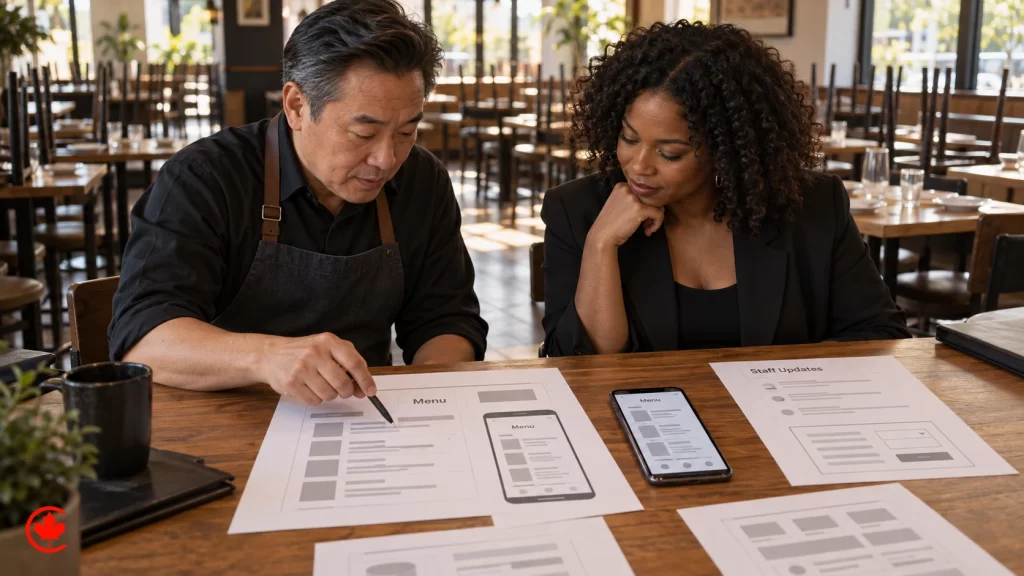
A menu written as real text on the page loads quickly, zooms properly, can be read aloud by screen readers and can be understood by search engines and AI assistants. A PDF can stay as an optional printable version, but it should not be the only menu. We build menus your staff can edit item by item, so a sold-out dish or a new price takes a minute to change.
Dietary and allergen information
Guests look for vegetarian, vegan, gluten-free, halal and nut-free options before they book. Clear labels help, but they must be accurate. If your kitchen cannot promise an allergen-free dish, the website should not imply it. We set up labels and a short allergy note in language your kitchen approves.
Prices, specials and seasonal menus
Out of date prices create awkward moments at the table. We structure the menu so lunch, dinner, brunch, drinks, prix fixe and seasonal menus are separate sections that can be switched on and off. Toronto events such as Winterlicious, Summerlicious and patio season are good reasons to update the site, and the structure should make that easy.
Reservations, online ordering and delivery
Connect the booking system you already use
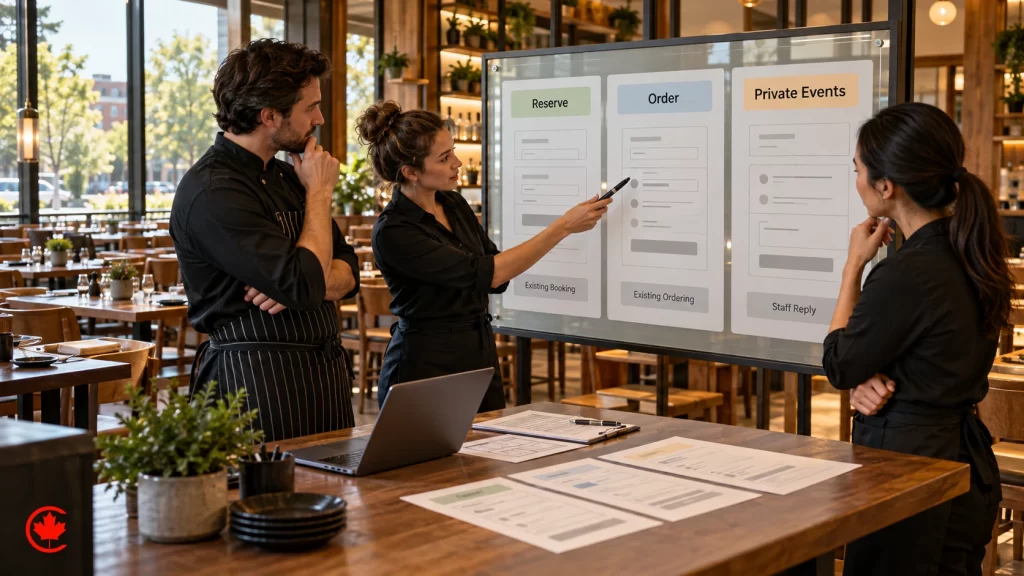
Most restaurants already run reservations through a booking platform such as OpenTable, Resy or Tock, or through the reservation feature of their point-of-sale system. We connect that system to the website with a clear button or an embedded booking widget, test it on real phones and make sure the same booking link appears on your Google Business Profile.
Direct ordering and delivery apps
Delivery apps bring reach but charge commissions and keep much of the customer relationship. Many restaurants keep the apps and add direct online ordering on their own website for pickup and delivery, often through the ordering module of their point-of-sale system. The website should make the direct option obvious without hiding the apps from guests who prefer them. Our guide on how restaurants get more customers in Canada covers delivery apps against direct ordering in more depth.
Private dining, catering and large groups
Private events and catering are often the most valuable enquiries a restaurant receives. They need their own page with capacity, menus or sample packages, photos of the space and a short enquiry form that asks for the date, guest count and budget range. Venues that also host weddings or celebrations can borrow ideas from our guide on how to market a wedding venue.
Gift cards and merchandise
Gift cards sell well around the holidays and Mother’s Day. If your point-of-sale system offers digital gift cards, we link or embed them. Sauces, spice blends or branded goods can be sold through a small shop section when the volume justifies it; larger product catalogues belong on a proper ecommerce website.
Design that sells the room and the plate
Photography does most of the selling
Guests decide with their eyes. Real photos of your dishes, your dining room, your bar and your team do more than any stock image or design flourish. When a shoot is needed, our commercial photography team plans the shot list around the pages the website needs: hero images, menu highlights, private dining and the exterior so guests recognize the door when they arrive.
Brand, type and colour that match the experience
A neighbourhood taqueria, a tasting-menu room and a family pizzeria should not look alike online. We carry your logo, colours and the feel of the room into the website, with type that stays readable on a small screen and colour contrast that works in daylight on a patio.
Motion and video with restraint
A short, silent video of the kitchen or the room can be lovely, but heavy video slows the page for guests on mobile data. We use video where it earns its place, compress it properly and never let it push the menu or booking button off the first screen.
Google Maps, local search and AI answers
Your website and Google Business Profile work together
Google decides which restaurants appear in Maps results by relevance, distance and prominence. Your website supports all three: clear cuisine and dish wording for relevance, a consistent address for distance, and reviews, links and mentions for prominence. We make sure the website’s name, address, phone number, hours and menu link match your profile exactly. For ongoing work on the map pack, see our local SEO services in Toronto.
Structured data describes your restaurant to machines
Restaurant schema markup tells search engines your cuisine, address, opening hours, price range, menu link and reservation link in a format they read directly. It does not promise a special display in results, but it removes guesswork. Our guide to schema markup for Toronto businesses explains the types and setup.
AI answers summarize restaurants before a click
Guests now ask AI assistants for “a quiet Italian place near Union Station for a business dinner”. Those answers draw on websites, profiles and reviews. A text menu, clear descriptions of the room and the occasions you suit, and accurate hours give those systems something reliable to repeat.
Reviews belong on Google, presented honestly
We link guests to your Google reviews and make it easy for happy guests to leave one. We do not copy reviews into the website as hard-coded ratings or add review markup about your own business, and we never suggest buying or incentivizing reviews.
Platform, speed and hosting
WordPress, website builders and ordering platform sites
Many restaurants start on a website builder or the free site that comes with an ordering or booking platform. Those can work for a single location with simple needs. When you want full control of design, menus, location pages, events and search, a well-maintained WordPress build gives your team an editor they can use and gives you ownership of the site. We recommend the platform after discovery, based on how your restaurant actually runs.
Speed is part of hospitality
A guest waiting for a menu to load is a guest who might leave. We size images properly, load only the scripts each page needs and test on mid-range phones over mobile data. Our guide on how to improve website load time explains the main levers.
Hosting and maintenance
Restaurant websites get traffic spikes on Friday afternoons, before holidays and after a press mention. Reliable managed hosting, security updates and backups keep the site up when it matters. Maintenance and content updates are scoped separately in your written proposal.
Ontario rules that touch a restaurant website
This section is general information, not legal or regulatory advice. Check the current rules with the relevant regulator or your lawyer before you publish.
Menu labelling for larger chains
Ontario’s Healthy Menu Choices Act requires food service chains with 20 or more locations in Ontario to display calories on menus, including online menus used for ordering. Smaller independents are not covered, but every restaurant should keep dietary and allergen claims accurate.
Alcohol advertising
Licensed restaurants and bars in Ontario follow the Alcohol and Gaming Commission of Ontario’s advertising rules. Drink specials, happy hour promotions and imagery around alcohol need to stay within them. We write drink pages and promotions with those rules in mind and leave final approval to the licence holder.
Prices that include mandatory charges
Canadian competition law treats advertised prices that leave out mandatory fees as misleading. If a service charge or delivery fee is mandatory, the website and online ordering should show it as part of the price guests see, not reveal it at checkout.
Accessibility, email and privacy
Ontario’s accessibility law sets expectations for many businesses, and accessible design helps every guest. We build to WCAG with readable text, proper headings, labelled forms and keyboard navigation. Newsletter sign-ups follow Canada’s anti-spam law with clear consent and an unsubscribe link, and reservation or ordering forms collect only what the restaurant needs, with a plain-language privacy notice.
One location, a group or a franchise
Single restaurants
A single location usually needs a strong home page, a menu, reservations or ordering, private events if you offer them, a location and hours page and a short story about the people behind the food.
Restaurant groups
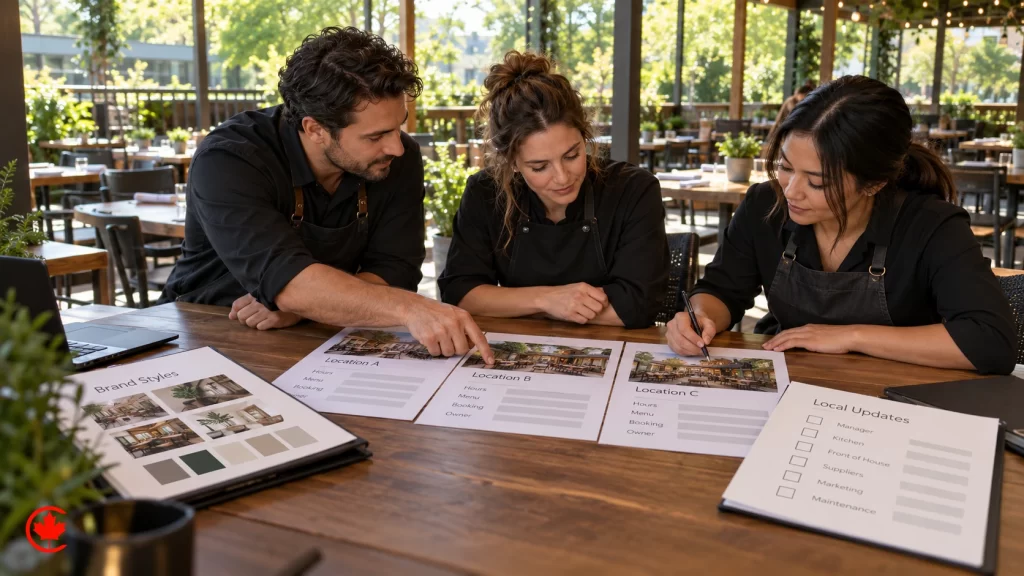
Groups with several concepts or locations need a structure that lets each location have its own page with its own address, hours, menu, booking link and photos, while shared content such as the group story, gift cards and careers lives in one place. Each location page should match that location’s Google Business Profile.
Franchise and multi-unit brands
Franchise brands need brand standards that stay consistent across locations, location pages that franchisees can update within limits and clear rules about who edits what. If the brand also recruits franchisees, that section follows Ontario’s franchise disclosure expectations and never overstates earnings or support. Hotels with restaurants inside can also borrow from our guide on how hotels and short term rentals get more direct bookings.
What restaurant website design costs
We quote after a short discovery call, because two restaurants rarely need the same thing. Setup, monthly care and third-party costs are always listed separately in writing.
What drives the cost
- Number of pages, locations and menus.
- Whether menus are built as editable text and how many languages you need.
- Reservation, ordering, gift card and point-of-sale connections.
- Photography and video, including a new shoot or work with existing images.
- Content writing, including menu descriptions and location pages.
- Migration from an old site and the redirects needed to protect it.
- Ongoing hosting, maintenance and updates.
Third-party costs to plan for
Booking platforms, online ordering modules, point-of-sale subscriptions, premium plugins, photography and any advertising spend are separate from design and development. We list them so you can see the full picture before you decide.
How restaurants judge the return
Useful measures are reservations and direct orders that start on the website, calls and direction requests from mobile visitors, private event enquiries and gift card sales. We set up tracking for those actions without collecting more personal information than the restaurant needs.
Redesigning without losing what the old site earned
Printed QR codes and menu links must keep working
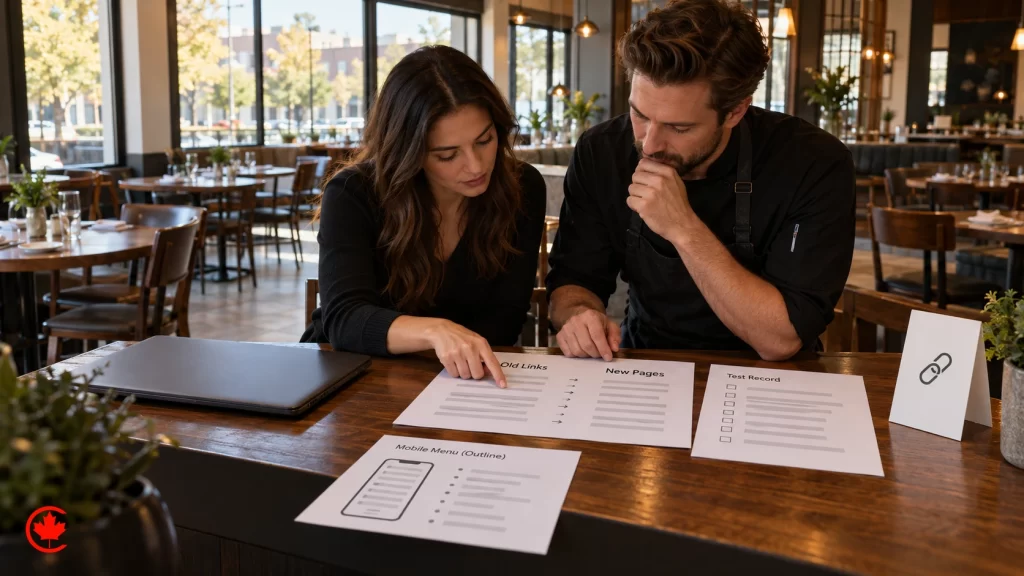
Restaurants print website links everywhere: table tents, takeout bags, receipts, flyers and window decals. A redesign that changes the menu address can break every QR code in the dining room. We list every old address, keep the important ones or redirect them to the right new page, and test the codes before launch.
Protect search visibility
Old pages that rank for your restaurant name, cuisine or neighbourhood are redirected one to one, titles and descriptions are carried over or improved, and the new site is checked in Search Console after launch. Our website migration checklist walks through the full process.
Signs your restaurant website needs a redesign
- The menu is a PDF or an image that does not zoom.
- Guests call to ask your hours or whether you take reservations.
- Staff cannot update prices or dishes without help.
- The site is slow on a phone or shows a security warning.
- Photos no longer show your current room or dishes.
Where restaurant websites usually fall short
- Hidden reservations. The booking button sits only on the contact page.
- Wrong hours. Holiday hours or seasonal closures never make it to the website or the profile.
- Autoplay everything. A heavy video or slideshow loads before the menu.
- No direct ordering path. Every order goes through apps even when guests would order directly.
- Private dining as an afterthought. Group and event enquiries land in a general contact form with no details.
- Two versions of the truth. Different phone numbers or menus on the website, Google and delivery apps.
Small fixes with quick effect
Moving the menu and reservation buttons into the header, replacing the PDF menu with text, matching hours across the website and Google, and adding a private dining page are often the first changes we recommend, even before a full redesign.
Guides for restaurant owners
Guide: What a restaurant website needs in 2026. Guide: How restaurants get more customers in Canada.
Choosing a restaurant website design company in Toronto
Questions to ask before you hire
- Can you show restaurant or food work, with the website live today?
- Will the menu be editable text, and who on my team will be trained to update it?
- Which reservation, ordering and point-of-sale systems have you connected before, and how will you test them?
- How will you handle redirects and printed QR codes if we are replacing an old site?
- Who owns the accounts? (The answer should be you: domain, hosting, website, Google Business Profile and analytics.)
- What is included in setup, what is monthly and what are the third-party costs?
What working with Canada Create looks like
Canada Create has built websites and run digital marketing for businesses since 2008, serving Canada from our Toronto office. Our food-business work includes the Meat Zone website, the BOOF website and product photography, the DELPASAND website and photography and the Mezositi ecommerce site and branding. When the website is live, the same team can run restaurant marketing in Toronto, from Google Ads to social media, or build a restaurant app when ordering volume calls for one.
Next step
Tell us about your restaurant, your locations and the booking and ordering systems you use. We reply within one business day, and a written proposal with a clear scope and quote follows discovery. Prefer to talk? Call (416) 273-9030, Monday to Friday, 9 am to 6 pm, and Saturday, 10 am to 2 pm. After hours, our 24/7 AI agent answers the toll-free line, +1 (800) 808-9235, and we’ll follow up the next business morning.
Talk to a strategist
Ready when you are?
Request a custom proposal
Tell us your goals, budget and timeline. You get a custom proposal and a named strategist, so your next stage of growth starts now.
How we build a restaurant website
A clear process that fits around service hours and keeps your managers informed at every step.
- Discovery
We learn your concept, locations, menus, booking and ordering systems and the questions guests call about most.
- Structure and content plan
We map menu, location, events and ordering pages, list old links and printed QR codes, and agree who writes and approves content.
- Design
Mobile-first layouts with the menu and booking buttons in reach, your brand, readable type and room for real photos.
- Build and integrations
We build on WordPress or the agreed platform, connect booking, ordering and gift cards, and add restaurant schema and tracking.
- Testing and launch
Menus, booking, ordering, forms, speed, accessibility, redirects and QR codes are tested on a staging site before going live.
- Care after launch
The project plan defines post-launch checks. Hosting, maintenance, menu updates and reporting are included only where agreed in the written scope.
Food and restaurant websites we have built
Work for food businesses in our portfolio, with the website, photography and ecommerce we delivered.

Meat Zone
Restaurant website design
A restaurant website that presents the menu, the food and the brand, built and tested with the Meat Zone team before launch.

BOOF
Website and product photography
A premium website for a meat products brand with custom photography of each product.

DELPASAND
Website and photography
A website redesign and product photography for a Canadian meat products brand.

Mezositi
Ecommerce and branding
An ecommerce store and branding for a bulk candy, nuts and snack mix business.
A BBB Accredited team for restaurant website design since 2008
Since 2008
More than 18 years building websites and running digital marketing for businesses.
BBB Accredited A+
A BBB Accredited Business with an A+ rating.
Canada
We serve restaurants and food businesses across Canada.
Sales and support hours
Call (416) 273-9030, Monday to Friday, 9 am to 6 pm, and Saturday, 10 am to 2 pm. After hours, our 24/7 AI agent answers the toll-free line, +1 (800) 808-9235, and we'll follow up the next business morning.
Restaurant website design questions
What does restaurant website design cost?
Price is shaped by how many locations you run, whether you need private dining and catering pages, embedded booking and online ordering or gift cards, and whether an older site needs a redirect map and QR code checks. Canada Create sets out the quote in writing after a short discovery call. Booking platforms, ordering modules, point-of-sale subscriptions, photography and ad spend are listed separately.
How do you design a restaurant website guests can use?
Put the menu, hours and location, and the way to book or order at the top of the home page and in the header of every page. Write the menu as text that reads on a phone, connect your reservation and ordering systems by button or embed, and test on real phones. Use real photos of the food and the room, and give staff a simple way to update dishes, prices and hours.
What restaurant website design ideas cut phone calls during service?
Answer the questions your host stand hears most: parking, patio status, dietary options, large-party bookings and gift cards. A location page with holiday hours, transit and accessibility details, and a private dining page with capacity and sample menus, handle many more. Every question the site answers is a call your staff do not take mid-service.
Is restaurant web design still worth paying for when diners use Google and delivery apps?
For most restaurants, yes, because Google Maps, AI answers and delivery apps can draw on your own site for menus, hours and booking links. A site you control lets guests reserve or order direct, and consistent details with restaurant schema support how you appear in search. Orders placed on your own site also keep the guest relationship with the restaurant.
How do I choose a restaurant website design agency in Toronto?
Ask to edit a menu item yourself in a demo, and ask how the agency will handle your booking and ordering platform, schema and old QR codes at launch. Check that the agency lists a real street address, has restaurant owners and other clients posting live Google reviews, and will register every account to your restaurant. Canada Create, founded in 2008, plans restaurant websites in Toronto for dining rooms, counters and groups across Canada.
What happens to old menu links and QR codes when a restaurant website is redesigned?
They should be mapped and tested before launch so guests scanning a printed code at the table do not land on an error page. A 301 redirect map sends old pages to their new versions, and an audit of pages and rankings beforehand shows which pages earned search traffic. Monitoring after launch catches anything missed.
Does a restaurant website help with Google Maps and near me searches?
Yes, when the site's name, address, hours and menu match your Google Business Profile and the pages carry restaurant structured data with cuisine, hours, menu and reservation links. Groups should give each location its own page. Consistent details help Google trust what it shows to nearby diners searching for your kind of food.
What rules should every restaurant website follow?
A few hold for almost every restaurant: answer menu, hours and booking first, keep the menu in editable text, make buttons big enough for a thumb and keep pages fast on a phone. Design to the agreed WCAG level for contrast, headings, labels and keyboard use. Ontario's accessibility rules also apply to many businesses' websites, so check what applies to yours.


What most restaurant websites miss
PDF menus that will not zoom, reservation buttons buried on the contact page, holiday hours that never get updated, and QR codes that break after a redesign. We fix these first.