
Website Redesign Checklist for Toronto Businesses
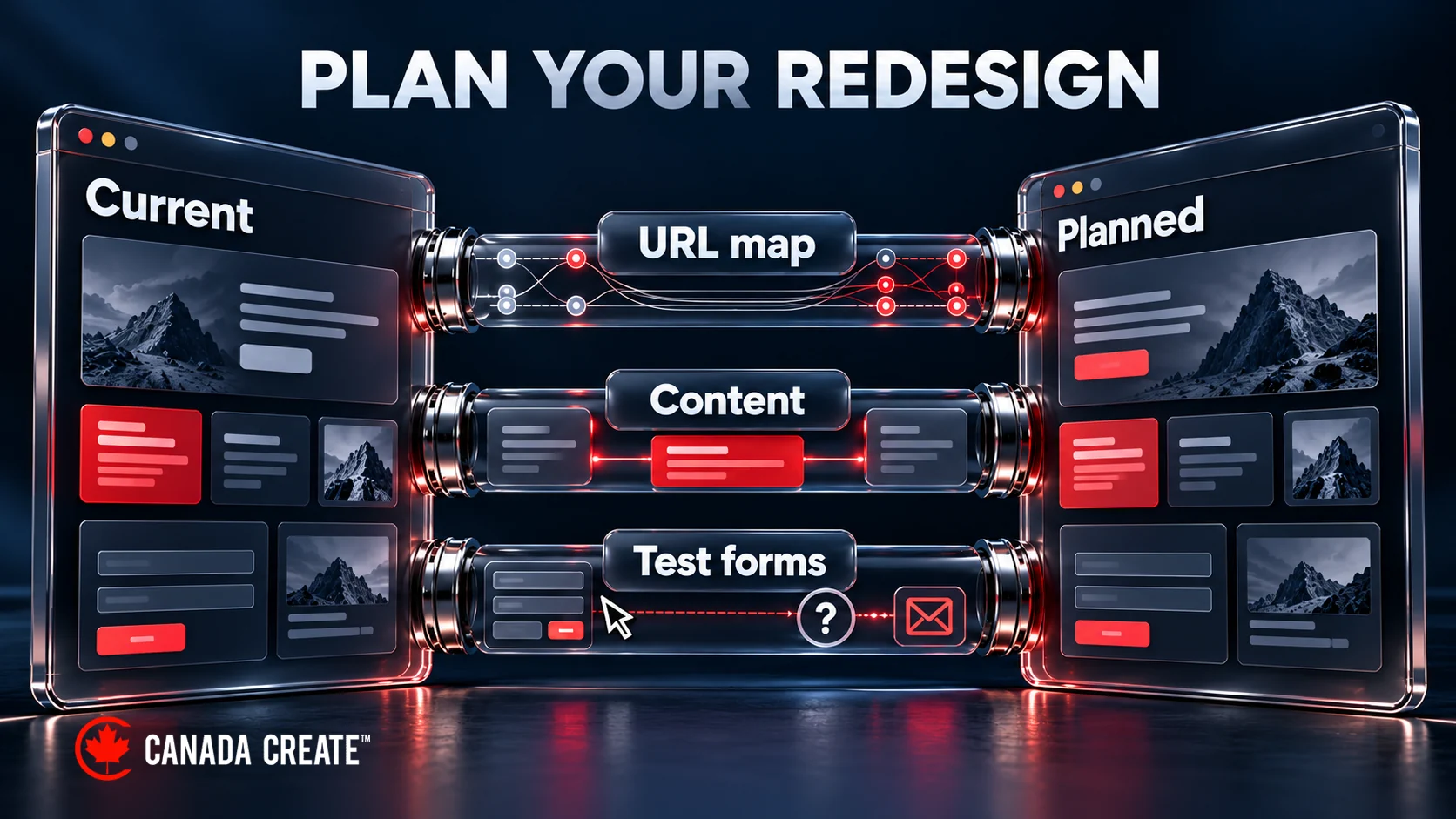
A website redesign should make the site easier to use without losing the useful pages, enquiries and business information people already rely on. The main risks are practical: an important URL disappears, a form stops delivering, a staging setting blocks the live site, or new navigation makes a familiar task harder.
This checklist helps Toronto business owners decide what to change, what to preserve and what evidence to require before launch. It covers the whole redesign, not just appearance. If the work also changes URLs, domains or platforms, use the more detailed website migration checklist alongside it.
Signs You Actually Need a Redesign
Start with the problem, not the age of the design. A dated colour palette is different from an inaccessible booking form, a platform that cannot support required features or a mobile navigation problem that affects every page. Write down the task people cannot complete and the evidence that shows it.
Ask someone unfamiliar with the site to find the right service, understand its coverage and complete the intended next step. Watch where they hesitate or fail. Combine those observations with enquiries, support questions and analytics. A high bounce rate or short visit alone does not establish a problem: a visitor may have found an address or answered a simple question.
Choose a targeted repair when the issue is confined to a few pages, forms or templates and the underlying platform remains suitable. Consider a larger redesign when the same structural problem appears throughout the site or the platform cannot support the required workflow. A faster page, clearer wording or repaired form may solve the immediate issue without a rebuild.
Define the expected improvement in observable terms. “Customers can book the correct appointment on a phone” is testable. “The site looks more premium” needs a more specific acceptance standard. Do not assume a new design will improve rankings or conversions simply because it looks better.
Phase 1: Pre-Redesign Planning
Audit Everything Before You Touch Anything
Build a URL inventory from the CMS, sitemap, a crawl, analytics and Search Console. Each source sees a different part of the site; none should be treated as a complete inventory by itself. Include useful downloads, campaign landing pages, product categories and other destinations people may reach without using the navigation.
For each important URL, save the current title, purpose, headings, useful copy, internal links, canonical setting and any structured data. Record whether it receives relevant visits, enquiries, sales or valuable external links. Keep copies of the current content and configuration, not just screenshots of how they look.
Prioritize by business exposure rather than page count. As a planning example, a page with 300 relevant visits a month and a 4% enquiry rate is associated with 12 enquiries under those inputs. That makes its URL, content and form worth testing carefully. It is not a forecast that a redesign will lose 12 enquiries, and it does not put a universal maximum value on the risk.
Document baseline performance for representative page types and important visitor journeys. Record the measurement date, device and conditions. Keep field data from real visitors separate from lab tests. Also confirm that existing conversion measurements actually fire at the intended outcome; a broken baseline cannot prove that the redesign improved anything.
Set Clear Goals Before Designing Anything
Choose a small set of goals with defined measurements: a completed booking, a successfully delivered enquiry, a qualified call or a finished purchase. A click on a button may be a useful intermediate event, but it is not automatically a lead. Agree which outcomes matter and who will review them.
Write a scope list covering design, copy, development, URL mapping, accessibility checks, integrations, tracking, testing and post-launch support. Identify what is retained and what is excluded. Compare any commissioned web design services against that written list rather than assuming “redesign” includes every dependency.
Separate a visual refresh from a platform migration, domain change and major content rewrite. Combining them may be justified, but it makes cause and effect harder to investigate if results change. Where practical, keep working URLs and useful content stable while solving the design problem.
Assign owners, access and a realistic budget
Name one person to approve content and one person to make the launch decision. Assign responsibility for redirects, forms, analytics, hosting and business information. Confirm the business can access its domain, website, backups and measurement accounts through appropriate account arrangements before the project depends on them.
Budget for the work around the design: content preparation, integrations, testing, migration, licences, maintenance and correction time. Request the currency, taxes, recurring charges and renewal terms in writing. A quote in Canadian dollars should not obscure a third-party subscription billed in another currency.
Build the schedule around dependencies instead of a generic completion promise. Product data, legal review, photographs, translations and appointment-system access can each hold up a launch. Choose a window when the responsible people can test and respond, not just the first date when the new homepage looks finished.
Compare repair, refresh and rebuild on the same scope
Ask for options that solve the same stated problem. A form repair, a visual refresh and a platform rebuild are not comparable simply because each has a price. List which option resolves the failed task, which existing limitations remain and what new responsibilities it creates. A less expensive option can be the right choice if it addresses the actual need; it can be a false economy if the required workflow still cannot work.
For example, if visitors can find the correct service but enquiries are not reaching the business, first establish whether the failure is in the form or its delivery process. A new homepage does not by itself solve that failure. If visitors cannot distinguish services because the entire content structure is confusing, a wider information and navigation redesign may be justified. These are conditional decisions, not claims about a past customer’s results.
Compare the proposed content work too. “Move existing content” is different from researching, rewriting, approving and entering it. Similarly, “install analytics” does not necessarily include event definitions, consent configuration, testing or reporting. Ask for the acceptance evidence beside each line item so two quotes are not compared on labels that conceal different deliverables.
Resolve competing objectives before a layout is approved. Marketing may want fewer form fields, operations may need qualification information, and customers may need a simple route for urgent requests. The useful question is which information is necessary at which step. Agree a testable compromise rather than letting the design silently choose whose requirement wins.
Use a cost scenario without inventing lost revenue
For a planning calculation only, suppose a scoped refresh is quoted at C$4,000. Suppose the approved plan also requires eight hours of content preparation at C$100 per hour, six hours of testing at C$100, and C$300 of additional first-year licence costs. The total is C$5,700 before taxes: C$4,000 plus C$800 plus C$600 plus C$300. These are assumed inputs, not a market range or a Canada Create offer.
If a competing proposal includes content and testing, do not add those amounts twice. If it excludes migration or integration work, obtain those costs before comparing totals. Separate one-time work from recurring fees and state which costs continue after the first year. The calculation is useful because it exposes scope, not because its sample figures predict what your project will cost.
For business exposure, use the pages and journeys in your baseline. Relevant visits multiplied by the observed enquiry rate can describe the enquiries associated with a path; it cannot predict that all of them would disappear during a redesign. A revenue scenario also needs the appropriate qualification and close rates and average revenue per completed sale. An affordability decision should distinguish that revenue from contribution after variable delivery costs.
Do not use a guessed “up to” loss to force a rebuild decision. Record what could fail, how the business would detect it and the response available. A tested rollback, a working alternative contact route and named launch support make the risk discussion concrete without pretending to know a maximum financial consequence.
Phase 2: SEO Preservation Checklist
Preserving search visibility is not the same as keeping every old word forever. The goal is to retain useful information and clear URL relationships while making intentional changes. Google may need to recrawl and process a changed site; no checklist can guarantee unchanged rankings.
Give every existing URL a deliberate outcome
Keep a working URL when there is no clear reason to change it. If a page moves, map the old address to the most relevant new equivalent using an appropriate permanent server-side redirect, such as a 301 or 308. Google’s site-move guidance explains this mapping and redirect process. Do not send unrelated removed pages to the homepage just to eliminate errors from a report.
If two pages genuinely serve the same purpose and are consolidated, preserve the useful information on the chosen destination and update links. If content is intentionally removed with no suitable replacement, use the appropriate removal response rather than disguising the absence as a successful page. Review important external links and downloads before making that decision.
| Existing page | Planned change | Pre-launch check |
|---|---|---|
| An existing service page still answers the same need | Retain its URL and improve the layout | Content, navigation links and enquiry path still work. |
| A service page has a new equivalent address | Map the old URL directly to the relevant replacement | The permanent redirect reaches the intended working page without a loop. |
| Two overlapping pages are combined | Choose one destination and retain their useful material | The destination answers the old visitors’ needs and internal links are updated. |
| An obsolete offer has no replacement | Remove it deliberately with an appropriate response | Navigation, campaigns and business listings no longer send people to the obsolete offer. |
We design and build fast, accessible websites for Canadian businesses, with SEO built in from day one.
Test the mapping, not just the presence of a redirect file. Check the actual response and final destination for each mapped URL. Look for loops, chains and pages that return a success code while displaying an error. Update internal links to the final destinations instead of making visitors follow avoidable redirects.
Check indexing, canonicals and mobile content
Protect the development site from unintended public access and indexing. Separately confirm that the production pages intended for search are accessible after launch and do not retain a staging noindex setting. Check both page-level directives and relevant site-wide configuration; the homepage alone cannot establish the state of every template.
Review canonical URLs, sitemap entries and internal links together. They should describe the intended live addresses, not the staging domain or a mixture of old and new locations. Include the intended canonical pages in the updated sitemap and submit it through the verified Search Console property. Google notes that sitemap submission is a hint, not a guarantee that it will be downloaded or used for crawling; it is not a promise of indexing.
Check that useful main content and links remain available in the mobile version. Google’s mobile-first indexing guidance calls for equivalent primary content even when the layout differs. Hiding substantive information or removing navigation paths on phones can change what users and search systems can access. Test the actual page types rather than assuming a responsive theme preserves everything automatically.
Preserve accurate metadata and structured data
Carry forward useful titles, descriptions and headings unless there is a reason to revise them. A theme change should not replace meaningful page titles with generic template text. Check both the saved fields and the published output, since plugins and templates can alter what is served.
Review structured data against the visible page and current search-engine guidance. Remove obsolete facts, check identifiers and avoid duplicate conflicting output from the old and new setup. Google’s structured-data policies require current information and markup that reflects visible content. Keep useful FAQs for readers, but do not treat markup as a promise of a special search display.
If specialists are involved, agree who owns the mapping and technical checks. The scope of any SEO services should identify those responsibilities and the evidence needed at handover. A design approval is not an SEO migration sign-off.
Phase 3: Design and UX Checklist
Test complete journeys, not isolated screens
Start with the information a visitor needs to act: what the business does, who it serves, where it operates and the next step. Use a clear primary action for the page’s main purpose while keeping legitimate alternatives available. A service enquiry and an existing-customer support request may need different routes.
Test navigation using realistic tasks. Can a visitor distinguish similar services, find opening hours and return to a relevant page without starting over? Check menus, search, breadcrumbs and links inside content where they are used. A cleaner navigation bar is not an improvement if it removes a route people need.
On a phone, check that labels remain readable, controls are usable and overlays do not block the task. Check the journey with keyboard navigation and visible focus as well. Test meaningful image alternatives, form labels, error messages and contrast rather than treating accessibility as a single automated score. The W3C preliminary checks are a useful starting point, not a complete accessibility evaluation or a certification.
Make the Toronto details useful and accurate
Confirm the real address, phone number, business hours, appointment arrangements and service area. Distinguish a location people can visit from an area the business serves. Do not imply a physical office in every Toronto neighbourhood or surrounding municipality simply to add location terms.
For a business with appointments, show the time zone and clarify whether the visit is in person, at the customer’s location or online. If parking, transit access or building-entry instructions are useful, include only current verified details. For a store, confirm pickup locations, delivery coverage and the currency shown before checkout.
If customers genuinely need more than one language, plan the translated content, navigation and enquiry handling together. Do not add a language selector that leads to incomplete pages or implies support the business cannot provide. Regional relevance should help a person complete a task, not become a repeated list of place names.
Treat forms as business workflows
Ask for information needed to route and answer the enquiry, and explain any field that may be unclear. Keep necessary qualification questions rather than shortening the form blindly. A shorter form can create more work for the business if every submission lacks essential information.
Test required fields, helpful error messages, mobile entry, confirmation messages and delivery to the intended destination. Use authorized synthetic test details, not real customer records. Verify both the website submission and the receiving inbox or system; a success message on the page does not prove delivery.
Check the handoff after submission too. Confirm who responds, where the record is stored and whether the promised next step matches the actual process. Do not copy an old response-time promise into the new site without confirming that the business still supports it.
Phase 4: Technical Checklist
Compare speed under matching conditions
Test representative templates with realistic images, fonts and integrations in place. An almost-empty staging page is not a fair performance comparison with the complete live site. Record the device, location, cache state and test conditions, and distinguish lab measurements from real-user Core Web Vitals data.
Investigate the part of the experience that is slow: initial response, main content rendering or interaction. Compressing images will not resolve every server delay, and moving hosts will not automatically fix heavy browser scripts. Check that a performance change has not broken navigation, tracking or an important business function.
Verify the infrastructure and integrations
Check HTTPS across the affected pages and resources, not just the homepage. Crawl the candidate for broken internal links and missing assets, then check again after launch against the actual public addresses. A clean staging result cannot reveal every production configuration problem.
List dependencies such as booking tools, payment flows, customer accounts, maps, search and CRM connections. Assign an owner and test case to each. If hosting or DNS changes are part of the project, identify website and email dependencies separately so a web launch does not unintentionally disrupt business email.
Keep a usable backup and a defined rollback plan. State what triggers rollback, who can authorize it and how any new orders or submissions would be preserved. Restoring an older database without accounting for new records can create a second problem.
Validate measurement and schema
Confirm analytics and conversion events against the intended actions. Check for duplicate events, missing events and changes in consent behaviour that could make before-and-after comparisons misleading. Do not record a page view or button click as a completed enquiry unless that is the explicitly chosen measure.
Validate supported structured-data types with the relevant tools, then inspect their actual values. A technically valid markup block can still contain an outdated address or an answer that is not visible on the page. For FAQs, keep the displayed question and answer aligned with any schema generated by the site.
Phase 5: Content Checklist
Assign each page a clear purpose before rewriting it. A service page helps a prospective buyer understand the offer and decide whether to enquire. An informational guide helps someone solve a narrower problem. Do not turn every useful guide into a duplicate sales page or spread the same service pitch across numerous near-identical pages.
Keep accurate, useful material even when the old layout is dated. Update obsolete information, answer missing questions and remove unsupported claims. Do not delete a useful page solely because its traffic is low; it may answer an important customer question or support a necessary step in the journey.
Check every testimonial, outcome, credential, price and service-area statement against current evidence and permission to use it. Replace imagined success stories with clearly framed examples or a direct explanation. A redesign is not a reason to make the business’s history sound more impressive than the records support.
Review headings, captions, tables, downloads and internal links as part of the content, not as decoration. Preserve meaningful image alternatives and use empty alt text for genuinely decorative images. Confirm that reused photographs, logos and other assets remain appropriate and authorized for the new context.
Create a content sign-off list that names the page, approver and unresolved question. A blank section or placeholder must be a deliberate launch decision, not something left because nobody knew who owned it. Freeze the approved version before the final technical checks so late edits do not invalidate the review unnoticed.
Phase 6: Launch Day Checklist
Use a go/no-go decision, not a hopeful launch
Before the switch, confirm the approved content, working backup, redirect map and launch contacts. Run the most important journeys on the candidate, with production-specific settings checked separately. Record remaining defects and decide which are safe to defer rather than calling every unfinished task minor.
| Launch gate | Evidence to record | Reason to hold launch |
|---|---|---|
| Important URLs | Working retained pages and tested old-to-new mappings | An important destination is missing, loops or redirects somewhere irrelevant. |
| Enquiries and transactions | Successful authorized tests and receiving-side confirmation | A core form, booking or purchase path fails. |
| Search access | Expected status, indexing directives, canonicals and sitemap addresses | Production retains an unintended staging block or domain reference. |
| Content and business information | Approved copy, contact details, service areas and offer facts | Material information is wrong or unapproved. |
| Recovery | Usable backup, responsible contact and treatment of new records | No safe response exists for a critical launch failure. |
After launch, repeat the checks on the public site. Confirm the destination domain and live configuration, then test key pages, redirects, forms and integrations. Recheck analytics with the approved method. Clear only relevant caches if needed and verify that the current version, not a stale copy, is being assessed.
Monitor by issue, not just by a traffic graph
Watch important journeys and technical errors closely after launch, with named responsibility for triage. Review Search Console and analytics as their data becomes available. Compare similar weekdays, sources and device groups, and allow for reporting delays rather than assuming every empty chart is a site failure.
If organic visits fall, separate visibility from measurement. Check whether analytics is recording, whether search impressions and clicks changed, which URLs are affected, and whether redirects, access settings or content changed. Also consider seasonality, campaigns and wider changes in demand. A drop alone does not prove the redesign caused it.
Use the evidence to choose the response. Repair a broken form immediately. Correct a missing important redirect. Investigate a content or indexing regression on the affected pages. Do not rewrite the whole site again because of one noisy day of data, and do not wait for a fixed review date when a critical journey is already broken.
What a Useful Handover Includes
Keep the final URL map, approved content, access ownership record, backup and restore process, integration list and measurement definitions together. Record recurring charges and who maintains each part of the site. Give staff a practical way to update routine information without accidentally changing site-wide behaviour.
Separate project acceptance from ongoing support. Agree how defects are reported, what is included in correction work, what counts as a new request and who is available after launch. Preserve a dated list of unresolved issues so the business does not inherit a site that appears finished but has no owner for the remaining work.
The Bottom Line
A good redesign checklist ends with evidence: important pages still exist, visitors can complete their tasks, accurate information is preserved, measurement works and someone can respond if something fails. It cannot promise a ranking increase or eliminate every migration risk, but it can make the decision and the launch far more controlled.
For delivery scope, see our web design services or ecommerce website solutions. The portfolio provides project examples; contact Canada Create if you need help defining which parts of this checklist belong in your project.
Frequently asked questions
What should a website redesign checklist include?
Include the business goals, current page and measurement baseline, content inventory, URL decisions, redirects, indexing settings, mobile and accessibility checks, forms, integrations, analytics, backup, launch tests and post-launch ownership. Each important item should identify who is responsible and what evidence shows it works. A list of design preferences alone is not a launch checklist.
How do I know whether I need a full redesign or a smaller repair?
Start with the task visitors cannot complete and the evidence behind it. A problem limited to a few forms or pages may be solved with targeted changes. A wider redesign is more appropriate when structural problems repeat across the site or the platform cannot support required workflows. Appearance, site age or a high bounce rate alone does not establish the need for a rebuild.
Will a website redesign hurt my SEO?
It can affect visibility when URLs, content, navigation or indexing settings change. Keep useful pages and working addresses where possible, map necessary moves to relevant replacements, and test the live result. These steps reduce avoidable risks but cannot guarantee unchanged rankings. If traffic falls, investigate tracking, affected URLs, access settings and changes in demand rather than assuming a single cause.
Should I keep my existing URLs during a redesign?
Keep a useful working URL when there is no clear reason to change it. If a page moves, map the old address directly to the most relevant new equivalent and test the response and destination. Do not redirect unrelated deleted pages to the homepage simply to hide errors. Update internal links and sitemap entries to the intended live addresses.
What Toronto-specific information should I check?
Verify the real address, phone number, hours, appointment arrangements, service area and any pickup or delivery details. Distinguish a location people can visit from an area the business serves. Include parking, transit or language information only when it is accurate and useful. Do not add neighbourhood pages or office claims that misrepresent the business.
How long does a website redesign take?
The schedule depends on the number of templates and pages, content readiness, integrations, platform changes, review rounds and testing. Build a plan around those dependencies and the availability of decision-makers rather than relying on a generic duration. The launch date should allow the responsible people to verify the public site and respond to problems.
What should stop a website from launching?
Hold launch for failures in core forms, booking or checkout; missing important pages or broken redirect mappings; unintended indexing blocks; materially incorrect business information; or the absence of a safe recovery plan. Record lesser defects and assign owners rather than silently accepting them. The business and delivery team should agree the go/no-go criteria before launch day.
How should I check forms and conversion tracking?
Use authorized synthetic test data and complete the intended task. Verify the confirmation, stored record where relevant, receiving inbox or system, and the expected analytics event. Check for duplicate events and distinguish a click from a completed enquiry or sale. A successful on-screen message alone does not prove that the business received the submission.
Should FAQs and schema move to the new site?
Retain useful, accurate questions and answers and keep any generated schema aligned with the visible content. Check for obsolete facts and duplicate conflicting markup after the theme or plugin changes. Follow current search-engine guidance and do not treat valid FAQ markup as a guarantee of a special search display.
What should I monitor after the redesign goes live?
Check important user journeys, errors, redirect destinations, indexing settings and measurement first. Then review comparable search and conversion data as it becomes available, noting reporting delays and changes in demand. Assign someone to investigate material problems and keep a log of changes so later results can be interpreted against what actually changed.
Who should own the design and SEO handoff?
Name an accountable project lead and assign content, redirects, forms, measurement and launch approval explicitly. If you use a website design provider or SEO support, confirm each responsibility in the written scope rather than assuming it is included. The business should know who can fix a problem and who approves the final launch.