
Toronto · Video editing
Video editing services in Toronto
Hours of raw footage turned into finished, captioned videos sized for each platform, with master files you keep.
Editing for businesses in Toronto and the GTA and across Canada: footage you have or we film, cut to the message, with clean audio, captions, graphics, licensed music and versions for every platform.
- BBB A+ accredited
- 18 years in business
- Mon to Fri 9 to 6, Sat 10 to 2
Get your video editing quote
Tell us what footage you have, how long it runs and where the finished video will be used. We reply within one business day.
Please do not share passwords or other sensitive details here. We never sell your contact information and we comply with Canadian privacy law
(privacy policy).
Finished videos and files you keep from video editing services
Footage that finally gets used
Interviews, events and webinars cut into videos people will watch.
A clear message
Each edit built around one audience, one point and one next step.
Professional finish
Matched colour, clean audio, captions and on brand graphics.
Files you keep
Masters, platform versions, captions and licence notes in your folder.
What video editing includes
Each project is scoped in your written proposal; these are the usual parts of an edit.
- Footage reviewAll raw material watched, logged and checked for problems.
- Edit plan and storyAudience, message, length and structure agreed before cutting.
- Colour correctionShots from different cameras and rooms matched and graded.
- Audio clean upNoise and echo reduced, levels balanced, music mixed under voices.
- Captions and subtitlesHuman checked captions in English, French subtitles where needed.
- GraphicsTitles, lower thirds, callouts and end cards in your brand style.
- Platform versionsHorizontal, vertical and square cuts, plus shorter cut downs.
- Delivery and archiveClearly named masters, upload files, thumbnails and licence notes.
How video editing is priced
All editing is quoted in writing after a free review of your footage. Paid promotion is billed by the platform and shown separately.
Single video edit
Quoted in writing
One interview, demo or brand story
- Footage review
- Edit plan
- Colour and audio finish
- Captions
Event package
Quoted in writing
Conferences, launches and gatherings
- Highlight reel
- Individual talks
- Social clips
- Thumbnails
Monthly editing
Quoted in writing
Organizations with a steady flow of footage
- Recurring edits
- Platform versions
- Bilingual captions
- Monthly delivery summary
Training series
Quoted in writing
Onboarding, safety and product training
- Chapters and steps
- On screen graphics
- Caption files
- Organized library
Ad spend and software licences are paid to the platform directly and shown separately from our fees.
Video editing guide
What business video editing covers and how to choose an editor
Video editing services turn raw footage into finished videos a business can publish: a clear story cut to the message, colour corrected, with clean audio, captions and subtitles, titles and lower thirds, licensed music, and versions sized for each platform. We edit footage you already have, such as interviews, event recordings, webinars, training sessions and phone clips, as well as footage we film. It is for owners, marketing coordinators and HR or training leads who have hours of video sitting on drives and no time to make it usable. Canada Create is a Toronto agency at 126 Willowdale Avenue that edits video for businesses across Canada.
- The footage businesses bring to an editor
- Reviewing raw footage and finding the story
- Colour correction and audio clean up
- Captions and subtitles in English and French
- Titles, lower thirds and simple animation
- Versions for each platform, plus thumbnails
- File delivery and an archive you own
- How editing fits with filming, social and your website
- Licences, releases and accessibility
- How an editing project runs
- What video editing costs
- How to choose a video editor for your business
- Requesting video editing services: footage and goals to send
The footage businesses bring to an editor
Many organizations already record far more video than they publish. A conference is filmed on two cameras and never cut down. A founder records a product walkthrough on a laptop. Staff shoot clips on their phones at a trade show. A webinar runs for an hour and sits in a cloud folder. An editor’s job is to turn that material into something people will actually watch.
Common editing jobs
- Interviews and testimonials with leaders, staff or customers who have given permission.
- Event recordings cut into a highlight reel, individual talks and short social clips.
- Training and onboarding videos for staff, with chapters and on screen steps.
- Product demonstrations showing how something works, assembles or compares.
- Webinars and recorded presentations trimmed, with slides cleaned up and dead air removed.
- Social clips cut out of longer footage for Reels, TikTok, Shorts and LinkedIn.
- Real estate and property footage, including walkthroughs and aerial clips, assembled into listing videos.
Multi camera footage and screen recordings
Events and interviews are often recorded on two or three cameras plus a separate audio recorder. Syncing those sources so the editor can switch between a wide shot and a close up, without the sound drifting, is one of the first jobs in a multi camera edit. Screen recordings for software tutorials and webinars need their own care: zooming in on the part of the screen that matters, hiding notifications and personal details, and slowing down the moments where a viewer needs to follow a click.
When we also film
If the footage you have is not enough, or you are starting from nothing, filming can be added through our video production service. This page is about the edit itself, which is where most of the difference between amateur and professional video is made.
Reviewing raw footage and finding the story
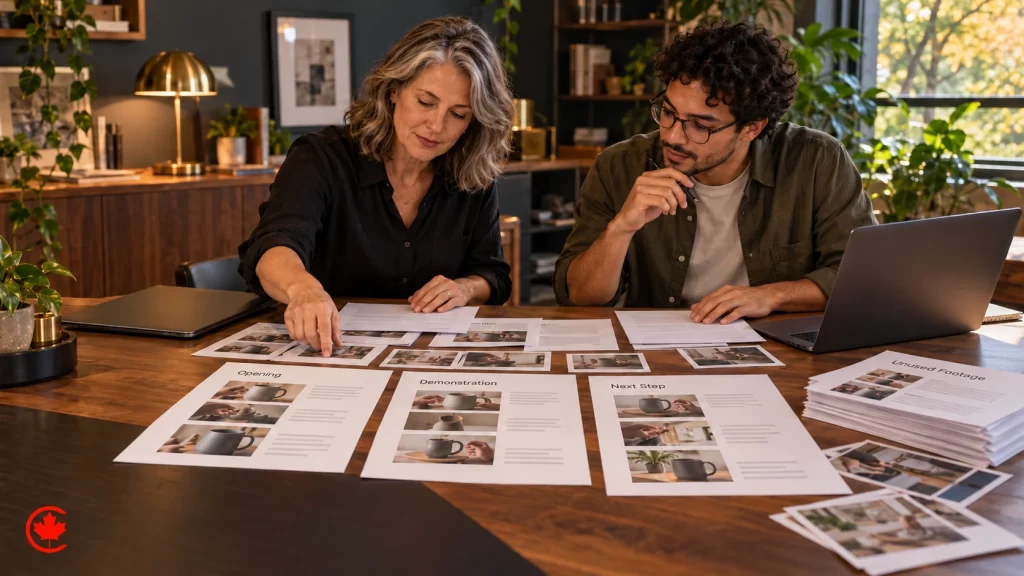
Editing starts with watching everything. Before cutting a single frame, the editor reviews the raw footage, logs the strongest moments, notes audio or lighting problems and marks anything that must not appear, such as a confidential slide, a customer’s face without a release, or a competitor’s product in the background.
Cutting to the message
The second step is agreeing what the finished video must say. A ninety minute panel discussion might become a three minute highlight that makes one point clearly. A twenty minute founder interview might become a two minute brand story and five short answers. We write a short edit plan that names the audience, the one message, the length and where the video will be published, then build the cut around it. Good editing is often about what is left out.
Working from a transcript
For long interviews and panels, a transcript makes the edit faster and the review easier for you. We mark the quotes that carry the message, and you can approve the selection on paper before a frame is cut. This is often called a paper edit, and it saves review rounds later, because the people who must approve the video agree on the words first and the editor then builds pictures around them.
Structure that holds attention
Business video works best when it opens with the point or the problem, shows evidence or demonstration in the middle, and ends with a clear next step. We cut pauses, repeated phrases and false starts, use B roll to cover jumps in an interview, and keep the pace suited to the platform: brisk for social, steadier for training material people need to follow.
Colour correction and audio clean up
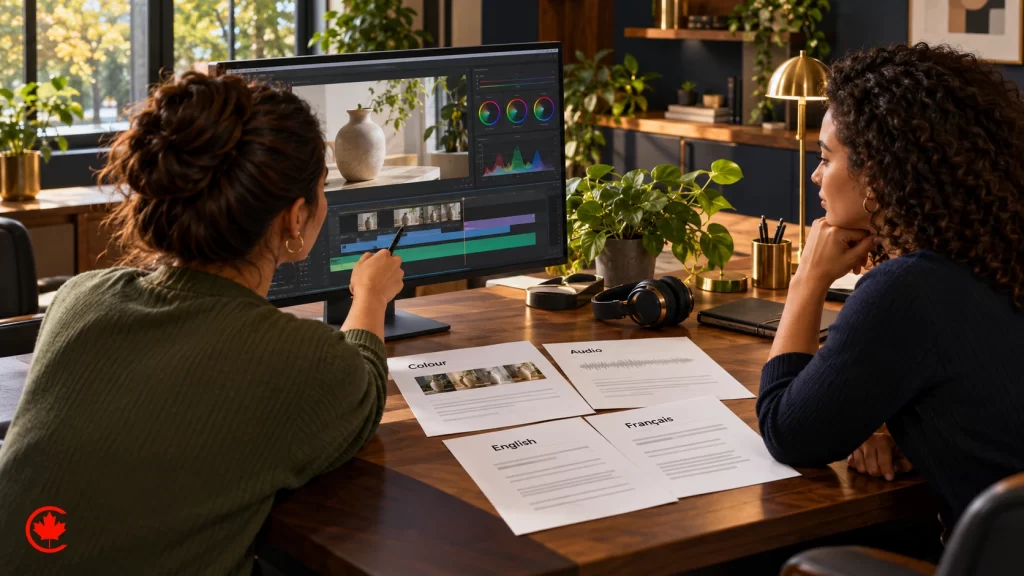
Footage shot on different cameras, in different rooms or at different times of day rarely matches. Colour correction balances exposure, white balance and skin tones so shots cut together without jarring jumps. Colour grading then gives the whole video a consistent look that suits your brand, warmer for a hospitality business, cleaner and cooler for a technology firm.
Audio matters more than picture
Viewers forgive slightly soft video; they leave when they cannot hear. Audio clean up reduces background hum, air conditioning noise, echo in a boardroom and the clatter of a trade show floor. Levels are balanced so a quiet speaker and a loud one sit at the same volume, and music sits under voices rather than over them. Where audio is beyond repair, we will say so plainly and suggest options such as subtitles, voice over or reshooting a short section.
Fixing common footage problems
Shaky phone clips can be stabilized, crooked horizons straightened, and vertical phone footage placed carefully in a horizontal edit. Some problems, such as a subject out of focus for a whole interview, cannot be fully repaired, and we tell you before you pay for time spent on them.
Captions and subtitles in English and French
Captions are a standard part of every edit, not an extra. Many people watch business video with the sound off on their phones, at their desks or in public. Captions also make video accessible to people who are deaf or hard of hearing, and they help search engines understand what the video says.
Burned in or separate files
- Burned in captions are part of the picture. They suit social clips, where styled captions help hold attention.
- Separate caption files can be switched on or off. They suit YouTube, websites and training platforms, and can be offered in more than one language.
French subtitles and bilingual versions
For organizations serving French speaking audiences, we prepare French subtitles written by people who speak the language, or full French versions with translated on screen text. Captions are checked by a person against the audio for names, product terms and figures before delivery, because automatic captions often misspell exactly the words that matter most to your business.
Titles, lower thirds and simple animation
Graphics make a video easier to follow and recognizably yours. We add opening titles, lower thirds with speaker names and roles, section headings in training videos, callouts that point to parts of a product, and end cards with your logo and next step, all in your brand fonts and colours.
Simple animation within the edit
Many videos benefit from light animation: a logo reveal, a number counting up in a report video, arrows and highlights over a screen recording, or a simple map. These are handled as part of the edit. Full explainer animations, character animation and longer animated pieces are a separate job on our motion graphics and explainer page.
Using your brand assets
If you have a brand guide, we follow it for fonts, colours, logo placement and tone. If you do not, we keep graphics simple and consistent, and a fuller visual system can be built through our brand identity service.
Versions for each platform, plus thumbnails
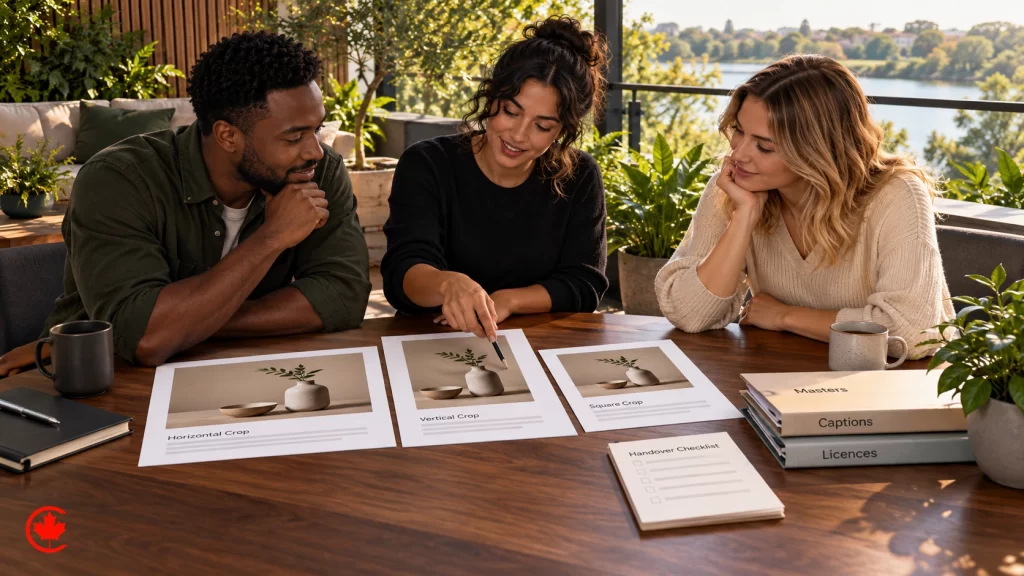
One edit rarely suits every platform. A horizontal video for YouTube or a website looks small and awkward in a vertical feed, and a sixty second social cut is too short for a training library. We plan versions from the start, so framing works in each format.
Common versions
- Horizontal for YouTube, websites, presentations and screens at events.
- Vertical for Reels, TikTok, YouTube Shorts and Stories, with text kept inside the platform’s safe area.
- Square or portrait for feed posts on LinkedIn, Facebook and Instagram.
- Cut downs of different lengths, such as a full version, a shorter summary and a short teaser.
Lengths that suit each use
Length follows purpose. A trade show loop on a screen needs to make sense with no sound and no beginning. A training video should be as long as the task requires and split into short chapters so staff can return to one step. A recruiting clip for LinkedIn should make its point before the viewer scrolls on. We agree a target length for each version in the edit plan, so nobody is surprised when the full talk becomes a short summary.
Thumbnails and still frames
Each video destined for YouTube or a website gets a thumbnail designed to be readable at small sizes, using a strong frame from the footage and a few words of text. We also export still frames for use in social posts, presentations and newsletters. Planning a whole YouTube channel, with topics and publishing, is covered on our upcoming YouTube marketing page; here we simply deliver the files ready to upload.
File delivery and an archive you own
A finished edit is only useful if you can find it again. We deliver files named clearly by title, version, language and date, exported in the formats each platform expects, along with caption files and thumbnails.
Masters and project files
You receive high quality master files suitable for future re edits, as well as compressed versions for upload. What happens to project files and raw footage is set out in the written proposal before work begins, so there are no surprises later. Music licence notes and signed releases are stored with each video so whoever reuses it knows what is cleared.
Keeping footage safe
Raw footage is often irreplaceable: a founder’s interview, an anniversary event, a site before renovation. We recommend that you keep copies in more than one place, and we deliver to a folder in your organization’s name so the archive stays with you if staff or suppliers change.
How editing fits with filming, social and your website
Edited video tends to work across several channels at once. Short clips feed social profiles, which our social media management team can schedule and post, and vertical clips can be planned in batches through our upcoming Social media content creation page. Longer edits suit YouTube and can be promoted through YouTube advertising, and they often belong on your website next to the service they explain, through website design.
Video is one part of the visual work we do. Product, team and space images come from photography services, property and space walkthroughs and aerial footage from our virtual tours and drone work, and furnished listing images from virtual staging, which pairs well with edited listing video for real estate teams.
Licences, releases and accessibility
Editing for a business brings a few rules that a personal video can often ignore. We plan for them in general terms:
- Licences: music, stock footage and fonts used in a business video need licences that cover commercial use. A track that is fine on a personal account may not be cleared for a brand, and we keep the licence note with the file.
- Releases: before we cut footage of customers, patients, students or event guests into a public video, we ask whether each identifiable person signed a written release; for minors, a parent’s written consent is needed. Faces without a release can be blurred or left on the cutting room floor.
- Disclosure: when an edit includes a creator or endorser who was paid or given something, the Competition Act and Ad Standards guidance expect that relationship to be made clear, so we leave room in the cut for an on screen line rather than hiding it in a caption nobody reads.
- Accessibility: an edit delivered with an accurate caption file is far easier to place on a website responsibly. In Ontario, AODA can apply to an organization’s web content, and WCAG is the usual standard for site builds, so caption files are part of every delivery.
This is a marketing observation, not legal advice.
How an editing project runs
Each project begins with a free review. You share a sample of the footage, or describe what you have, and tell us where the finished video will be used. We check the footage for quality, length and any obvious problems before quoting.
From footage to finished files
- Free review. A look at your footage, your goal and where the video will be published.
- Written proposal. Number of videos, versions, languages, rounds of changes, turnaround and fees quoted in writing.
- Edit plan and first cut. The message, structure and length agreed, then a first cut for your review.
- Revisions and finishing. Your notes applied, then colour, audio, captions, graphics and music finalized.
- Delivery. Masters, platform versions, caption files and thumbnails delivered to your folder.
For organizations with a steady flow of footage, such as weekly webinars, monthly event clips or regular product launches, editing can run as a recurring monthly arrangement with a short summary of what was delivered.
What video editing costs
Video editing is quoted in writing after the free review. The price depends on the footage, the finish and how many versions you need, not on a flat hourly rate alone.
What drives the quote
- How much raw footage needs reviewing, and how many cameras or sources must be synced.
- The length and number of finished videos and cut downs.
- The condition of the audio and picture, and how much repair is needed.
- Captions, French subtitles or full bilingual versions.
- Graphics, lower thirds, animated titles and thumbnails.
- Licensed music or stock footage beyond a standard library.
- The number of review rounds and the turnaround you need, stated in the proposal.
Any paid promotion of the finished videos is billed by the platform and shown separately from our editing fees.
How to choose a video editor for your business
Freelancers, production houses and agencies all offer video editing. For a business, the right choice depends less on flashy reels and more on how they handle your message, your footage and your files. Questions worth asking:
- Will you watch all the footage and agree the message with us before cutting?
- How many rounds of changes are included, and how do we give notes?
- Is the music licensed for commercial use, and will we receive the licence note?
- Do you check captions by hand, and can you deliver French subtitles?
- Which versions will we receive for each platform?
- Who owns the accounts? The answer should be you, along with the master files, caption files and the archive folder.
- What happens to our raw footage and project files when the project ends?
Requesting video editing services: footage and goals to send
Send us a sample of the footage you have, or a short description of it, and tell us where the finished video should go. We will look at it in a free review and tell you what it can realistically become. Call (416) 273-9030, Monday to Friday, 9 am to 6 pm, and Saturday, 10 am to 2 pm. After hours, our 24/7 AI agent answers the toll-free line, +1 (800) 808-9235, and we’ll follow up the next business morning. You can also reach us through our contact page. We reply within one business day. Canada Create is located at 126 Willowdale Avenue, Suite 3, Toronto, and edits video for organizations across Canada.
Talk to a strategist
Ready when you are?
Request a custom proposal
Tell us your goals, budget and timeline. You get a custom proposal and a named strategist, so your next stage of growth starts now.
Inside a video editing project: first cut, revisions and delivery
Each step is written down, and every master file stays in your organization's name.
- Free review First call
A look at your footage, your goal and where the video will run.
- Written proposal Written proposal
Videos, versions, revision rounds, turnaround and fees in writing.
- Edit and revise Agreed milestones
First cut, your notes, then colour, audio, captions and graphics.
- Deliver Every month
Files delivered to your folder, with monthly summaries on recurring work.
Your video editing team, a Toronto agency working since 2008
Since 2008
More than 18 years of websites, search and advertising work for businesses across Canada.
BBB Accredited A+
A BBB Accredited Business with an A+ rating and zero complaints.
Toronto office
126 Willowdale Avenue, Suite 3, Toronto, serving businesses across Canada.
English and French
Our team works in English and French.
Video editing questions
What should a company expect to pay for video editing services?
Editing fees depend on how much raw footage there is, how many cameras and audio sources need syncing, and whether you need captions, French subtitles, graphics or several platform versions. A single interview edit, an event package and a monthly flow of footage are scoped differently. Once Canada Create has looked over your footage at no charge, the editing fee is set out in writing.
Is AI replacing video editors for business videos?
Software now speeds up parts of the job, such as transcripts and rough captions, but deciding what a video must say and what to leave out still needs a person. Captions should be checked by a human, and someone has to catch a confidential slide or a customer's face without a release. Good editing is often about what is cut.
What do professional video editing services in Toronto include?
An edit usually starts with a review and log of all raw footage, then an agreed plan naming the audience, message and length. Colour correction, audio clean-up, human-checked captions and branded titles follow. Delivery includes clearly named masters, horizontal, vertical and square versions, thumbnails and licence notes.
Should a business hire a freelance video editor or an agency?
A freelancer can suit a single short edit, while an agency fits when you need captions in two languages, graphics in your brand style and steady monthly delivery. Ask who will do the edit, how many review rounds are planned and whether masters and licence notes come back to you. Canada Create edits video for businesses across Canada from its Toronto office.
Who needs video editing services?
Owners, marketing coordinators and HR or training leads who have hours of footage on drives and no time to make it usable. Typical material includes conference recordings, founder interviews, webinars, training sessions, product demos and phone clips from a trade show. An editor turns that into videos people will actually watch.
How do I get video editing services near me in Toronto?
Send us a description of your footage and what the finished video should achieve, and we reply within one business day. Call (416) 273-9030, Monday to Friday, 9 am to 6 pm, and Saturday, 10 am to 2 pm. After hours, our 24/7 AI agent answers the toll-free line, +1 (800) 808-9235, and we'll follow up the next business morning.
Can video editing services work online with footage we send?
Yes, Canada Create edits footage you already have, including interviews, event recordings, webinars and clips filmed on phones. Long interviews can be edited from a transcript first, so you approve the quotes on paper before a frame is cut. When the footage is not enough, filming can be added through the video production service.
Can edited videos be prepared for our website as well as social platforms?
Yes, each project can include horizontal versions for your website and YouTube, vertical cuts for Reels, TikTok and Shorts, and square versions where needed. Shorter cut-downs and thumbnails are part of platform delivery. Caption files also make each version accessible to people who are deaf or hard of hearing.

Put your footage to work
That conference recording, webinar or folder of phone clips is already paid for. A careful edit turns it into videos you can publish this season. Book a free editing review.