
Toronto · Webflow agency and developers
Webflow agency in Toronto
A Webflow agency in Toronto that designs and builds around your content, editing roles and supported integrations, with custom application work where agreed and search, performance and handover checks in the scope.
Webflow developers and designers for Toronto and GTA businesses, from North York to downtown: design, development, migration and SEO for marketing sites your own team can edit.
- BBB A+ accredited
- 18 years in business
- Mon to Fri 9 to 6, Sat 10 to 2
Get a custom proposal for your Toronto Webflow site
Send your current site and what you want the new one to do. We reply with a custom proposal.
Please do not share passwords or other sensitive details here. We never sell your contact information and we comply with Canadian privacy law (privacy policy).



What a Canada Create Webflow build gives you
Your design, built for real screens
Approved designs translated into responsive components, with checks across the agreed browsers and screen sizes.
Editing roles matched to your team
CMS collections, current content-editing roles and training matched to your publishing tasks.
A planned migration
Permitted content, URL changes, transfer limits and any monitoring period documented for the proposed move.
Performance checked on real pages
Media, interactions and code reviewed against the site’s performance requirements and observed results.
What is included in a Webflow build
Every project is scoped in discovery and priced in writing. The Webflow subscription is paid by you to Webflow and itemized separately.
- Discovery and platform fitGoals, content volume, interfaces, editing needs and costs assessed, with dependencies and alternatives documented.
- Site map and content modelAgreed templates, CMS collections, relationships and editing responsibilities.
- Brand, UI and UX design in FigmaWireframes, then high-fidelity design reviewed with you; typography, colour and components documented.
- Native Webflow buildAgreed layouts, reusable components and interactions, with accessibility and representative device checks.
- CMS, forms and integrationsScoped collections, dynamic pages and supported connections, with permissions, data limits and maintenance responsibilities.
- Technical SEO and AI search readinessAgreed content, URL and search requirements, with documented checks before launch.
- Migration to WebflowPermitted content and assets assessed for available exports, compatibility, URL changes and acceptance checks.
- Launch, training and support
What a Webflow website costs
Every Webflow build is scoped and priced in writing after discovery. Relevant vendor plans, usage and add-ons are listed separately from our work.
Focused marketing site
Quoted in writing
A small set of page templates, contact and lead forms, on-page SEO and training. For professional services and local businesses. Cost drivers: templates, content and forms.
- Discovery and site map
- Figma design
- Native Webflow build
- SEO foundations and launch
Marketing site with CMS
Quoted in writing
Articles, case studies, team and service collections, supported enquiry connections, agreed measurement, interactions and migration. Cost drivers: collections, integrations and migration volume.
- Everything in the focused site
- CMS collections and dynamic pages
- Integrations and custom code
- Migration with redirects
Multi-location or multilingual
Quoted in writing
Genuine location content, supported language versions, gated resources, complex integrations or a large content migration. Cost drivers: locales, locations, permissions and connections.
- Everything in the CMS site
- Webflow Localization setup
- Location-page generation
- Additional support only as agreed in writing
Build fees are fixed and confirmed in writing after discovery. Webflow plan fees are set by Webflow and paid by you directly. Custom-scoped engagements; proposal after discovery.
Webflow, without the guesswork
Platform fit, design precision and a site your team can run
A Webflow agency in Toronto that starts with platform fit
A marketing site should be easy for your own team to edit and fast for every visitor. Canada Create is a Webflow agency in Toronto that designs, builds, migrates and optimizes Webflow websites for businesses that want a marketing site their own team can edit. Our Webflow development work covers content modelling, visual design, CMS requirements, search, supported integrations and handover training for the editing tasks agreed with your team. Canada Create has worked with Canadian businesses since 2008, is BBB Accredited with an A+ rating and works from 126 Willowdale Ave. in North York. We assess Webflow against your requirements and document the proposed fit, dependencies and limitations before you decide.
Our Webflow work covers six areas:
- Brand, UI and UX design for a marketing site with design precision.
- Native Webflow development with a CMS content model your team can run.
- Animations and interactions that stay fast on a phone.
- Migration from WordPress or another platform, with redirects.
- Integrations and custom code for forms, CRM, booking and analytics.
- SEO, AI search and care after launch.

We also build on WordPress, WooCommerce, Shopify and custom stacks. Before recommending Webflow, we assess the required content, editing roles, integrations, application features and operating costs. The proposal identifies current capabilities and dependencies, with room to review the architecture as your requirements change.
A typical engagement includes:
- Discovery and platform fit. We review your goals, your content volume, your integrations and your team’s publishing habits, then identify supported options, constraints and alternatives.
- Information architecture and content model. Agreed page templates, CMS collections, relationships and publishing responsibilities, including foreseeable content changes.
- Brand, UI and UX design. Wireframes and high-fidelity designs in Figma, reviewed with you before any build work starts.
- Native build in the Webflow Designer. Agreed layouts, reusable components and interactions, with representative device checks and maintenance responsibilities documented.
- CMS, forms and integrations. Scoped collections, dynamic pages and supported connections, with permitted data, staff access and ongoing responsibilities agreed.
- Technical SEO and AI search readiness. Agreed content, URL and search requirements, with migration limits, acceptance checks and reporting responsibilities documented.
- Launch, training and support. Domain and hosting setup, a recorded walkthrough for your editors, and a support window after go-live.
What kind of company Webflow is, and why that matters to your project
Webflow provides a visual site builder, CMS and managed hosting, with apps, APIs and Webflow Cloud for additional development. A project may combine these products rather than use the visual builder alone. Check current plan limits, editing roles, data requirements and export options before choosing the setup.
Plan for ongoing costs and any eventual move before the build. Code export requires a paid Workspace plan; a paid Site plan alone does not include it. Exported code does not reproduce hosted CMS, ecommerce, search or form functionality, and it does not preserve site or page password protection. Localized content and code components also need separate migration or rebuilding. Domains and analytics properties are set up in your name where the platform allows. Workspace ownership, billing, site access and transfers follow the agreed Webflow and project arrangements.
Is Webflow good for agencies?
Webflow can be useful for agencies and marketing teams that want visual design controls, structured content and managed hosting. A good implementation still needs responsive testing, accessible components and suitable editing permissions. We review the built pages against approved designs and train your team on the tasks and roles included in the scope.
When Webflow is the right choice for your business
Webflow can suit marketing websites with visual design and editorial requirements. Application logic, data handling and integrations still need their own assessment. The following examples illustrate buying needs rather than a promise that every business in the category will fit.
Design-led brands
Professional services, studios, architecture firms and consumer brands that want a site developed from an approved design and tested across the agreed screen sizes and browsers.
Lean marketing teams
Teams that want to edit copy, publish articles and launch landing pages themselves through current content-editing roles and the CMS, with permissions and training matched to their tasks.
Funded startups and SaaS
Companies that need to update product marketing, resources or campaign pages while running the product itself on a separate application stack. The scope should distinguish publishing permissions from changes that need development.
Managed hosting preference
Businesses that do not want to manage servers, security patches or caching layers and prefer managed infrastructure with plan, usage and add-on costs reviewed together.
Webflow manages its core hosting infrastructure and provides features such as SSL, backups and platform security controls. Confirm the selected plan’s limits and recovery options. Your team or support provider still needs to maintain content, permissions, integrations and any custom application code.
Where Webflow is not the right fit
A requirements review can reveal where a different platform or a separately scoped application is appropriate. Consider these constraints before approving the architecture:
- Complex e-commerce. Check currency, shipping, subscriptions, B2B pricing, catalogue scale and checkout requirements against current native features, apps and custom options. Compare the operating cost and constraints with Shopify or WooCommerce, or another suitable commerce architecture.
- Membership, portals and application logic. Scope authentication, permissions, data and workflows separately from page design. Options can include apps, external services or full-stack applications on Webflow Cloud. Our custom web application development team evaluates and builds the appropriate architecture, including custom or private systems.
- Very large content libraries. Webflow’s CMS has item and collection limits on each plan. Compare the actual collection, item, relationship, publishing and usage requirements with the selected plan and any custom application layer.
- Canadian data residency requirements. Webflow’s published privacy FAQ says customer and end-user data is stored outside Canada. Confirm storage, processing and support access for the proposed products and integrations. A Canadian CDN edge or separate Canadian application does not by itself keep all website data in Canada.
- Plugin-dependent workflows. If your operation relies on a specific WordPress ecosystem, such as learning platforms, event systems or multilingual plugins with translation memory, a move requires checking which functions can be replaced, which need custom work and which should remain on another system.
Choose the architecture around the requirements. A marketing site may use the visual builder and CMS; a store, portal or application may need ecommerce features, integrations or a custom application layer. We compare those options with other platforms rather than rule out the project by category alone.
Webflow versus WordPress for a design-driven build
Webflow and WordPress offer different design, editing, hosting and extension arrangements. Compare them against the same content, operating and handover requirements rather than assuming either platform is automatically the better choice.
| Consideration | Webflow | WordPress |
|---|---|---|
| Design fidelity | Visual layout controls; implementation still needs responsive testing | Builders or custom themes; implementation and testing determine fit |
| Hosting and security | Core hosting managed by Webflow; content, access and app upkeep still need an owner | Your responsibility or your host’s; plugin updates need attention |
| Editing experience | Content-editing roles and CMS tools, with plan and seat access checked | Block editor or page builder; varies by setup |
| E-commerce | Native Ecommerce, integrations or a custom commerce architecture, assessed against requirements | WooCommerce scope depends on extensions, hosting and supported connections |
| Extensibility | Apps, APIs and custom code, including full-stack Webflow Cloud applications | Plugins, APIs and custom development; assess each dependency |
| Ongoing cost | Site, Workspace, seat, usage and add-on costs as applicable | Open-source software plus hosting and any premium plugins |
| Ownership and portability | Paid Workspace code export; hosted features and content need migration planning | File and database access depends on hosting, permissions, licences and migration requirements |
| Data residency | Published privacy FAQ identifies data storage outside Canada; review all products and flows | Canadian hosting is an option; check integrations, backups and access locations too |
If WordPress wins the comparison for your project, our WordPress development team builds it with the same discovery, content modelling and migration discipline. If you are still weighing the broader question of what a good business website needs in 2026, our web design Toronto page covers the full picture, and our WordPress versus Webflow comparison for B2B companies works through the decision for sales-led businesses.
Not sure which platform fits your project?Send us your current site and your goals. We will recommend Webflow, WordPress or something else, with reasons.
What a Webflow website costs in Toronto and what changes the fee
A Webflow website has two kinds of cost, and good proposals keep them apart. The first is what you pay Webflow for the platform. The second is what you pay an agency to design, build and launch the site. A third, optional line covers ongoing care, content and search work after launch.
Webflow plans and third-party costs
Webflow introduced a Premium Site plan combining the former CMS and Business plans, with account-specific rollout and renewal dates. Other options include Basic, Ecommerce, Team and Enterprise arrangements. We verify the actual plan, currency, billing period, seats, limits, usage charges and add-ons for your account when preparing the proposal.
- Basic Site plan. Check whether static pages without CMS meet the brief.
- CMS requirements. Compare Premium or another suitable arrangement against collections, items, publishing and usage needs.
- Ecommerce. Review catalogue, checkout, payment, transaction-fee and integration requirements against the selected plan.
- Localization may be included or priced separately, depending on the selected plan; check locale limits and feature restrictions.
Site, Workspace, seat and add-on charges may be separate or bundled, depending on the plan. We record the relevant billing terms, limits and third-party costs separately from our work. Verify any reseller or lifetime offer against the actual vendor agreement before relying on it.
Our build fee: scoped and priced in writing
We do not publish package prices for Webflow builds, because a focused marketing site with a handful of templates is a different project from a large site with localization, gated resources and CRM automation. Instead, every build is scoped in discovery and quoted in writing as one fixed project fee. The main cost drivers are:
- Number of unique page templates. A homepage, service page, article and contact page are four templates; every new layout adds design and build time.
- CMS collections and relationships. Services, locations, team members, case studies and articles, and how they reference each other.
- Integrations and automations. Forms to your CRM, booking tools, analytics, consent, chat and anything that needs custom code.
- Animation and interaction depth. Required behaviours, accessibility needs, performance constraints and test coverage affect the scope.
- Migration volume. How many pages and posts move from the old site, and how many URLs need redirects.
- Languages and locations. Each locale and each location template adds setup, content and testing.
- Content and copywriting. Whether your team supplies final copy and images or we produce them.
Ongoing care is quoted separately from the build. If you want continued search work after launch, our SEO engagements are custom-scoped, with a proposal after discovery. Request your custom proposal and you will see every line in writing before you decide.
Webflow design and development services
Brand, UI and UX design
Design scope follows your content, audience and approved brand requirements. We agree the key pages, review materials, typography, colours and reusable components. If brand development is needed, its deliverables and cost are identified in the proposal rather than assumed to be part of every build.
Native Webflow development
The Webflow build covers agreed templates, CMS fields, reusable components and editing roles. We document which tasks your team can carry out and which changes need a developer or provider. Acceptance checks use representative content lengths, media, browsers and screen sizes, with limitations and maintenance responsibilities recorded.
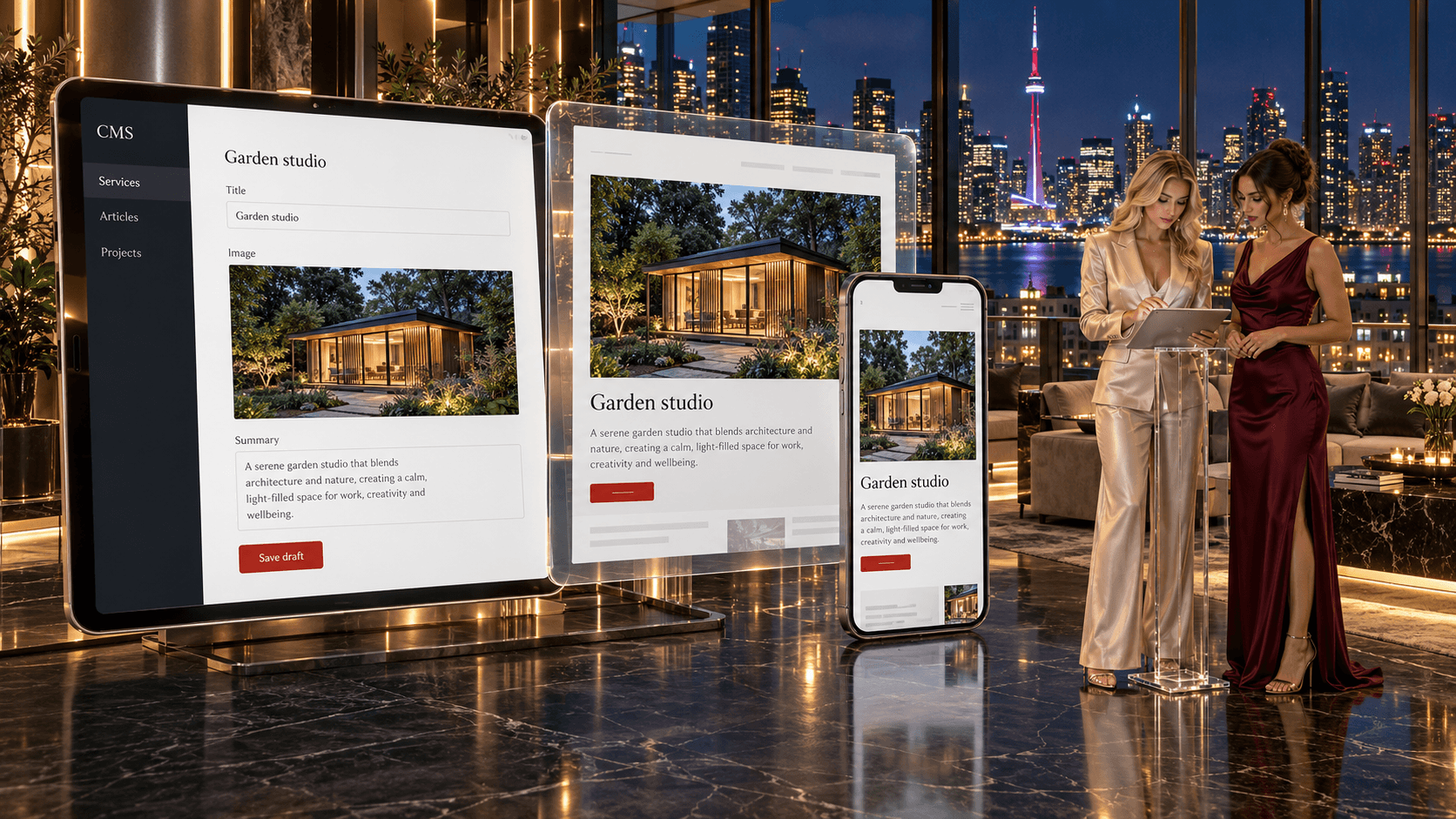

Animations and interactions
Interactions are assessed for their purpose, accessibility, reduced-motion behaviour and performance implications. The proposal identifies the effects included and the representative browser and device coverage used for acceptance. A visual effect is not a promise of identical behaviour or speed on every visit.
Custom code and app development
We can build custom embeds, filtering, calculators and integrations, or develop full-stack applications on Webflow Cloud or a separate platform. Authentication, permissions, storage, APIs and operational responsibilities are scoped as software requirements. AI can assist research, drafting, design, analysis and code, with human review, editorial judgement and applied expertise before deliverables are presented for your approval.
SEO and answer engine optimization from day one
The proposal identifies the content, URL, metadata and search requirements included in the build. Your team approves the content and claims; the acceptance record documents the relevant checks. Search and AI-answer visibility depend on factors beyond the platform, such as competitors and search engine changes.
Webflow migration and integrations
A move from WordPress, Wix, Squarespace or another system needs a review of content, URLs, functionality and available search evidence. Export permissions, media rights and required feature replacements shape what can transfer.
- Crawl and inventory. An agreed content and URL inventory, informed by available search evidence and authorized access.
- URL mapping. Agreed destinations and exceptions for retained, replaced or retired pages.
- Content import. Permitted records and assets assessed for export availability, field compatibility and representative acceptance checks.
- Redirects and metadata. Supported URL changes and search requirements documented for the proposed platform and launch scope.
- Monitoring. The scope identifies any post-launch observation period, responsible people and included correction work.
Search visibility can fluctuate as search engines reassess a changed site. The migration scope identifies expected changes, evidence for acceptance and any agreed monitoring. Rankings and traffic depend on competitors and search engine changes, and findings should be assessed against the available baseline.

Integrations and automations we connect
We assess connections to CRM systems, including CS+, the CRM used at Canada Create, and to appropriate booking, email, analytics, chat or payment services. Feasibility depends on supported interfaces, plans, permissions and permitted data. The scope identifies the authoritative record, approved destinations, delivery checks, failure handling and ongoing monitoring responsibilities. Your team approves communication purposes and staff access. Confidential, financial or clinical enquiry details must not enter advertising or analytics tools; operational records belong only in a system approved for that purpose.
Webflow SEO, AI search and maintenance
Webflow provides controls for titles, descriptions, canonical and Open Graph data, alt text, redirects and other search settings. We check what the chosen plan and architecture support and validate the served output. Managed infrastructure does not eliminate technical errors or make one platform inherently better for SEO.
Content quality, technical requirements and available evidence guide separately scoped search work. Our SEO services and generative engine optimization can sit alongside the build. We document the agreed deliverables, reporting limits and ongoing responsibilities, without promising rankings or inclusion in AI-generated answers.
Webflow maintains its core hosted platform, while content, permissions, connected apps and custom application dependencies still need an owner. Ongoing care can cover agreed editing support, connection checks and performance review. Test conditions and available real-user evidence should be distinguished, including when Core Web Vitals are used. Hosting alone does not establish speed, accessibility or uninterrupted operation.
Webflow developers in Toronto: what local businesses ask for
Webflow projects can include professional-service marketing sites, SaaS resources and multi-location content. Each needs a suitable content model, editing permissions and integration plan. We assess the individual brief, including regulated-data and accessibility needs, before confirming the platform fit.
Two local requirements deserve explicit planning. Ontario’s website rules cover designated public-sector organizations and businesses or nonprofits with at least 50 employees, subject to the regulation’s scope and exceptions. The legal standard refers to WCAG 2.0 Level AA with specified exceptions; we agree the technical target and testing scope for your project. Data location needs its own review: forms, analytics, logs, support access and integrations may handle personal information even when the main application is hosted in Canada.
Our office is at 126 Willowdale Ave., Suite #3, Toronto, so clients in Toronto can meet the team in person for discovery and design reviews. Clients elsewhere in Canada can meet online, with project contacts and responsibilities agreed in writing. Canada Create is BBB Accredited with an A+ rating. Call (416) 273-9030, Monday to Friday, 9 am to 6 pm, and Saturday, 10 am to 2 pm. After hours, our 24/7 AI agent answers the toll-free line, +1 (800) 808-9235, and we’ll follow up the next business morning.
How to compare Webflow agencies in Toronto
There is no single best Webflow agency. There is the agency that fits your project, your team and the way you want to work. Directories and partner lists can help you build a shortlist, and Webflow runs its own partner program and experts directory. Partner status is a program run by Webflow; it tells you an agency has met Webflow’s criteria, not how that agency plans content, plans a migration or supports you after launch. Ask every agency you compare, including us, these questions:
- Will you tell me if Webflow is the wrong platform? Ask for the requirements and trade-offs behind the recommendation.
- How do you plan the content model? Ask which collections, templates, relationships and editing responsibilities are included.
- How do you reduce search disruption during migration? Ask about transfer limits, URL changes, acceptance evidence and any scoped post-launch monitoring.
- How will my team edit the site? Ask for a walkthrough of the current content-editing roles and permissions and what training is included.
- Who owns the Workspace, the domain and the billing? Your business should.
- Who does the work? Ask whether the designers and developers you meet will build your site.
- What happens after launch? Ask who handles updates, content changes and search work.
- Are the reviews real? Read Google reviews from other businesses, not only partner badges.
How a Webflow project runs, and how long it takes
The proposal identifies deliverables, review points and responsibilities from platform assessment through handover. Your team supplies or approves content, rights, policies and access. Design and development cover the agreed layouts, CMS requirements and supported connections. Testing records the selected device and browser sample, accessibility target, forms, links and other acceptance criteria. Launch, any monitoring period and staff training are agreed in writing, with remaining limitations documented before approval.
Timing depends on the templates, content, CMS model, integrations, migration, testing and approvals. We agree milestones and dependencies after discovery, including who supplies content and feedback. A change in scope or platform requirements may change that schedule.
Localization and multi-location sites
Webflow Localization, now described by the vendor as Localize, supports language and regional versions subject to plan and feature limits. Native Ecommerce products, categories and pages are not supported by Localize, so a multilingual store needs a separate platform-fit decision. We agree the required content, forms and messages, the available product support and who supplies and approves translations. Language coverage and any remaining limitations are documented; no automatic multilingual or legal-compliance result is promised.
For multi-location businesses, the scope identifies genuine locations, their content requirements and who confirms addresses, hours and services. CMS templates may support repeated layouts. Connections with your Google Business Profile depend on each location’s eligibility and authorized access.
Related guide: the B2B website platform decision guide.
Care after launch
Webflow manages its core hosted infrastructure; your content, permissions, apps and custom code still need an operating plan. Maintenance and ongoing improvements are separately scoped. Third-party materials and our pre-existing tools retain their licences.
Ready to plan a Webflow build?Tell us about the site you have and the site you want. Request your custom proposal.
Talk to a strategist
Ready when you are?
Request a custom proposal
Tell us your goals, budget and timeline. You get a custom proposal and a named strategist, so your next stage of growth starts now.
How a Webflow build runs at Canada Create
Discovery sets the scope, milestones, responsibilities and review points for the build.
- Discovery and platform confirmation Discovery
Authorized existing-site evidence, publishing needs, integrations and costs reviewed; constraints and alternatives recorded.
- Content model and site map Planning
Pages, templates, CMS relationships and existing URLs are mapped to the agreed requirements and migration plan.
- Design in Figma Design phase
Wireframes, then high-fidelity design reviewed with you before development. Typography, colour and component decisions are documented for reuse.
- Build in Webflow Agreed build phase
Agreed layouts, CMS fields, editing permissions and supported components, assessed with representative content and device coverage.
- Integrations, SEO and testing Before launch
Permitted data connections, search requirements and agreed performance and accessibility evidence reviewed for acceptance.
- Launch and training Agreed launch
Domain and DNS, launch checks and editor training.
Web design and development work
These related service pages explain our broader development options. Relevant project evidence can be reviewed during discovery where available and permitted.
Web design and development
Established in 2008
Custom WordPress and CMS options for content, integrations, memberships and hosting requirements.
CMS website development
Editable sites for teams
WordPress and headless CMS options assessed for content structure, editing, supported connections and permitted migration.
E-commerce websites
Shopify and WooCommerce stores
Shopify and WooCommerce store options assessed separately from any Webflow marketing site and its connections.
Why businesses choose Canada Create for Webflow
Platform-neutral advice
We build on WordPress, Shopify and custom stacks as well as Webflow, so the recommendation is based on your business, not on the only tool we know.
Since 2008
Established in 2008; serving businesses in Canada today.
Fixed project fees
Scope, billing basis, third-party costs and change approvals are documented before work starts.
Migration planning and monitoring
Transfer limits, URL requirements and any monitoring or correction period documented in the proposal.
Webflow agency in Toronto: questions buyers ask
What is Webflow, and why do Toronto marketing teams use it?
Webflow is a visual site builder with a built-in CMS and managed hosting, plus apps, APIs and Webflow Cloud for extra development. Toronto marketing teams often choose it because they can edit copy, publish articles and launch landing pages themselves while the core hosting is handled for them. It still needs careful design, responsive testing and the right editing permissions to work well.
Is Webflow better than WordPress for a Toronto business?
Neither wins by default, so compare them against the same content, editing, hosting and ownership needs. Webflow gives visual layout control and managed core hosting, while WordPress offers open-source software, plugins and a choice of hosts, including Canadian hosting. If your Toronto team relies on specific WordPress plugins, such as learning or event systems, check what a move would require before deciding.
Is Figma or Webflow better for a Toronto website project?
They do different jobs, so many Toronto projects use both. Figma is where wireframes and high-fidelity designs are drawn and reviewed, and Webflow is where the approved design is built, hosted and edited. In our Webflow work, designs are reviewed with you in Figma before any build begins.
Is Webflow still a popular choice for Toronto companies?
It remains a common choice for design-led brands, lean marketing teams and startups that want to update marketing pages without a developer. Popularity matters less than fit, though. Check the current plan limits, editing roles, export options and data storage against what your Toronto business needs before you commit.
How much does a Webflow website cost for a Toronto business?
There are two parts: the project to design and build the site, and Webflow's own plan costs, which can include Site plans, Workspace seats, usage and add-ons. Content modelling, the number of templates, integrations and any migration shape the project fee, which we set out in writing for Toronto clients. Check Webflow's current pricing for the plan side, since it changes and is billed by Webflow.
Is Webflow free to use for a Toronto company site?
You can start building in Webflow without paying, but a live business site on your own domain needs a paid Site plan. Check the current plan details before a Toronto launch, because limits and pricing change.
Does Webflow offer hosting for Toronto websites, and where is the data kept?
Yes, Webflow manages its core hosting, with features such as SSL, backups and platform security controls. Its published privacy FAQ says customer and end-user data is stored outside Canada, so a Toronto business with data residency requirements should confirm storage, processing and support access first. Your team or support provider still looks after content, permissions and integrations.
Does Webflow work with WordPress for a Toronto site moving platforms?
They are separate platforms, so moving from WordPress to Webflow means migrating content and rebuilding layouts rather than flipping a setting. Collections, URLs and redirects need mapping so search visibility is protected, and plugin-dependent features such as multilingual plugins or event systems need checking one by one. For a Toronto business, some functions may stay on another system while the marketing site moves.
Is Webflow easy to use for a Toronto team after launch?
For editing copy, publishing CMS items and launching landing pages, most teams find it manageable once permissions and training match their tasks. Changes to layouts, components and interactions are more involved and may need a designer or developer. We give your Toronto editors a recorded walkthrough and agree in the scope which changes they will make themselves.
How do we start a Webflow project with a Toronto agency?
Start with a platform fit review of your goals, content volume, integrations and publishing habits, so we can confirm Webflow suits you before anything is designed. Canada Create has run Toronto web projects since 2008 from 126 Willowdale Ave., Suite 3. Call (416) 273-9030, Monday to Friday, 9 am to 6 pm, and Saturday, 10 am to 2 pm. After hours, our 24/7 AI agent answers the toll-free line, +1 (800) 808-9235, and we'll follow up the next business morning.


Get a custom proposal for your Webflow build
Review the platform fit, the content model and the migration plan before you commit to a subscription and a rebuild.