
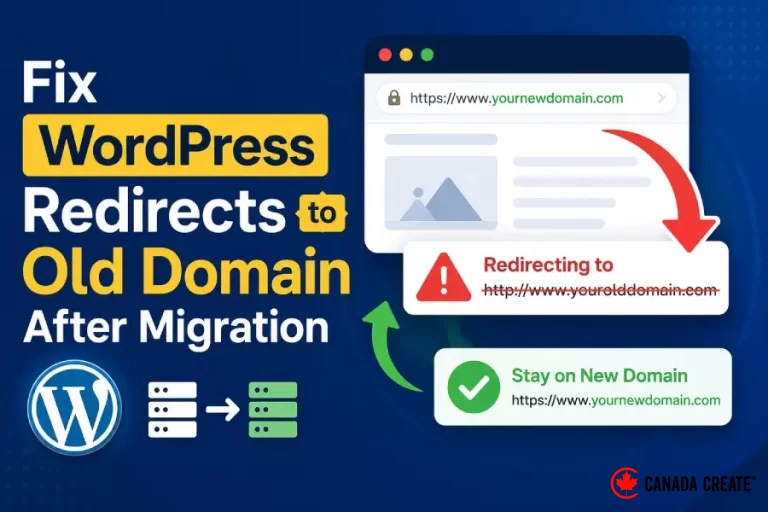
A migrated WordPress site can send visitors back to its previous domain because of application settings, server redirects, a proxy rule or cached responses. The useful first question is not which plugin to install. It is which layer is issuing the redirect.
Record the complete redirect chain
Test a representative page as a logged-out visitor and record each status code and destination. Include HTTP and HTTPS, the www and non-www hostnames, and a URL with a query string. A browser address bar shows only the final location; a network trace shows where the unexpected step begins.
Check whether it is a redirect or an old link
A page that loads correctly but contains links to the old domain has a different problem from a server response that redirects immediately. Check menus, buttons, embedded assets and form destinations separately. Also confirm which server the hostname resolves to. Reaching an old server is not the same as WordPress issuing a redirect.
Review the authoritative settings
Inspect the WordPress site and home addresses, any configuration constants overriding them, the hosting control panel, server rules and any proxy or CDN redirects. Do not add another redirect at every layer. Identify the owner of the wrong rule and correct that source. The official WordPress migration guide explains the application-level considerations.
Replace stored URLs carefully
When content still contains the old domain, use a migration method that understands WordPress data rather than an indiscriminate text edit of a database export. Keep a backup and preview the affected records. Some stored values are structured or serialized, and a naive replacement can damage them. Review internal links and media after the change.
Protect the intended old-to-new mapping
The old public URLs may still receive visits and links. Keep a deliberate mapping to their relevant new destinations where appropriate. Avoid sending every old article to the homepage. Confirm that the new site does not redirect back to the old site and create a loop.
Check the migration beyond the homepage
Test an article, a service page, a form, a media file and any checkout or login flow. Inspect canonical URLs, sitemap entries and analytics configuration. Clear only the relevant caches, then repeat the logged-out test. Keep the previous setup available until the acceptance checks pass and document any remaining DNS or cache delay.
Reference: Official WordPress migration guidance.
Where old-domain redirects usually come from
When a migrated WordPress site keeps sending visitors to the old domain, the cause is almost always in one of these places:
- WordPress settings: the WordPress Address and Site Address fields still show the old domain.
- wp-config.php: WP_HOME or WP_SITEURL constants override the dashboard settings.
- .htaccess or server rules: an old redirect rule sends traffic back to the previous domain.
- CDN or proxy: Cloudflare page rules or redirect rules still point to the old host.
- Plugins: redirect or SEO plugins keep old rules.
- Cache: browsers and caching layers remember old 301 redirects.
Why this matters for SEO
A redirect loop or a redirect back to the old domain tells search engines conflicting things about which domain is the real one. Rankings can drop, pages can fall out of the index and backlinks lose value. After the fix, check that the new domain is the canonical everywhere, that the sitemap lists new URLs, and that Google Search Console has the Change of Address set up when moving domains.
Post-migration checklist
- Old URLs 301 to the matching new URLs, not the home page.
- Canonical tags, sitemaps and schema use the new domain.
- Internal links and images use the new domain.
- Forms, checkout and email notifications work.
- Analytics, Search Console and ad tracking are updated.
Our SEO services and managed web hosting team handle domain migrations so rankings and leads are protected.
Preventing domain problems during a migration
Plan the move before changing anything:
- Export a full list of current URLs and their traffic.
- Lower DNS TTL a day before the switch.
- Set the new domain in WordPress only after files and database are copied.
- Use a serialization-safe search and replace for stored URLs.
- Add one set of 301 redirects at the server or CDN level.
- Keep the old hosting active for a few days as a fallback.
After the move
Monitor Google Search Console for crawl errors and indexing changes daily for the first two weeks. Update Google Business Profile, social profiles and directories with the new domain, and ask important partners to update their links. Most migrations that follow this process recover rankings within weeks. Our WordPress development team plans and executes migrations with a documented rollback plan.
Frequently Asked Questions
Why does my WordPress site redirect to the old domain?
The old domain is still set in WordPress settings, wp-config.php, server rules, a CDN or a redirect plugin.
How do I stop WordPress redirecting to the old domain?
Find which layer issues the redirect, fix that setting, then update stored URLs with a safe search and replace.
Will changing domains hurt SEO?
Temporarily it can, but proper 301 redirects and Search Console Change of Address protect rankings. See our SEO services.
Who can migrate my site safely?
Our web hosting team.





