
Choose Video Editing Software by Testing One Real Project

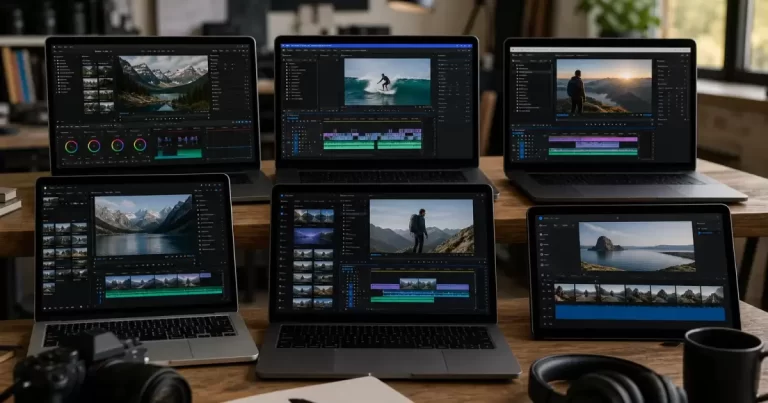
Several laptops and a tablet displaying video-editing timelines
Use a practical project test to compare video editors for your footage, computer, captions, exports and team handover before choosing a subscription.

The best video editor for your work is the one that can take your actual footage through editing, review and delivery without creating avoidable problems. A long feature list does not tell you whether your laptop can play the files smoothly, whether captions are easy to correct or whether another editor can reopen the project.

Use one representative project to compare a short list of candidates. This is a selection method, not a claim that we tested or ranked every editor. Keep the footage, deliverable and computer the same for each trial. The resulting evidence is more useful than comparing unrelated demonstrations filmed on different equipment.

Define the video you need to deliver

Write a brief that describes the finished output. Include its approximate duration, aspect ratio, resolution, language and destination. A vertical product clip with burned-in captions has different requirements from a long interview with separate subtitle files. Also list the revisions you expect: changing prices on screen, replacing a logo or creating several shorter versions.

Choose footage that represents normal work rather than the easiest available sample. Include a phone recording, external microphone audio or screen capture if those sources appear regularly in your projects. Add one difficult clip, such as low-light footage or a longer recording, so the trial exposes problems before you commit a full production.

Check the computer and media together

Read each candidate’s current system requirements and supported-media documentation. Record your operating system, memory, graphics hardware and available storage. A file extension alone does not fully describe a clip: two MP4 files can contain different video encodings and behave differently in the same application.

Import the test footage and inspect picture, audio and duration. Scrub through the timeline and play sections with several layers. Record stutters, missing audio and import errors with enough detail to reproduce them. Separate a media incompatibility from a slow computer or full storage drive. Otherwise you may reject an editor for a problem that affects every candidate.

Evaluate the proxy workflow

Proxies are lighter copies used during editing when the original files are demanding. Adobe’s Premiere proxy documentation explains this approach. Blackmagic also documents proxy-based media sharing within DaVinci Resolve collaboration. These are examples of documented workflows, not evidence that either application is automatically best for your computer.

For each candidate, determine how proxies are created, linked and switched. Check whether the final export uses the intended source quality and whether missing originals are clearly reported. Include proxy-generation time and storage in your comparison. Faster timeline playback is valuable, but a workflow that nobody on your team can maintain may be a poor fit.

Make the same short edit in each candidate

Assemble the opening, trim a spoken section, add supporting footage and adjust the audio. Add a title, a logo and one transition that the real project needs. Avoid testing dozens of effects that you are unlikely to use. The purpose is to evaluate the repeated tasks that will consume your working week.

Keep notes on how easily you find controls, undo mistakes and make precise changes. Distinguish unfamiliarity from a missing capability. A tool may become easier after a short tutorial, while an unsupported export format remains a limitation. Record the learning needed rather than treating your first ten minutes as a definitive speed benchmark.

Check captions as editable information

If automatic captions are available in the tested plan, generate them from the same audio. Correct names, technical terms, punctuation and timing. Check how the application handles multiple speakers and long lines. Do not judge transcription quality from a clean vendor sample when your recordings include background noise or specialized vocabulary.

Export the caption format your distribution workflow needs. Burned-in text becomes part of the picture; a separate subtitle file serves a different purpose. Verify readability on a phone and make sure captions do not cover important content. Include the time spent correcting errors in your notes, even when the initial transcription appears almost instant.

Finish an export before judging the editor

Export the actual deliverable and watch the resulting file from beginning to end. Check the opening frame, aspect ratio, audio level, image quality, captions and ending. Confirm that the trial or selected plan does not introduce an unacceptable watermark or restrict the necessary output. Inspect the current terms rather than assuming a feature is included because it appears in a menu.

Upload a private test to the intended destination when your workflow permits it. A file that plays locally may still produce an awkward crop or unreadable text after platform processing. Keep the original export and note any differences. This also gives you a reusable delivery checklist for future projects.

Test review and handover

Ask a colleague to request a small revision using the review method you plan to adopt. Can the editor identify the correct moment and change it without confusion? Then close and reopen the project. If collaboration matters, test the supported handover method with the relevant media, fonts and assets.

Do not assume that exporting a project file includes everything another person needs. Record what must be collected, where it is stored and which application version is required. Check whether project history and source media remain accessible if you change plans or stop using a cloud service. Ask the vendor when the current documentation leaves an important gap.

Choose from the evidence you collected

Compare candidates on successful import, editing usability, caption correction, verified export and handover. Add the full recurring cost and any required storage or add-ons from current vendor information. Keep software cost separate from the time your team spends learning and maintaining the workflow.

Select the simplest option that passes your essential requirements. If two candidates both work, favour the one your team can use consistently and recover confidently after a mistake. Keep the test project as a baseline for future upgrades. You can revisit our video-editing software overview for candidate discovery, then validate the current version and plan against this project before deciding.

Frequently Asked Questions

What is the best video editing software for business?

It depends on your team: simple tools suit social clips, while professional suites suit long-form and branded content. Test one real project before buying.

Is free video editing software good enough?

For basic social videos, often yes. Paid tools add better colour, audio and collaboration features.

Should businesses edit videos in-house?

For frequent short clips, yes; for flagship brand videos, a professional team saves time and improves quality.

Who produces business videos in Toronto?

Our video production services handle filming and editing.

Share This Post
Need quick help? Let’s Talk About Your Growth

For a faster response, call (416) 273-9030. Otherwise, fill out the form below and our team will contact you.

This field is for validation purposes and should be left unchanged.
Select the Services(Required)
Google reviews

What our clients say about Canada Create™

EXCELLENT
Google star 1Google star 2Google star 3Google star 4Google star 5
Based on 97 reviews
Posted on Google Google
lazer Runner of Aurora profile picture
lazer Runner of Aurora
Google star 1Google star 2Google star 3Google star 4Google star 5
We’ve had a great experience working with Canada Create for our SEO and digital marketing. They have made a noticeable difference in our Google rankings and online visibility, which has been very important for our business. As the owner of Lazer Runner in Aurora, I highly recommend Canada Create to any business looking to improve their online presence and grow through Google. They are professional, knowledgeable, responsive, and truly care about their clients’ success. Thank you, Canada Create, for your great work and continued support! Lazer Runner Of Aurora
Posted on Google Google
Rozbeh Kamran-Disfani profile picture
Rozbeh Kamran-Disfani
Google star 1Google star 2Google star 3Google star 4Google star 5
Canada Create has been an excellent marketing and branding partner for our dental practice. Their understanding of local SEO, digital marketing, social media, content creation, Google visibility, and AI optimization really stood out to us. A dental practice depends heavily on trust, reputation, patient experience, and being discoverable when someone is searching for a dentist. Canada Create understands how to bring those pieces together and communicate the quality of a practice naturally. I would highly recommend Canada Create to dentists, dental clinics, and other healthcare professionals looking to improve their online presence, local search visibility, branding, and organic growth.
Posted on Google Google
Amir Kasra Mesgarpour Tousi profile picture
Amir Kasra Mesgarpour Tousi
Google star 1Google star 2Google star 3Google star 4Google star 5
I had a great experience working with this business. They helped me build my tutoring website from scratch and guided me through the entire process. I knew nothing about how the process worked, but they were professional, patient, and incredibly helpful. They took the time to understand what I wanted, handled the setup and design, and made sure everything worked properly. I’m very happy with the final result and would definitely recommend them to anyone who needs help creating a professional website or getting their business online.
Posted on Google Google
khatereh mokhtari profile picture
khatereh mokhtari
Google star 1Google star 2Google star 3Google star 4Google star 5
Canada Create has been doing an amazing job managing our social media. Their team consistently creates professional, creative posts and stories for our Instagram, Facebook, and TikTok, and the quality of the content has honestly exceeded our expectations. What impresses us most is that they don’t just post for the sake of posting. The content is well thought out, visually engaging, and represents our business professionally across every platform. They understand our brand and consistently come up with fresh ideas without us having to manage the process. We’re extremely happy with the work Canada Create has done for us and highly recommend their team to any business looking for professional social media management and content creation.
Posted on Google Google
KIIA MUSIC profile picture
KIIA MUSIC
Google star 1Google star 2Google star 3Google star 4Google star 5
As an influencer, I've gotten multiple collab opportunities through Canada Create, and every experience has been well-organized and mutually beneficial. They genuinely care about building long-term relationships between businesses and creators, rather than one-time promos. Their expertise in SEO, social media marketing, influencer marketing, content strategy, Instagram growth, YouTube marketing, and brand awareness makes them an excellent partner for companies that want real engagement. Whether you're a local business trying to improve your online presence, or an influencer looking to work with reputable brands, I strongly recommend connecting with Canada Create Agency
Posted on Google Google
Elanaz Ghasemi profile picture
Elanaz Ghasemi
Google star 1Google star 2Google star 3Google star 4Google star 5
I've worked with Canada Create on several influencer campaigns, and they consistently bring high-quality collab opportunities that actually fit with my audience. Unlike agencies who only push paid promotions, they understand organic social media marketing and long-term brand growth. Their team makes collaborations smooth, professional, and beneficial for both businesses and creators. If you're an influencer looking for consistent brand partnerships on Instagram, YouTube, or TikTok, I highly recommend reaching out to Canada Create. And if you're a business that wants authentic influencer marketing, content creation, and stronger organic reach instead of just chasing ads, they're one of the best marketing agencies I've worked with in the GTA.
Posted on Google Google
Zohreh Talebi profile picture
Zohreh Talebi
Google star 1Google star 2Google star 3Google star 4Google star 5
We hired Canada Create to help strengthen the online marketing for Marvel Car Clinic and the results have been very positive. They developed our new website and managed the Google Ads strategy around our main automotive services including paint protection film (PPF), vehicle wraps and ceramic coating. The biggest improvement for me has been the overall quality of our online presence. Customers can now clearly see what we offer, the website is much more professional and our advertising is bringing relevant people directly to the services they are searching for. Their team understands conversion and lead generation, not just design. Everything from the website layout to the advertising campaigns feels like it was created with the goal of getting more customers. Great communication, professional work and strong results. I would recommend Canada Create to any Toronto or GTA business looking for Google Ads management, website development and digital marketing.
Posted on Google Google
Hossein Esmaeili profile picture
Hossein Esmaeili
Google star 1Google star 2Google star 3Google star 4Google star 5
We’ve had a great experience working with Canada Create on the digital marketing for Marvel Car Clinic. They completely improved our online presence with a professionally designed new website and a much stronger Google Ads strategy. Our business specializes in car wraps, paint protection film (PPF), ceramic coating and automotive protection services, so attracting the right type of customer is extremely important. The Canada Create team took the time to understand our services, our target market and what actually makes a customer contact us. Since launching the new website and Google Ads campaigns, we’ve seen a noticeable improvement in the quality of inquiries coming in. The website looks professional, is easy to navigate and presents our car wrap, PPF and ceramic coating services much better than before. What we appreciate most is that they focus on results instead of simply running ads. Communication has been great, changes are handled quickly and the team is always looking for ways to improve the campaigns. If you’re looking for a digital marketing agency in Toronto for Google Ads, website design and lead generation, I would definitely recommend Canada Create.



