
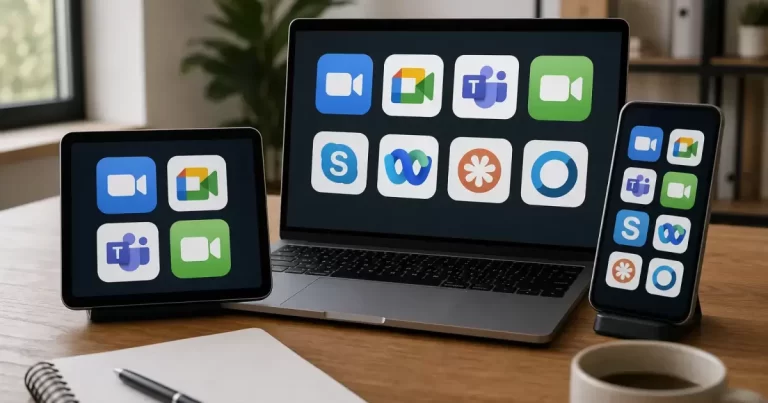
Selecting communications software for an organization rarely succeeds when teams rely exclusively on promotional feature checklists. Marketing materials regularly claim frictionless hybrid collaboration, yet daily operations surface audio feedback, awkward presenter transitions, and unreadable slide shares. Rather than purchasing software based on theoretical capabilities, operational teams can make grounded decisions by conducting a structured internal simulation before signing multi-seat agreements.
The Limits of Static Software Comparisons
Feature matrices help shortlist tools, but they do not show how your team will use them. A tool may look comprehensive on paper while frustrating everyday users in production.
A practical shortlist for many organizations includes established enterprise platforms like Zoom, Microsoft Teams, and Google Meet. Rather than treating these tools as ranked winners, organizations should evaluate them as candidates against their existing infrastructure. Many companies already maintain active productivity suites that include meeting tools within existing subscription tiers. Checking current subscription entitlements avoids purchasing redundant standalone seats before your team tests whether current licenses meet baseline requirements.
Structuring an Internal Procurement Rehearsal
Instead of running an informal pilot or asking staff for subjective opinions, procurement leads should schedule an identical rehearsal across each candidate tool. This evaluation must not serve as an artificial demonstration by a vendor sales engineer. Instead, an internal team reproduces their standard weekly operational meeting under controlled conditions.
Testing begins with standard hardware verification. According to Zoom’s official test meeting documentation, running an official test meeting allows users to verify their microphone, speaker, camera, and internet connection before joining a live call. This checks basic equipment readiness; it does not prove that the shared room or the eventual group meeting will work well.
Designing the Hybrid Meeting Scenario
A rigorous evaluation requires realistic friction. If everyone joins from quiet private offices with high-end headsets, almost any platform appears adequate. The rehearsal script must purposefully mirror the messy reality of modern office life by assigning distinct participant roles.
The Shared Conference Room
Place two or three participants inside a shared meeting space using room speakers and an external table microphone. This setup tests how the platform handles acoustic echo cancellation, background room noise, and multi-speaker microphone pickup when remote team members speak.
The Solo Remote Laptop User
Include an individual working from a home connection or remote workspace using built-in laptop speakers and microphones without specialized audio hardware. This profile evaluates software audio processing when participants encounter uneven network latency or domestic background sound.
The Screen Reader and Accessibility Participant
Assign a team member to navigate the software interface using assistive technology, such as native operating system screen readers and keyboard-only navigation. This step tests whether meeting controls, chat panels, raised hands, and interactive polls can be operated smoothly without a mouse.
The Guest Facilitator
Incorporate an external participant profile joining from outside the corporate identity directory. This participant tests the guest join flow, waiting room mechanics, browser-based access, and the security checks required to admit outside contractors or clients.
Objective Pass and Fail Criteria
To prevent evaluation bias, document explicit operational criteria before starting the calls. Teams should evaluate candidate platforms across seven practical performance indicators.
- Audio Echo and Question Clarity: Can remote participants hear questions spoken softly from the back of the shared conference room without hearing an echo of their own voices?
- Small-Screen Readability: When sharing complex spreadsheets or design mockups, does screen downscaling render text unreadable for participants viewing on compact laptop displays?
- Presenter Handoff Friction: How many clicks and permission prompts are required to transfer screen control from the conference room display to a remote team member?
- Reconnection Behaviour: When a remote user toggles their network connection off and on, does the client software quietly recover the stream, or does it freeze the meeting audio and require a hard reboot?
- Captions and Language Availability: Does the software provide automated live transcription that functions reliably for your team’s languages, and does your current subscription tier include this capability without add-on fees?
- Meeting Artifacts and Action Notes: Can participants share links, capture action items, and export meeting transcripts without creating fragmented information silos?
- Data Handling and Recording Permissions: Does the platform clearly indicate when recording or automated summarization is active, allowing hosts to configure granular storage and access permissions?
Worked Example: A Team Renewal Decision
Consider a hypothetical operations team deciding whether to renew its existing meeting subscription or introduce another platform. Use anonymous labels, Candidate A and Candidate B, on the rehearsal sheet. Give both the same agenda, room equipment, screen-sharing document and participant roles.
For each problem, record the time, affected participant and observed behaviour. “Remote participant could not hear the back of the room” is more useful than “bad audio.” Repeat that segment after checking microphone placement before blaming the software. A hardware issue shared by both candidates calls for a room change, not necessarily a new subscription.
Choose a candidate only after unresolved requirements have an owner and a practical remedy. If neither meets an essential accessibility need, expand the shortlist instead of averaging that failure away with attractive features.
Licensing, Governance, and Data Handling
Evaluating communications tools extends beyond interface behaviour to administrative control and software governance. Platform choices directly impact internal recordkeeping, user provisioning, and organizational security. Teams must examine administrative dashboards to verify how easily user access can be revoked during employee offboarding.
Consider how meeting archives, shared whiteboard assets, and chat logs integrate into your wider operational infrastructure. Similar to the procedural workflows detailed in this guide on community platform operations and data portability, organizations must understand who owns stored communication data and how readily transcripts, chat exports, and recorded files can be extracted if the company shifts vendors in the future.
Administrative leads should review these questions with internal security teams:
- Can recording permissions be restricted at the group or organizational unit level?
- Where are processed meeting recordings and transcripts stored, and what retention rules apply?
- Does the administrative console provide detailed diagnostic logs to investigate reported audio drops?
- Do guest participant policies allow secure external collaboration without creating unwanted account credentials?
Next Steps for Procurement Teams
Begin your evaluation by cataloging your current subscription entitlements across existing corporate accounts to determine baseline access. Next, assemble your rehearsal committee, appointing specific staff members to represent conference room, remote, assistive, and guest profiles. Draft a standardized meeting script featuring a slide deck presentation, rapid presenter switches, and simultaneous chat usage. Run identical 30-minute sessions across your candidate platforms within the same week, score the results against your objective pass-fail criteria, and select the tool that demonstrates measurable operational reliability.
Frequently Asked Questions
What is the best video calling app for business?
Google Meet, Microsoft Teams and Zoom are the most common; choose the one that fits your calendar and email tools.
How do I run a good hybrid meeting?
Test audio and camera in the room, share an agenda, assign a remote moderator and record with consent.
Should business meetings be recorded?
Only with consent and a clear storage policy.







