
Toronto · App development company
App development company for businesses in Toronto
Canada Create is an app development company that plans, designs, builds and supports custom apps. One team handles strategy, UX, development, testing and store release, and every project is scoped and quoted in writing after a free discovery call.
Mobile app development for iOS, Android and the web, from discovery and design to store launch and long-term support, for businesses across Canada.
- BBB A+ accredited
- 18 years in business
- Mon to Fri 9 to 6, Sat 10 to 2
Talk about your Toronto app
Tell us what the app should do and who will use it. We reply within one business day to book a discovery call.
Please do not share passwords or other sensitive details here. We never sell your contact information and we comply with Canadian privacy law (privacy policy).


A tested, store-ready app: what custom app development should deliver
A useful, testable application
Built around the tasks customers or staff need to complete, with prototypes and user testing used to check assumptions.
A clear scope and written quote
An agreed first-release scope covering features, platforms, integrations, responsibilities and delivery milestones.
A secure, store-ready release
Privacy, security, device testing and App Store and Google Play submission handled.
Inside the written scope for your app development project
The written scope lists every item before work starts.
- Discovery and scopeGoals, users, competing apps, existing systems and a written version-one scope.
- UX and UI designWireframes, clickable prototypes and final screens for iOS and Android, with the accessibility target and testing scope agreed in writing.
- iOS and Android app developmentNative or cross-platform build, chosen in discovery with the reasons written down. AI-assisted code receives human review, testing and applied expertise before client acceptance.
- Web apps and portalsBrowser-based apps and progressive web apps when installs are not essential.
- Back end and APIsDatabases, admin panels, user management and integrations with your CRM, booking or inventory systems.
- Security and privacyEncryption, secure sign-in and data handling planned around PIPEDA and any provincial or sector rules.
- Testing and store launchDevice testing, beta releases, listings, screenshots and submission to the App Store and Google Play.
- Support and new releasesMonitoring, fixes, OS updates and planned feature releases, quoted separately.
How app development is quoted
Every app is different, so we quote after discovery. The written quote lists features, platforms, integrations and timeline.
First version (MVP)
Quoted in writing
Founders and businesses testing an idea with a focused set of features on one or both platforms.
- Discovery and scope
- UX and UI design
- Cross-platform build
- Store submission
Custom app build
Quoted in writing
Apps with several user roles, payments, a custom back end or integrations with existing systems.
- Native or cross-platform build
- Back end and admin panel
- Integrations and payments
- Security review and testing
Support and new releases
Quoted in writing
Apps already live that need updates for new iOS and Android versions, fixes and planned features.
- Monitoring and fixes
- OS compatibility updates
- Feature releases
- Analytics review
Every quote follows a free discovery call and lists features, platforms, integrations and timeline. Build, ongoing support and third-party costs such as hosting, paid services and store developer accounts are shown separately.
App development
App development
An app development company that starts with the problem
Canada Create is an app development company that plans, designs, builds and supports mobile apps for iPhone and Android, along with web apps designed for the browsers your users need. We work with businesses across Canada that need an app to do a specific job: let customers book, order or pay, give members or patients a better way to reach you, move field staff off paper, or turn a service people already value into something they keep on their home screen. Since 2008 our team has handled digital projects from the first conversation to launch and the years of updates that follow, and app work is run the same way.
Most companies that come to us already have an idea. What they want is a partner who will test that idea honestly, turn it into a clear scope, give a written quote and then deliver what was promised. That is the job of an app development company, and it is how we measure ourselves. If the answer to your problem is a fast mobile website instead of an app, we will tell you, because a smaller project that works is better for both of us than a large one that goes unused.

Mobile app development services we offer
Every project draws on the same set of services. The mix depends on who will use the app and what it has to connect to.
iOS app development
Apps for iPhone and iPad built to Apple’s design and review guidelines, tested on current and older devices, and released through App Store Connect.
Android app development
Apps for the wide range of Android phones and tablets, with testing across screen sizes and manufacturers, released through the Google Play Console.
Cross-platform app development
One shared code base in Flutter or React Native that runs on both platforms, with platform-specific work added where the app needs it.
Web apps and progressive web apps
Portals, dashboards and booking tools designed for supported browsers and devices, with the option to install on a home screen without an app store. For booking that lives inside a business website, see our online booking system page.
Back end, admin panels and APIs
The servers, databases, admin screens and interfaces that store data, manage users and let the app talk to your other systems.
Support and new releases
Monitoring, fixes, updates for new iOS and Android versions and planned feature releases after launch.
Around those core services sit the pieces that make an app useful day to day: secure sign-in, payments and subscriptions, push notifications, maps and location, camera and file upload, offline use, analytics and connections to CRMs, booking software, inventory or accounting tools. Where an app needs features such as smart search, document summaries or image recognition, we build them with clear limits and human review where mistakes would matter. Wearables, connected devices and blockchain features are possible too, but we only suggest them when they solve a real problem for your users.
Native or cross-platform: how your app should be built
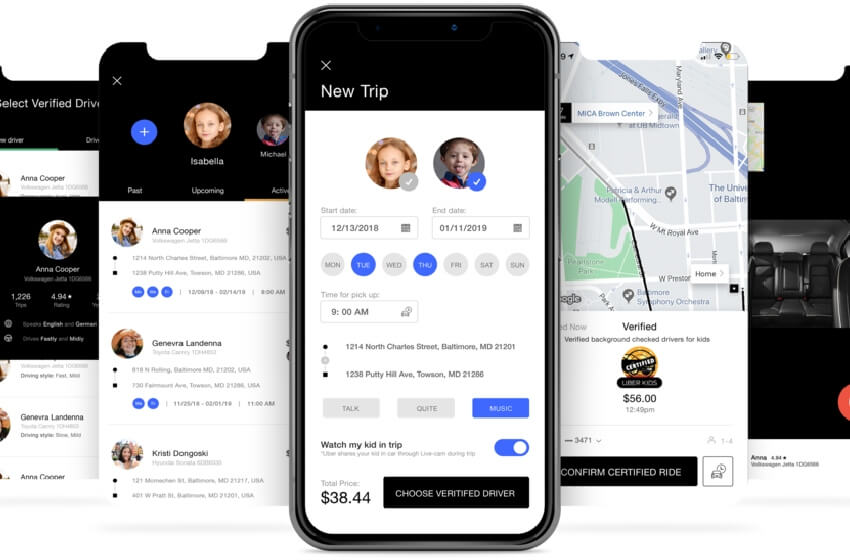
This is one of the first decisions in any mobile app development project, and it affects cost, speed and what the app can do.
Native development uses platform-specific tools, commonly Swift for iOS and Kotlin for Android. It can provide direct access to platform APIs and detailed control over interface behaviour. The work depends on the features, device support and any shared components; two platform implementations do not mean every part must be built twice.
Flutter and React Native can share substantial application code across iOS and Android. Platform-specific modules, interface adjustments, integrations and testing may still be needed. We assess code reuse and device requirements before estimating the development and maintenance effort.
Web apps run through supported browsers and can be distributed by a link without app-store approval. A PWA can add user-controlled installation and selected offline or notification features where supported. Browser and operating-system differences need testing. Store-packaged distribution is also possible in some cases and brings its own review requirements.
Our default for business apps is cross-platform, when shared code and the required platform features make it a good fit. We recommend native when the app depends heavily on the camera, sensors, Bluetooth, complex graphics or the newest platform features, and a web app when installs are not essential. Whatever we recommend, the reasons are written into the discovery report so you can compare quotes from any app development company on the same basis.
How our app developers in Canada run a project
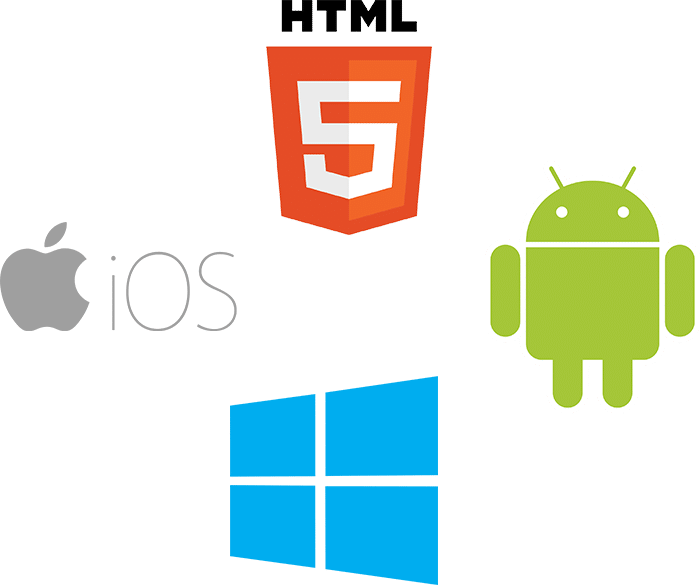
Our process is built to find expensive problems early, while they are still cheap to fix. Each stage ends with something you can see and approve.
Discovery and scope
Discovery defines the goal, the users and version one. We run workshops with your team, speak with a few real users where possible, review competing apps and the tools you already use, and list every system the app must connect to. The result is a written scope with features, platforms, integrations, timeline and a quote. If a feature carries technical risk, such as a connection to an older system with no documented interface, we suggest a short proof of concept before you commit to the full build.
Prototype and user testing
A clickable prototype lets you and your users try the main journeys before the full build, while technical prototypes can test uncertain integrations or device features. Testing it with even a handful of real users shows which screens confuse people, which steps are missing and which features nobody needs. Early testing can expose costly misunderstandings before the full build; the effort to change a feature depends on its dependencies.


A minimum viable product that is small on purpose
A minimum viable product, or MVP, is a focused first release that lets real users complete the core task. It tests a defined product assumption without committing to the whole roadmap, while retaining the security, privacy and reliability that the task needs. Usage evidence helps decide what to build next.
Build in short cycles
Development runs in short cycles, each ending with a test build you can install on your own phone through TestFlight or a Google Play test track. You see progress as it happens, give feedback while it is still easy to act on, and review progress against the agreed project cadence. A shared project board shows what is done, what is in progress and what is next.
Testing, launch and measurement
Before release the app is tested across devices, operating system versions and network conditions, then submitted to the App Store and Google Play. After launch, analytics show where people drop off, which features they return to and which releases improve retention. Usage data, user feedback, reliability, privacy and commercial priorities inform the next release.
UX and interface design people can use
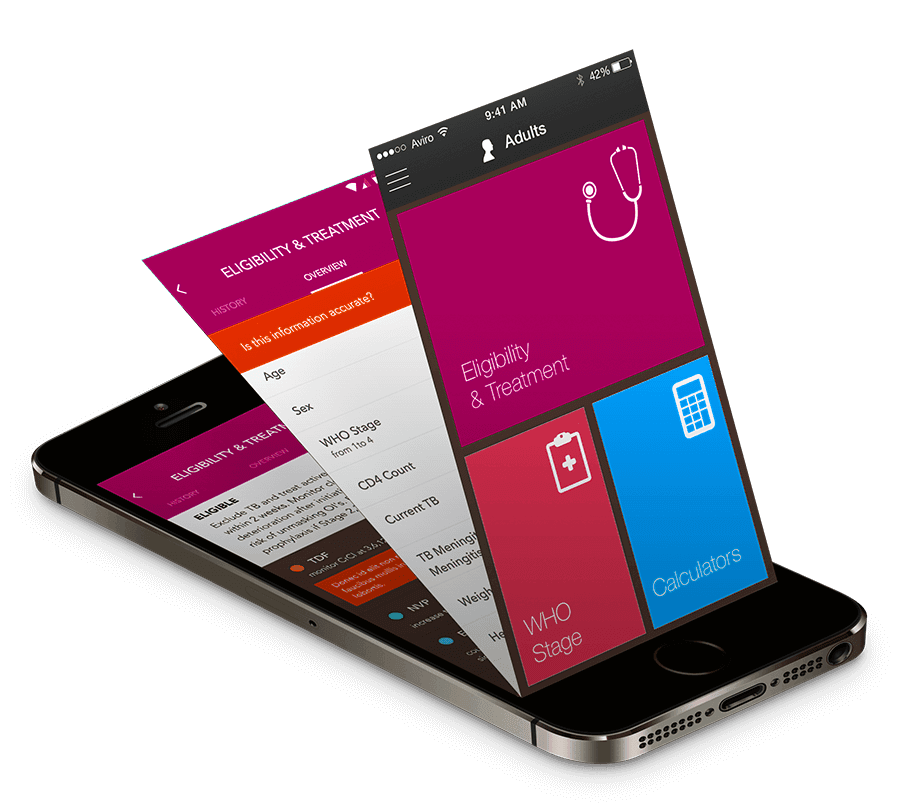
Usability is one part of whether an app succeeds, alongside the problem it solves, reliability and adoption. We design around the few tasks people open the app to do, keep each screen focused, and follow Apple’s Human Interface Guidelines and Google’s Material Design so the app feels familiar on each platform. We design for real conditions: one hand, small screens, bright sunlight, weak connections and constant interruptions.
Accessibility is part of the design from the first wireframe. That means readable text that respects the phone’s font size settings, strong colour contrast, labels for screen readers such as VoiceOver and TalkBack, and appropriately sized targets tested with assistive technologies. We document the agreed accessibility target and test evidence. Applicable obligations depend on the organization and service; Ontario’s specific public-web requirements should not be treated as a complete native-app checklist. For design-only projects, such as a redesign of an app another team built, see our UX/UI design services.
Back end, APIs and integrations
The screens are the part people see, but most of the work in a business app sits behind them. The back end stores data, manages user accounts and permissions, sends notifications, processes payments and gives your staff an admin panel to manage content, orders or bookings. We build it on established cloud platforms, assess hosting and processing locations against your privacy requirements, and plan the database and APIs for expected growth. Capacity and architectural changes are reviewed as usage develops.
Integrations are where many app projects run into trouble. A typical business app may need to connect to a CRM, booking or scheduling software, a payment processor such as Stripe or Moneris, inventory or ERP systems, accounting tools, maps, email and SMS services. Some of these offer clean, documented APIs; others need custom work or a middle layer. We list every integration during discovery, check what each system actually allows, and test with synthetic or appropriately minimized approved records before launch. Where your website and your app share data, such as products or bookings, we define record ownership, synchronization, conflict handling and recovery. If your site runs on WordPress, our WordPress development team can expose the content your app needs through a secure API.
Security and privacy under Canadian law
Apps often handle personal information, payments and business data, so security is designed in from the start. That includes secure sign-in with options such as multi-factor authentication and sign-in with Apple or Google, encryption of data in transit and at rest, safe storage of tokens and keys on the device, server-side checks on every request, protection against common attacks, and regular updates to the libraries the app depends on. For external card payments, we favour hosted or tokenized provider integrations that keep raw card details away from the application where possible. PCI responsibilities depend on the integration, not just the provider. Digital purchases and subscriptions also need the applicable store-billing rules checked separately from payments for physical goods and services. Before launch we review the app against widely used mobile security guidance, including the OWASP Mobile Top 10 risk categories and appropriate MASVS verification controls. Findings are prioritized, remediated and retested against the release criteria.
Privacy matters just as much. Privacy-law coverage depends on the organization, information and activity. PIPEDA applies to covered commercial activities and can continue to apply to interprovincial or international commercial data flows. Quebec has its own privacy law, strengthened by Law 25, and Alberta and British Columbia have their own private-sector privacy acts. Health information carries further rules, such as PHIPA in Ontario. Commercial electronic messages, including some email and text campaigns, fall under Canada’s Anti-Spam Legislation (CASL). Apple and Google add their own requirements, including privacy labels, data safety forms and clear permission prompts.
We map necessary data, purposes, permissions and retention with your privacy or legal lead. Account creation brings store-specific deletion requirements: Apple requires users to be able to initiate account deletion in the app; Google Play requires both an in-app option and an external request route for covered apps. Legitimate retention needs must be disclosed and handled properly. Canadian hosting is available, but residency assessment includes providers, backups, logs and support access. For App Store apps, personal-data sharing with third-party AI needs clear disclosure and explicit permission under Apple’s rules.
Testing and quality assurance
Testing runs through the whole project, not only the final week. Developers write automated tests for the core logic, and each build goes through manual testing on real iPhones and Android devices of different ages and screen sizes, because an app that works on the newest phone can still fail on an older one. We test poor connections and offline use, interruptions such as calls and notifications, accessibility settings, payments in sandbox mode, and the scoped integrations with representative synthetic or appropriately minimized approved records.
Before submission, a release candidate goes to your team for acceptance testing, and larger apps can run a beta with a group of real users through TestFlight and Google Play testing tracks. After launch, crash reporting and performance monitoring alert us to problems in the field, often before users report them.
App Store and Google Play launch
Publishing an app involves more than uploading it. Apple and Google each review apps against their own guidelines, require privacy details and complete store listings, and sometimes reject a submission for reasons that need careful changes. We prepare the builds, listing copy, screenshots, preview images and privacy information, manage the submission and respond to review feedback within the agreed submission scope. Apple and Google make the approval decision, and review timing is outside our control.
We recommend opening the Apple and Google Play developer accounts in your company’s name, so the listings, ratings and download history belong to your business. Developer account fees are charged by Apple and Google directly as third-party costs. We also set up app store optimization basics, such as a clear name, subtitle, keywords and screenshots that show the app’s main benefit, so people searching the stores can find you.
Custom app development cost: what drives the price
How much does it cost to hire an app developer in Canada, or to pay someone to build an app? It is the question we hear most, and the honest answer is that the price follows a handful of decisions. Two apps that sound similar in a sentence can differ several times over in effort. These are the main cost drivers:
- Platforms: iOS only, Android only, both, a web app or all three, and whether the build is native or cross-platform.
- Screens and user roles: the number of distinct screens, and whether customers, staff and administrators each need their own views and permissions.
- Back end: whether the app needs its own database, admin panel and server logic, or can use systems you already run.
- Payments and subscriptions: checkout, stored cards, in-app purchases and subscriptions add security, testing and store policy work.
- Integrations: each connection to a CRM, booking system, ERP, health record or other tool adds design, build and testing time.
- Privacy and security: health, financial and children’s data bring stricter requirements and more review.
- Design polish: custom animation, illustration and brand work take longer than a clean interface built on platform standards.
- Content and data migration: moving existing customers, products or records into the new app.
Hiring a freelancer, an app development company or an in-house team also changes the picture. A freelancer may cost less per hour but carries more risk if they become unavailable. An in-house team makes sense once an app is central to your business and needs constant work. An agency sits between the two, with design, development, testing and project management under one contract.
Every Canada Create app project is quoted in writing after discovery, broken down by feature so you can see what each part costs and decide what belongs in version one. Design and build, ongoing support, and third-party costs such as hosting, paid services and developer accounts are listed separately. Nothing is added without your written approval.

How long custom app development takes
The delivery schedule follows the agreed scope, platforms, integrations and release requirements. Discovery, design, build, testing and store review have different dependencies. We identify those dependencies, client review needs and any technical proof of concept before committing to milestones.
The biggest influences on the timeline are usually outside the code: how quickly scope decisions are made, access to the systems the app must connect to, the time your team can give to testing and feedback, and store review. We agree a schedule with milestones at the start, show working software throughout, and flag risks early so decisions can be made before they become delays.
If a date matters, such as a product launch, a trade show or the start of a busy season, tell us during discovery. We can plan the first release around the features that must be ready for that date and schedule the rest for a follow-up release, so the deadline shapes the scope instead of forcing rushed work on everything at once.
Who owns the code, accounts and data
Pre-existing tools and third-party components retain their own rights and licences. Project accounts are set up under your control where the platform supports it. We document the code, the architecture and the deployment process, and keep the code in a repository you can access. This supports a handover to a suitably skilled team if you need one. Where the app uses open-source libraries or licensed components, we list them and their licence terms. Before signing with any app development company, ask for these points in writing; projects that come to us after going wrong elsewhere often started without them.
Maintenance, support and new releases
Every app needs ongoing care. Apple and Google release major operating system updates every year, new devices arrive, third-party services change their interfaces and security issues are found in common libraries. Without maintenance, an app can develop compatibility or security problems, and the stores can remove apps that fall too far behind their requirements.
Separately purchased support plans can cover monitoring, updates, operating-system compatibility and agreed improvements, with response targets and exclusions in writing. Larger features are planned and quoted as separate releases, so you always know what you are paying for. The team that built the app handles the support work. Call (416) 273-9030, Monday to Friday, 9 am to 6 pm, and Saturday, 10 am to 2 pm. After hours, our 24/7 AI agent answers the toll-free line, +1 (800) 808-9235, and we’ll follow up the next business morning.
How to choose an app development company in Canada
People often search for the best mobile app development companies in Canada, or the top software development companies. Ranking lists are a starting point, but the best partner is the one that fits your project, budget and working style. When you compare app developers in Canada, these questions separate the reliable ones from the rest:
- Do they ask about your users and business goals before talking about features and technology?
- Will they give a written scope and quote, broken down by feature, before work starts?
- Can you speak with the people who will design and build the app, as well as a salesperson?
- How do they handle privacy under PIPEDA and any provincial or sector rules that apply to you?
- Who owns the code, designs and store accounts?
- How often will you see working software, and how are changes to scope handled?
- What happens after launch: who fixes problems, how fast, and on what terms?
- Will they tell you when a web app or a better website would serve you better than a mobile app?
Location matters less than it used to, but time zone, language and familiarity with Canadian privacy and consumer rules still count. Compare the actual delivery team, working hours, communication and continuity rather than inferring quality from location alone. Check business standing as well: Canada Create is a BBB Accredited Business with an A+ rating, and our Google reviews appear live on this page.
Where an app earns its place
An app is worth building when people will use it again and again: to book, reorder, check an account, track something or do their job. Some valuable workflows are occasional rather than frequent. Evaluate the task’s value, access needs, adoption and operating cost before choosing an installed app or browser experience. These are examples of work we can support.
Clinics and health services
Booking, reminders, intake forms and secure messaging, built with health privacy rules in mind. See healthcare marketing.
Restaurants and retail
Ordering, loyalty and offers that bring customers back through channels you control, with payment, platform and operating costs evaluated separately. See our page on app development for restaurants.
Home services and trades
Field apps for job lists, quotes, photos, checklists, signatures and scheduling that work offline and sync later. See construction marketing.

Real estate and property
Listings, showing requests and tenant or owner portals for maintenance requests, documents and payments. See real estate marketing.
Startups and new products
A first version to test with real users and show investors, built on technology that can grow. We are candid about scope and budget, with the first release, operating budget and later funding needs made explicit.
Internal tools and portals
Apps and web portals for staff, distributors or clients: quoting, ordering, document sharing and dashboards that remove paperwork and double entry. They can connect to CS+, Canada Create’s CRM, or to the CRM you already run.
Getting people to install and keep your app
An app nobody installs cannot help your business. People have to find it through your website, search, your Business Profile, email, receipts, signage and staff, and they need a clear reason to keep it. Launch plans cover that message, app store optimization, deep links from your website to the right screen in the app, and push notifications people actually want instead of switching off. Our SEO, Google Ads and lead generation teams plan this side alongside the build, and analytics show how many people install the app and keep using it.
Common app project mistakes to avoid
The same problems appear again and again in projects that went wrong elsewhere: too many features in the first version, so launch slips and the budget runs out; no user testing until the app is finished; integrations assumed to be simple and discovered to be difficult late in the project; no plan for store review, security or privacy; source code held by the developer instead of the client; and no budget for maintenance, which can leave compatibility and security problems unresolved. Another frequent mistake is building an app when a better website would serve customers just as well. We would rather talk a client out of an app they do not need than build one that goes unused.
Low-code, full code or both
Low-code platforms can support internal tools, approvals, forms, dashboards and portals, while full-code development provides another route for custom behaviour and integration. Either approach needs an assessment of security, performance, permissions, licensing, deployment and maintenance. We can combine them, including custom components where a platform needs extending. The recommendation explains data export, vendor dependencies and the skills required to maintain the result, rather than assuming low-code is always quick or full code is always required for public users.
Related guides: app store optimization for Canadian apps and vibe coding platforms compared.
Related work is explained on its own pages: enterprise software development and progressive web apps.
Our app development services
Explore the development options below. Dedicated service pages explain the relevant process, cost drivers and questions to ask.
- Mobile app development: iPhone and Android apps, native, cross-platform or progressive web app.
- Custom software development: internal tools, portals, workflow systems and modernization.
- Web app development: portals, dashboards, booking systems and software products in the browser.
- Mobile app design and UX: research, wireframes, tested prototypes and interface design.
- Android app development: native Kotlin and cross-platform apps for phones, tablets and field devices.
- iOS app development: Swift and cross-platform iPhone and iPad apps built to Apple’s guidelines.
- Custom app development: business applications on low-code and full-code platforms.
- React Native app development: shared iOS and Android code, with web reuse assessed against the architecture.
- Flutter app development: shared-code apps for phone, web and desktop, with platform-specific work where needed.
- Shopify app development: custom-distribution apps for eligible stores and public apps for the Shopify App Store.
- MVP development: first versions for startups and new products, built to learn.
- App store optimization: store keyword research, listings that convert and paid app marketing.
- AI app development: assistants, document processing and automation grounded in your data.
- App development for restaurants: ordering, loyalty and reservations connected to your POS.
Canada Create has worked with businesses across Canada since 2008. You work with the same people from discovery through launch and support, with a named project lead, regular demonstrations and a shared project board. Our office on Willowdale Avenue in Toronto is open for discovery workshops and design reviews, and most clients work with us just as well by video call from anywhere in the country. Tell us what your app should do and who will use it, and get a proposal. Call (416) 273-9030, Monday to Friday, 9 am to 6 pm, and Saturday, 10 am to 2 pm. After hours, our 24/7 AI agent answers the toll-free line, +1 (800) 808-9235, and we’ll follow up the next business morning.
Talk to a strategist
Ready when you are?
Request a custom proposal
Tell us your goals, budget and timeline. You get a custom proposal and a named strategist, so your next stage of growth starts now.
First call to release: the stages of a Toronto app development project
Discovery establishes the scope, schedule and review points from initial design through release and support.
- Discovery Discovery
Goals, users, competing apps and existing systems reviewed; version one defined.
- Scope and quote Commercial agreement
Features, platforms, integrations, timeline and pricing in writing.
- UX and design Design
Review wireframes, prototypes and key screens, using technical spikes where needed before committing to the full build.
- Build Build cycles
Development in short cycles with a test build you can install and review.
- Testing and release Release preparation
Device testing, fixes, store submission and listing copy.
- Measure and improve After launch
Analytics, feedback and a plan for the next release.
Since 2008: an app development team that scopes before it codes
Since 2008, still here
Serving businesses since 2008, with build and ongoing support responsibilities set out in the project agreement.
Scope before code
The agreed scope, pricing, assumptions and change process are documented before the relevant work begins.
Design and build in one team
UX, interface design and development work together, with acceptance checks connecting approved requirements to the release.
Honest advice on apps
If a web app, mobile site or existing product is a better fit, we explain that option and its costs.
Privacy built in
Applicable privacy and sector requirements are mapped with your responsible reviewers, including PHIPA where it applies.
Store release handled
Builds, listings, screenshots and submission to the App Store and Google Play.
Marketing after launch
SEO, ads and acquisition planning can be scoped with the build, with adoption and retention measured after launch.
BBB Accredited, A+
An accredited Canadian business. Call (416) 273-9030, Monday to Friday, 9 am to 6 pm, and Saturday, 10 am to 2 pm. After hours, our 24/7 AI agent answers the toll-free line, +1 (800) 808-9235, and we'll follow up the next business morning.
Questions about working with an app development company
How do you monetize an app?
Common ways to monetize an app include paid downloads, subscriptions, in-app purchases, advertising and using the app to support sales of your existing products or services. Many business apps earn their keep indirectly, by saving staff time, improving bookings or keeping customers loyal. The right model depends on your audience, the value you deliver and App Store and Google Play rules, so plan it during discovery rather than after launch.
Will AI replace app developers?
No. AI tools now help app developers write, test and document code faster, but they do not replace the judgement needed to scope a product, design for real users, secure personal data and maintain an app over time. AI-generated code still needs review, testing and accountability. For a business, the practical question is whether your app development partner uses these tools responsibly and tells you how they are used.
I want to create an app. Where do I start?
Start with the problem, not the features. Write down who will use the app, what task it helps them complete and how you will know it is working. Then list the systems it must connect to, such as booking, payments or a CRM. With that brief, an app development company can test assumptions, suggest a first version and give you a written scope and quote before any code is written.
Should I build a web app or a mobile app?
Choose a mobile app when people will use it often, offline or with phone features such as the camera, location or push notifications. A web app can be the better choice when users visit occasionally, need access on any device without an install, or when budget and speed to market matter more. Some businesses start with a web app and add mobile apps later. Discovery should weigh these options honestly before development begins.
What should I prepare before talking to an app development company?
Bring a short description of the problem, the people who will use the app, examples of apps you like or dislike, and a list of the systems and data it must connect to. Note any deadlines, your budget expectations and rules you must follow, such as privacy obligations for health or financial data. You do not need technical specifications; a clear brief keeps the first conversation focused on scope and priorities.
How much does it cost to hire an app development company in Canada?
Cost depends on platforms, screens, roles, backend work, payments, integrations and privacy requirements. We provide a custom-custom proposal after a free discovery call, with build, support and third-party costs identified. Compare the actual scope rather than assuming a smaller-looking app is always cheaper.
How much does it cost to pay someone to develop an app?
Freelancers, agencies and in-house teams price differently, but the effort is set by the same factors: scope, platforms, integrations, design and security. Compare quotes that list the same features, and include ongoing support and third-party costs as well as the build.
Can you give us an app development cost estimate before a call?
Not a reliable one, because the same idea can be built in very different ways. Two apps with a similar purpose can differ in platforms, user roles, integrations and privacy needs, and each of those changes the effort. After a free consultation we write up the scope feature by feature and quote it in writing, with design and build, ongoing support and third party costs listed separately, so you can decide what belongs in version one.
How do I choose the best mobile app development company in Canada?
Look for a team that asks about your users before features, gives a written scope and quote, shows working software often, handles Canadian privacy rules, is clear about code ownership and supports the app after launch. Check reviews and business standing too.
Should my app be native or cross-platform?
React Native and Flutter can share substantial code across iOS and Android, while native implementations offer direct platform integration. Platform-specific modules and testing may be needed with either route. We assess device features, performance, distribution and maintenance before recommending an architecture.
What is an MVP in custom app development?
An MVP is a focused release that lets intended users complete the core task and helps test a product assumption. Scope can be reduced, but the security, privacy and reliability needed for that use remain part of the build. Usage evidence informs later releases.
How long does custom app development take?
The timeline depends on scope, integrations, data access, review and testing. Discovery establishes milestones and a release plan; app-store review adds a dependency that the development team cannot schedule with certainty.
How do app developers in Canada handle privacy and security?
We design authentication, permissions, encryption, secure storage and testing around the agreed risks. Privacy requirements cover the complete data path, and payment responsibilities depend on the integration. Canadian hosting can be part of the solution; it does not by itself establish compliance.
Do you publish the app to the App Store and Google Play?
Yes. We prepare the builds, listing copy and screenshots and handle submission. We recommend opening the developer accounts in your company's name so the listings are yours.
Who owns the app and the source code?
Pre-existing tools and third-party or open-source components retain their rights and licence terms. Client-controlled project accounts and documentation support an agreed handover.



Get a custom proposal for your next project
Review the offer, budget and enquiry process before committing your marketing spend.