
Toronto · Brochure design
Brochure design services in Toronto
Brochure design in Toronto plans, writes, lays out and prepares a printed or PDF brochure around one clear job, with copy, photos and print files ready for your printer.
Brochure design services for Toronto and GTA businesses: trifold and bifold brochures, booklets, catalogues and sell sheets, written, designed and print ready, from North York to downtown.
- BBB A+ accredited
- 18 years in business
- Mon to Fri 9 to 6, Sat 10 to 2
Get a custom proposal for your brochure design
Tell us what the brochure is for, where it will be handed out and roughly how many you plan to print. We reply within one business day.
Please do not share passwords or other sensitive details here. We never sell your contact information and we comply with Canadian privacy law
(privacy policy).
What your brochure project delivers
A brochure with one clear job
A format, cover and call to action chosen for where the piece will actually be picked up.
Copy that fits the panels
Text planned panel by panel so the layout never has to shrink type to squeeze it in.
Files your printer accepts
Print ready PDF with bleed, safe zones and colour set to your printer's specifications.
Files you keep
Open design files, a digital PDF and records of the fonts and images used, handed over to you.
What brochure design includes
Each brochure is scoped in a written proposal; these are the usual parts.
- Brief and fold choiceThe brochure's job, reader and format agreed before design begins.
- Content planPanel by panel structure with a word budget for each section.
- Brochure copy written or editedCover line, service descriptions and a clear next step.
- Layout and designYour logo, colours and type applied consistently across every panel.
- Image sourcingYour photos prepared for print, licensed stock, illustration or a shoot.
- Print ready filesBleed, crop marks, colour mode and resolution to the printer's specification.
- Digital PDFA lighter, single page version with clickable links for email and the website.
- French versionA French layout written or revised by a fluent writer, when you need it.
How brochure design is priced
Brochure design fees are quoted in writing after a free review. Printing is quoted separately so design and print costs stay visible.
Single brochure
Quoted in writing
A trifold, bifold or sell sheet with your copy and photos
- Fold and format advice
- Layout and design
- Print ready file
- Digital PDF
Brochure with copy
Quoted in writing
Businesses that need the text written as well
- Content plan
- Copywriting
- Design and proofs
- Print and PDF files
Booklet or catalogue
Quoted in writing
Multi page pieces and product catalogues
- Page plan in multiples of four
- Repeating product grid
- Index or sections
- Printer coordination
Bilingual edition
Quoted in writing
Organizations serving French and English readers
- French writing or revision
- Second layout
- Both print files
- Both digital PDFs
Ad spend and software licences are paid to the platform directly and shown separately from our fees.
Brochure design guide
How to plan a brochure that gets read and prints correctly
A brochure works when it knows where it will be picked up and what the reader should do next. Brochure design in Toronto is the planning, writing, layout and file preparation of a printed or PDF brochure with one clear job, whether that is a handout at a front counter, a mailer, a trade show piece, a leave behind after a sales visit or a rack card in a waiting room. Canada Create has designed print and digital marketing since 2008, is a BBB Accredited Business with an A+ rating and works from 126 Willowdale Ave. in Toronto, serving businesses across Canada. We build the fold, the copy, the photos and the print files around who picks the piece up.
A brochure project covers five areas of work:
- Format: trifold, bifold, z fold, gate fold, booklet, catalogue or sell sheet, chosen for the job.
- Copy and structure: headlines, sections and a clear next step, written or edited before layout.
- Images and brand: your photos, licensed stock or illustration, matched to your brand.
- Print files: bleed, colour, paper and finish prepared so your printer has no surprises.
- Digital versions: a PDF or interactive PDF for email and your website, in English and French where needed.
- Start with the brochure’s one job
- Trifold, bifold, z fold and gate fold
- Booklets, catalogues and sell sheets
- Copy and structure before layout
- Photography, illustration and brand fit
- Print ready files, paper and finish
- Digital and interactive PDF brochures
- French and English versions
- Trademarks, licences, claims and readability
- Where the brochure fits in your marketing
- How we work on a brochure
- What brochure design costs in Toronto
- How to compare brochure design companies
- Send your brief for a custom brochure design proposal
Start with the brochure’s one job
The brochures that get read are the ones built for a single moment. A clinic rack card is picked up by someone sitting in a waiting room with a few minutes to spare. A trade show brochure is handed to a buyer who will carry forty others home in a tote bag. A mailer lands on a kitchen counter between flyers and bills. A leave behind sits on a procurement manager’s desk after a sales meeting. Each of these readers wants something different, and a brochure that tries to serve all of them usually serves none.
Questions we ask before any layout
- Where will the brochure physically live: a counter stand, an envelope, a booth table, a sales folder or an inbox?
- Who picks it up, and what do they already know about you?
- What is the one action you want after they read it: call, book, visit the showroom, request a quote, scan to a page?
- How long will the information stay accurate? Prices, staff photos and hours age quickly.
- How many copies, and will it be reprinted or updated each season?
Why one job matters
Once the job is clear, many decisions answer themselves. A counter piece needs a cover that works from a rack where only the top third shows. A mailer needs the address panel and return details placed where the post office expects them. A sales leave behind can carry more detail because the reader already met you. When an owner says “we need a company brochure”, our first task is to find out which of these it really is, and sometimes the honest answer is two smaller pieces rather than one crowded one.
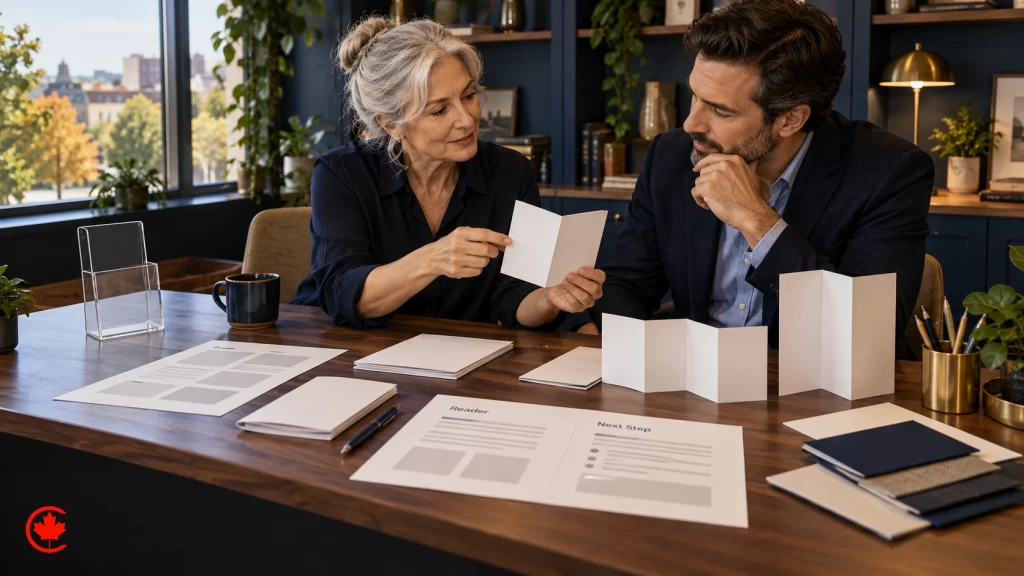
Trifold, bifold, z fold and gate fold
The fold is not decoration. It controls the order in which a reader meets your message, and it changes what the printer needs from the file.
Trifold
The trifold, or letter fold, is the most requested format because it fits a standard rack and a business envelope. The panels have a reading order that surprises people: the front cover, then the inside flap that tucks in, then the three inside panels at once, and the back panel last. Trifold brochure design works well for a service menu, a simple price list layout without prices, a visitor guide or a clinic’s list of treatments. The inside flap panel is a little narrower so the brochure closes flat, which the file must account for.
Bifold
A bifold is one sheet folded once into four pages. It gives larger panels for photography and is often the right choice for a restaurant catering menu, a real estate feature sheet, a school open house handout or an event program. It reads more like a small booklet and suits a story with a clear opening and close.
Z fold and gate fold
A z fold opens like an accordion, which suits step by step content: a process, a route map, a timeline of a renovation. A gate fold has two outer panels that open from the centre like doors to reveal a wide inside spread, which suits a product launch, a new location announcement or a reveal of a finished project. Both need careful panel sizing, and both cost more to fold than a trifold, so they are worth choosing only when the content needs them.
Booklets, catalogues and sell sheets
When the content outgrows a folded sheet, the format changes. Each of these has its own planning questions.
Multi page booklets
Booklets that are stapled through the spine (saddle stitched) need a page count in multiples of four. That rule shapes the plan from the start: if the content fills ten pages, you either trim to eight or grow to twelve with useful material, never blank pages. Booklets suit a membership guide, an annual report for a nonprofit, a program for a conference or a capability book for a contractor.
Catalogues
Catalogue design is about consistency and findability. Product families need a grid that repeats, so a buyer can compare items at a glance: photo in the same position, product code, short description, options. A catalogue also needs an index or tabbed sections, and a plan for updates, because a distributor or wholesaler will change items more often than a law firm changes a brochure.
Sell sheets and leave behinds
A sell sheet is usually one page, front and back, about one product or service. Manufacturers, software sellers and suppliers pitching to retailers use them because a buyer can file them easily. A leave behind can be a sell sheet, a small folder with inserts, or a short booklet. The design job is to make the key facts findable in seconds: what it is, who it is for, the specifications that matter and how to reach the right person.
Copy and structure before layout
Many brochure projects stall because the layout starts before anyone decides what the brochure says. The designer fills panels with placeholder text, the owner sees a pretty mockup, and then the real copy arrives at twice the length and the layout breaks.
Write to the panel
We plan the content panel by panel first: a cover line that says what you do and for whom, a short opening, the services or products that matter, proof the reader can check (your licences, memberships, years in business, locations), and one clear next step. Each panel gets a word budget. If the copy does not fit the budget, we cut or move it to the website rather than shrinking the type.
What to leave out
A brochure is not the place for your full history, every service you have ever offered or a list of team members who may leave next year. It is also not the place for claims you cannot back up. Leave the depth to the website and use the brochure to get the reader there or on the phone. Where copy needs more work than editing, our content writing service can draft it from an interview with you.
The cover and the call to action
The cover has to answer “is this for me?” in the time it takes to glance at a rack. The back panel or final page has to answer “what now?” with a phone number, a web address and, if it helps, a QR code to a specific page rather than the home page, so the response can be traced.
Photography, illustration and brand fit
Images carry most of the first impression, and they are where many brochures go wrong.
Photos you own
Real photos of your space, your products and your work are almost always stronger than stock. A renovation contractor’s finished kitchens, a dental office’s treatment rooms, a bakery’s display case: readers recognize the real thing. If you need new images, our photography team can shoot them, and the same photos then serve the website and social posts. Phone photos can work on a PDF but rarely hold up in print at full panel size.
Illustration and diagrams
Illustration helps when the subject is hard to photograph: a process, an installation diagram, a map of service areas, a product cutaway. Simple icons can guide the eye through a list of services, but too many icons turn a brochure into clip art.
Matching the brand
A brochure should look like it came from the same business as the sign, the vehicle and the website. That means the same logo version, colours, typefaces and tone. If your brand has no clear rules yet, we work from what exists and note the decisions so the next piece matches. A separate Brand guidelines page covers building a full guide. If the logo itself needs attention, start with our logo design work before printing thousands of copies.

Print ready files, paper and finish
A brochure that looks right on screen can still print wrong. The final files are where professional brochure design earns its fee.
Bleed, safe zones and folds
Anything that runs to the edge of the page needs bleed, an extra strip of image beyond the trim line, because cutting is never perfectly exact. Text and logos need to sit well inside the trim and away from folds so nothing is cut off or creased through. Printers send their own specifications, and the file should follow those, not a generic template.
Colour
Screens show colour in light; presses build it from ink. Files for offset or digital print are prepared in the printer’s colour mode, with images at a resolution suited to the print size. Brand colours that rely on a specific ink may need a spot colour or a close process match, and dark backgrounds with small text need care so the text does not fill in.
Paper and finish in plain language
Paper choice changes how a brochure feels in the hand. Heavier stock feels more substantial and suits a leave behind; lighter stock folds more cleanly and mails for less. Coated paper makes photos sharper; uncoated paper is easier to write on and suits a natural or handmade feel. Finishes such as matte or gloss lamination, spot varnish or soft touch coatings add cost and should be chosen for a reason. We explain the trade offs and request printer samples when the choice matters.
Working with the printer
You can use your own printer or our sign and print team. Either way, we confirm specifications before the final export, send a proof, and stay available for the printer’s questions. For larger runs, ask the printer for a hard proof before the full job.

Digital and interactive PDF brochures
Many brochures now spend more time as a PDF than as paper. A digital brochure is emailed after a sales call, attached to a quote, linked from the website or downloaded at a trade show by scanning a code.
Print PDF versus digital PDF
A print PDF carries bleed and crop marks and is laid out as spreads or imposed for folding. A digital PDF should be single pages in reading order, without crop marks, with a smaller file size so it opens on a phone. Sending the print file by email is a common mistake: the reader sees pages out of order and a file too heavy to load.
Interactive features
An interactive PDF can include clickable phone numbers, email addresses, links to booking or product pages and a clickable table of contents for a catalogue. For a wider audience, the PDF should be tagged so screen readers follow it in the right order, with text set as real text rather than flattened into images.
When a web page is better
If the content changes often, or if search visibility matters, a page on your website may do the job better than a downloadable file. Our web design team can build the page and offer the brochure as a download alongside it.
French and English versions
Businesses that serve Quebec, Ottawa area clients, francophone communities in Ontario, New Brunswick or Manitoba, or national accounts often need the brochure in both languages.
Separate pieces or a single bilingual piece
A single bilingual brochure (French on one side, English on the other, or side by side columns) saves on print runs and suits a counter where both audiences pick it up. Separate French and English versions read more cleanly and suit mailers and sales visits where you know the reader’s language. French copy usually runs longer than English, so the layout needs room for it from the first draft, not as an afterthought.
Translation quality
Machine translation is not enough for a printed piece that will sit on a counter for a year. The French version should be written or revised by a fluent writer who understands your field. Our team works in English and French. In Quebec, the Charter of the French Language sets expectations for French in commercial materials, which is a reason to plan the French version properly when you sell there.
Trademarks, licences, claims and readability
A few rules affect what a brochure can show and say. We flag them during design, and the legal decisions stay with you and your advisers. This is a marketing observation, not legal advice.
Trademarks
Before thousands of copies carry a product name or logo, check that it does not clash with a mark someone else has already registered. A trademark agent or lawyer can search the records of the Canadian Intellectual Property Office and handle any filing; that is legal work, and it is cheaper before the print run than after it.
Font, photo and illustration licences
Fonts, stock photos and illustrations each carry a licence that sets where they may be used. Some allow print but limit the number of copies, some exclude certain uses, and a free download is not always free for commercial print. We keep a record of what each brochure uses so you can reprint with confidence.
Claims
Under the Competition Act, claims such as “made in Canada”, “eco friendly” or being the leader in your field must be truthful and supportable. Brochures tend to repeat claims for years, so we ask what supports each one before it goes to print.
Readable type and contrast
In Ontario, AODA expects accessible communication, and WCAG sets the guide for colour contrast. In practice that means type large enough to read without glasses where possible, strong contrast between text and background, and no important information carried by colour alone.
Where the brochure fits in your marketing
A brochure does its job as one piece of a consistent system, and our branding and brand identity work is where that system is set. The brochure should match the brand, point to a page on the website and give the same phone number that appears on your Google Business Profile. A QR code can lead to a page that tracks visits from the brochure, and enquiries from that page can land in CS+, our CRM, so someone follows up. For businesses selling to other businesses, the brochure often sits in a sales kit described on our B2B marketing page. Our wider graphic design services cover the flyers, folders, presentations and social graphics that sit around a brochure. If you are planning a full name or identity change, our Rebranding page covers the rollout, and Brand strategy covers the positioning work that comes before the words on the cover.
How we work on a brochure
Each brochure project follows the same plain sequence, written into your proposal.
- Free review. We look at your current brochure or materials, ask about the brochure’s job, quantity and where it will be used, and say plainly whether a brochure is the right piece.
- Written proposal. Format, page count, copy and photography needs, languages, print or PDF versions and fees quoted in writing.
- Content plan and copy. A panel by panel plan with word budgets, then copy for your approval.
- Design and proofs. Layout with your images, a set number of revision rounds stated in the proposal, and a printed or on screen proof.
- Final files and handover. Print ready PDF to the printer’s specifications, a digital PDF, and the open design files, fonts list and image licence notes handed to you.
The files are yours. If another designer or printer works on the next edition, they should be able to pick up where we left off.
What brochure design costs in Toronto and what changes the fee
Brochure design fees are quoted in writing after a free review. Printing is quoted separately, whether by your printer or ours, so you can see the design fee and the print cost apart.
What changes the fee
- Format and page count. A trifold is a smaller job than a twenty four page catalogue with a product grid.
- Copy. Editing your text is quicker than writing it from interviews.
- Images. Using your photos, licensing stock, drawing illustrations or booking a shoot each carry different costs.
- Languages. A French version adds writing or revision and a second layout.
- Versions. A print file, a digital PDF and an interactive PDF are separate deliverables.
- Revision rounds and approvals. A brochure approved by one owner moves differently from one approved by a board or a franchise head office.
Reprints and updates
Updating an existing brochure for a new season or a new address is usually a smaller job, especially if the open files were kept. That is one reason to ask for them at handover.
How to compare brochure design companies in Toronto
Look at printed samples, not only screen images, and ask questions that show how the designer handles the parts you cannot see in a portfolio.
- Will you help decide what the brochure should say, or do you only lay out what I send?
- How do you prepare files for my printer, and will you talk to them directly?
- Will I receive the open design files, fonts list and image licence records?
- How do you handle a French version?
- Who owns the accounts? The answer should be you. Any stock image or font licence bought for your brochure should be in your business name, and any QR code destination page should sit on your website.
- How many revision rounds are included, and what does a change after approval cost?
A free template can be fine for a one time internal handout. When the brochure represents you to customers, buyers or patients, the planning, copy and print files are what separate a professional piece from a template.
Related guide: traditional marketing in the digital age.
Send your brief for a custom brochure design proposal
Send us your current brochure, a competitor’s piece you like, or a short note about the brochure’s job and how many copies you expect to print. We will come back with a free review and a written proposal. Call (416) 273-9030, Monday to Friday, 9 am to 6 pm, and Saturday, 10 am to 2 pm. After hours, our 24/7 AI agent answers the toll-free line, +1 (800) 808-9235, and we’ll follow up the next business morning. We reply within one business day. You are welcome to visit Canada Create at 126 Willowdale Avenue, Suite 3, Toronto, to look at paper samples and talk through the folds, or contact our team with your files.
Talk to a strategist
Ready when you are?
Request a custom proposal
Tell us your goals, budget and timeline. You get a custom proposal and a named strategist, so your next stage of growth starts now.
How a brochure project runs
Every step is written down, and the design files, image records and printer specifications stay with you.
- Free review First call
We learn the brochure's job, quantity, languages and where it will be used.
- Written proposal Written proposal
Format, copy and image needs, versions and fees quoted in writing.
- Copy, design and proofs Agreed milestones
Content plan, copy approval, layout, revision rounds and a final proof.
- Files and printing Handover
Print ready and digital PDFs, open files to you, and printer coordination.
Why businesses choose Canada Create for brochures
Since 2008
More than 18 years of websites, search and advertising work for businesses across Canada.
BBB Accredited A+
A BBB Accredited Business with an A+ rating and zero complaints.
Toronto office
126 Willowdale Avenue, Suite 3, Toronto, serving businesses across Canada.
English and French
Our team works in English and French.
Brochure design Toronto: questions buyers ask
What makes a brochure attractive enough to get read?
An attractive brochure is built for one moment and one reader, so the cover, the fold and the call to action all suit where it will be picked up. A rack card needs a cover that works when only the top third shows in the stand. Copy is planned panel by panel, so the layout never has to shrink the type to squeeze text in. Good photos and your brand colours do the rest.
What sections does a typical brochure need?
Most brochures need a cover line that tells the reader what the piece is about, inside panels that describe your services or products, and a clear next step: call, book or scan to a page. Contact details and the address panel usually sit on the back. A word budget for each section keeps any one panel from getting crowded.
Is a trifold or a bifold the better brochure format?
It depends on the job. A trifold fits a standard rack and a business envelope, which makes it the usual choice for service menus, visitor guides and clinic treatment lists. A bifold gives larger panels for photos and reads like a small booklet, so it suits catering menus, feature sheets and event programs. Z folds and gate folds work when the piece needs a reveal.
Is Canva good enough for making a business brochure?
Canva can produce a tidy layout, and plenty of small businesses start there. The harder parts are deciding the brochure's one job, writing copy that fits each panel and preparing a file the printer accepts, with bleed, safe zones, colour mode and resolution set to their specifications. If the piece will be printed in quantity, have someone check the file before it goes to press.
How much does brochure design cost?
The fee depends on the format and page count, whether we write the copy or you supply it, how images are sourced and whether you need a French edition. A single trifold with your own text is a smaller job than a booklet or product catalogue, which is planned in multiples of four pages. Printing is quoted on a separate line so you can see design and print costs apart. We review your brief for free and then quote the design in writing.
How do you plan a marketing brochure before the layout starts?
Planning starts with questions. Where will the brochure live, who picks it up and what do they already know about you? Which single action do you want next, how long will the details stay accurate and how many copies will you print? Sometimes the honest answer is two smaller pieces rather than one crowded company brochure.
Can a brochure be made as a PDF for email as well as print?
Yes, the print file can be paired with a lighter digital PDF laid out as single pages, with clickable links for email and your website. The print version keeps its bleed and crop marks, while the digital one is sized to open quickly on a phone. You also receive the open design files and records of the fonts and images used.
Do you arrange printing as well as brochure design?
We prepare print ready files to your printer's specification and can coordinate with the printer, which matters most for booklets and catalogues. Printing itself is quoted separately from the design. If you already have a printer you trust, we build the files to their requirements.
How do I choose a brochure designer near me in Toronto?
Ask to see printed samples, not only screen mock ups, and ask who writes the copy if you do not have it. A designer should ask where the piece will be handed out before showing you layouts. Brochure clients of Canada Create deal with a Toronto agency open since 2008, which the BBB rates A+.


Give your brochure one job
A crowded brochure that tries to say everything usually ends up in the recycling bin. A short review tells you which format, copy and files your next print run needs. Book a free brochure review.