
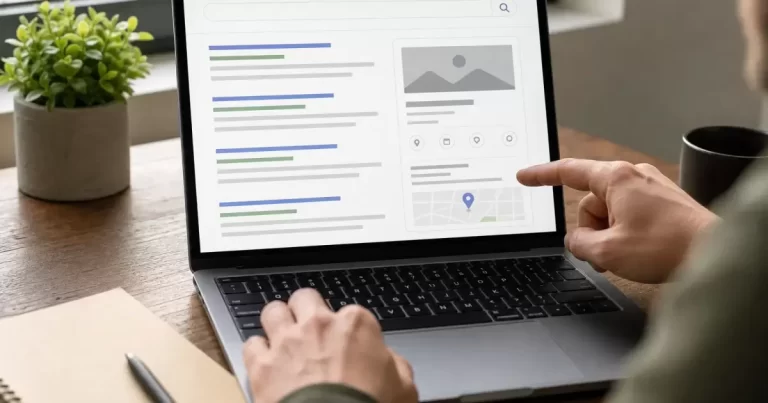
Searching for your business and finding no claim button can be frustrating, especially after updating your website and adding structured data. The next step depends on what is actually missing: the panel itself, the option to claim it, access to an already verified account or a way to correct one fact. Those are different problems.
Start by identifying the result you see and the outcome you want. This guide addresses the cases that do not fit a straightforward claiming tutorial. It also explains why a WordPress plugin cannot guarantee that Google will create a panel or make an existing panel claimable.
Record the exact search result
Save the search phrase, date, device and a screenshot of the relevant result. Note whether you searched a person’s name, an organization, a trading name or a local branch. Similar names can refer to different entities. Before requesting a change, confirm that the panel actually describes you or the organization you are authorized to represent.
Write a one-sentence problem statement, such as “the official website is wrong” or “the panel appears, but there is no claim option.” This keeps the investigation focused. A broad request to improve a brand’s presence can otherwise become a mixture of website indexing, local listings and Knowledge Panel issues with no clear resolution.
A missing panel is not a failed claim
Google’s explanation of knowledge panels says they are generated automatically using information from sources across the web. Claiming is therefore not a form for creating a panel on demand. If no panel appears, there may be nothing available to claim for that search.
The separate Knowledge Graph explanation describes how Google’s systems determine when and how information appears. Keep panel visibility separate from ordinary website indexing. A website can appear in search results without a panel beside it. Record each observation accurately instead of treating the absence of one feature as proof that the entire site is invisible.
Check whether the result is a Business Profile
Google distinguishes Knowledge Panels from Business Profiles for businesses serving customers at a location or within a service area. The displays can look similar, but their management routes differ. If your immediate task concerns a local business’s hours, location or service-area presence, identify whether the Business Profile workflow is the relevant one.
Do not create a duplicate listing simply because a claim control is difficult to find. First check the existing result and the organization’s account records. Ask the person responsible for local listings which account manages it. Keep a screenshot and the relevant search result with the request so they can identify the correct property.
An absent claim button does not imply a broken website
Google’s current verification instructions explicitly state that not every Knowledge Panel is claimable. Where available, the claim option may appear near the bottom, in an About section or in a mobile menu. If it is absent, changing your WordPress theme is not an evidence-based remedy.
Where a claim path is offered, Google may use an associated official site or profile to verify representation, or request further information. Follow the options actually presented for your entity. Do not assume that another organization’s verification experience predicts the exact documents or steps you will receive.
Resolve account uncertainty before retrying
If the process reports that someone already manages the account, first check with current and former authorized staff or service providers. Use the organization’s existing access records and keep the investigation private. Avoid circulating passwords or verification documents among several people merely to discover who has access.
Write down which account has been checked and what it can see. Do not confuse access to the WordPress administration area with authority over a Google representation account. For an unresolved ownership or account error, use the recovery and support guidance linked from Google’s verification documentation. Repeating the same attempt without resolving the account identity rarely adds useful evidence.
Prepare a correction that can be verified
For an inaccurate fact, state the current wording, the proposed correction and a public source supporting it. Google’s feedback instructions describe submitting suggestions and supporting URLs. Submit separate issues clearly rather than bundling several unrelated changes into a vague request.
Choose a source that directly supports the fact. An official biography may establish a person’s role, while an organization’s contact page may establish its website or published address. Make sure the page is publicly accessible and up to date. A screenshot of an internal document is not the same as a public source Google can review.
Keep a record of what you submitted and any response. Do not promise colleagues a fixed outcome or turnaround based on an anecdote. If the public source changes while the request is pending, retain the date and new URL. Clear records make subsequent follow-up more useful than repeatedly submitting slightly different wording.
Use WordPress schema for accurate identification
Google’s Organization structured-data documentation explains how markup can help clarify organisational details and distinguish an organization in search. Use truthful values that match the public website. Check that your theme and SEO plugin are not publishing conflicting names, logos or official profile links.
Its general structured-data guidelines also make clear that correct markup does not guarantee a search feature. Treat validation as a technical check, not a panel-creation certificate. Avoid adding unsupported affiliations, awards or identity claims in an attempt to force a particular result.
Choose the next action from the actual problem
If the panel is missing, maintain accurate public information and avoid promised creation shortcuts. If a claim option exists, use the appropriate verification path. If access is unclear, resolve the account. If one fact is wrong, prepare a supported correction. Our Knowledge Panel claiming guide provides further context, but the current Google flow and your observed result should determine the action.
Frequently Asked Questions
Why doesn’t my business have a Google Knowledge Panel?
Google shows panels when it has enough consistent, trusted information about an entity. Local businesses usually get a Business Profile panel instead.
How do I get a Knowledge Panel?
Build consistent information across your website, Google Business Profile, social profiles, directories and trusted mentions, and use Organization schema.
Can I edit my Knowledge Panel?
Once verified, you can suggest edits through Google’s claim process.
Who can strengthen my brand’s search presence?
Our local SEO and SEO services build entity signals.







