
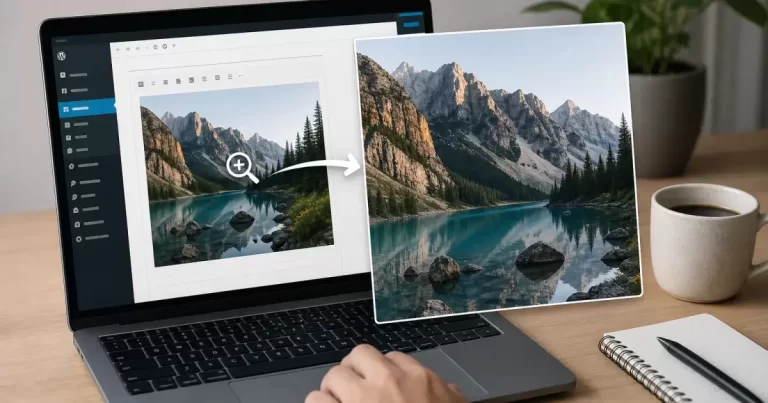
Fix WordPress Image Zoom: Blurry Photos, Failed Clicks and Mobile Problems

How to Add Image Zoom in WordPress
Diagnose blurry enlarged images, failed clicks, duplicate lightboxes and mobile zoom problems without changing unrelated WordPress settings.

Image zoom should help a visitor inspect something that matters: stitching on a product, small labels in a diagram or details in a portfolio photograph. When clicking does nothing, the enlarged picture looks soft or a phone becomes difficult to navigate, adding another plugin is rarely the best first diagnostic step.

Start by identifying the failure, then change one thing at a time on a test copy. This guide focuses on repairing an existing WordPress image interaction. Before changing settings, save the affected post and record which theme, block or plugin currently controls its images.

Define what the image is supposed to do

A lightbox opens a larger view over the page. A magnifier enlarges a selected area while the visitor moves across the image. A decorative scale effect simply makes the displayed element bigger. These behaviours solve different problems, so “zoom does not work” is not yet a useful diagnosis.

Write down the expected action and actual result. For example: tapping a product photograph should open a larger view, but it currently opens the media file in another tab. Record the device and browser too. That description gives you a repeatable test instead of an open-ended search through settings.

Find the component that owns the interaction

Open the affected content in its editor and select the image itself. Determine whether it is a standard Image block, a gallery item, a page-builder widget or part of a store gallery. A setting for one component will not necessarily affect the others.

The WordPress Image block documentation describes an Enlarge on click option in the image-link controls. It opens a lightbox without taking the visitor away from the page. Older interfaces may use different wording or placement, so check the documentation against the editor you actually have.

Developers can also control lightbox availability through theme lightbox settings. If the expected option is missing, investigate the theme and block configuration before assuming the installation needs another extension. Avoid changing global settings merely to repair one photograph.

When the enlarged photograph is blurry

Inspect the actual file opened by the zoom feature. A small thumbnail can look acceptable inside a narrow article column but reveal obvious softness when stretched across a monitor. Compare that file with the original upload, including its pixel dimensions and the amount of visible detail.

If the original is sharp but the enlarged view is soft, investigate which image size the component requests. If the original is already blurred or heavily compressed, changing the zoom setting cannot recover the missing information. Replace the source with a better photograph or export before adjusting presentation.

Judge the result using the detail the visitor needs. For a fabric photograph, inspect texture; for a screenshot, check whether labels are readable. Do not enlarge every source indiscriminately. A very large file that reveals no additional useful detail creates download work without improving the experience.

When clicking does nothing or opens two overlays

Check whether the image has an ordinary destination link competing with the intended interaction. Then list the components capable of handling image clicks: the theme, a builder and any gallery or lightbox extensions. Two systems listening to the same click can produce confusing behaviour.

On a staging copy, test with a single intended handler. Disable the competing feature through its own settings where possible, rather than removing unrelated functionality. Keep notes after each change. If the problem disappears, restore the other settings individually until the responsible combination becomes clear.

If nothing changes, inspect the browser console for script errors and the network panel for missing assets. These are clues, not permission to delete scripts broadly. A developer should trace the failing request or error to its owner and test a targeted correction before deploying it.

When desktop works but mobile fails

A mouse-hover interaction needs a deliberate alternative on a touchscreen. Test the actual phone experience: one tap to open, an obvious control to close and a clear way back to the article. Confirm that trying to scroll does not repeatedly trigger the magnifier.

Check both portrait and landscape orientation. Important image detail should remain reachable, while controls should stay visible without covering the content being inspected. If a magnifier makes the phone experience awkward, use a simpler enlarged view for that context instead of forcing identical behaviour everywhere.

Also test keyboard access. Can a visitor reach the trigger, open the image, locate the close control and return to the content? Treat these as acceptance checks for the chosen component. A visually attractive overlay is unfinished if someone cannot operate or dismiss it.

When the enlarged view loads slowly

Separate the initial page load from the additional request made when opening the image. Use the network panel to identify the file transferred and its size. Then compare the same interaction before and after a targeted image export or configuration change.

Keep a sharp source appropriate for the inspection task and an efficient preview for the page. Compression should be checked visually at the enlargement people will use. Save the original separately so you can revise the export without repeatedly recompressing an already degraded copy.

If a repair appears in the editor but not publicly, clear only the relevant page or image cache and retest while logged out. Do not disable caching across the entire website simply because one component shows an older asset.

Choose an extension only when a requirement remains

A specialized tool may be appropriate when you need a genuine magnifying lens or a gallery interaction your existing component cannot provide. For example, the WP Image Zoom listing describes magnifying functionality. Read its current compatibility notes and test your exact gallery before adopting it.

Complete the repair with a short acceptance record: clear source image, correct click behaviour, usable mobile view, working keyboard controls and acceptable loading. Save the settings that passed. Canada Create™ can help evaluate image interactions as part of a website design review, with the emphasis on what visitors need to see and do.

Frequently Asked Questions

Why is my WordPress image zoom blurry?

The zoom is loading a smaller image size. Upload larger originals and make sure the gallery uses the full-size image for zoom.

Why doesn’t image zoom work on mobile?

Many zoom scripts rely on hover, which phones do not have. Use tap-to-open lightbox galleries instead.

Does image zoom slow down my site?

It can if it loads large files on page load. Load full-size images only when the user taps.

Who can fix image and gallery issues on WordPress?

Our WordPress development team fixes galleries without hurting speed.

Share This Post
Need quick help? Let’s Talk About Your Growth

For a faster response, call (416) 273-9030. Otherwise, fill out the form below and our team will contact you.

This field is for validation purposes and should be left unchanged.
Select the Services(Required)
Google reviews

What our clients say about Canada Create™

EXCELLENT
Google star 1Google star 2Google star 3Google star 4Google star 5
Based on 97 reviews
Posted on Google Google
lazer Runner of Aurora profile picture
lazer Runner of Aurora
Google star 1Google star 2Google star 3Google star 4Google star 5
We’ve had a great experience working with Canada Create for our SEO and digital marketing. They have made a noticeable difference in our Google rankings and online visibility, which has been very important for our business. As the owner of Lazer Runner in Aurora, I highly recommend Canada Create to any business looking to improve their online presence and grow through Google. They are professional, knowledgeable, responsive, and truly care about their clients’ success. Thank you, Canada Create, for your great work and continued support! Lazer Runner Of Aurora
Posted on Google Google
Rozbeh Kamran-Disfani profile picture
Rozbeh Kamran-Disfani
Google star 1Google star 2Google star 3Google star 4Google star 5
Canada Create has been an excellent marketing and branding partner for our dental practice. Their understanding of local SEO, digital marketing, social media, content creation, Google visibility, and AI optimization really stood out to us. A dental practice depends heavily on trust, reputation, patient experience, and being discoverable when someone is searching for a dentist. Canada Create understands how to bring those pieces together and communicate the quality of a practice naturally. I would highly recommend Canada Create to dentists, dental clinics, and other healthcare professionals looking to improve their online presence, local search visibility, branding, and organic growth.
Posted on Google Google
Amir Kasra Mesgarpour Tousi profile picture
Amir Kasra Mesgarpour Tousi
Google star 1Google star 2Google star 3Google star 4Google star 5
I had a great experience working with this business. They helped me build my tutoring website from scratch and guided me through the entire process. I knew nothing about how the process worked, but they were professional, patient, and incredibly helpful. They took the time to understand what I wanted, handled the setup and design, and made sure everything worked properly. I’m very happy with the final result and would definitely recommend them to anyone who needs help creating a professional website or getting their business online.
Posted on Google Google
khatereh mokhtari profile picture
khatereh mokhtari
Google star 1Google star 2Google star 3Google star 4Google star 5
Canada Create has been doing an amazing job managing our social media. Their team consistently creates professional, creative posts and stories for our Instagram, Facebook, and TikTok, and the quality of the content has honestly exceeded our expectations. What impresses us most is that they don’t just post for the sake of posting. The content is well thought out, visually engaging, and represents our business professionally across every platform. They understand our brand and consistently come up with fresh ideas without us having to manage the process. We’re extremely happy with the work Canada Create has done for us and highly recommend their team to any business looking for professional social media management and content creation.
Posted on Google Google
KIIA MUSIC profile picture
KIIA MUSIC
Google star 1Google star 2Google star 3Google star 4Google star 5
As an influencer, I've gotten multiple collab opportunities through Canada Create, and every experience has been well-organized and mutually beneficial. They genuinely care about building long-term relationships between businesses and creators, rather than one-time promos. Their expertise in SEO, social media marketing, influencer marketing, content strategy, Instagram growth, YouTube marketing, and brand awareness makes them an excellent partner for companies that want real engagement. Whether you're a local business trying to improve your online presence, or an influencer looking to work with reputable brands, I strongly recommend connecting with Canada Create Agency
Posted on Google Google
Elanaz Ghasemi profile picture
Elanaz Ghasemi
Google star 1Google star 2Google star 3Google star 4Google star 5
I've worked with Canada Create on several influencer campaigns, and they consistently bring high-quality collab opportunities that actually fit with my audience. Unlike agencies who only push paid promotions, they understand organic social media marketing and long-term brand growth. Their team makes collaborations smooth, professional, and beneficial for both businesses and creators. If you're an influencer looking for consistent brand partnerships on Instagram, YouTube, or TikTok, I highly recommend reaching out to Canada Create. And if you're a business that wants authentic influencer marketing, content creation, and stronger organic reach instead of just chasing ads, they're one of the best marketing agencies I've worked with in the GTA.
Posted on Google Google
Zohreh Talebi profile picture
Zohreh Talebi
Google star 1Google star 2Google star 3Google star 4Google star 5
We hired Canada Create to help strengthen the online marketing for Marvel Car Clinic and the results have been very positive. They developed our new website and managed the Google Ads strategy around our main automotive services including paint protection film (PPF), vehicle wraps and ceramic coating. The biggest improvement for me has been the overall quality of our online presence. Customers can now clearly see what we offer, the website is much more professional and our advertising is bringing relevant people directly to the services they are searching for. Their team understands conversion and lead generation, not just design. Everything from the website layout to the advertising campaigns feels like it was created with the goal of getting more customers. Great communication, professional work and strong results. I would recommend Canada Create to any Toronto or GTA business looking for Google Ads management, website development and digital marketing.
Posted on Google Google
Hossein Esmaeili profile picture
Hossein Esmaeili
Google star 1Google star 2Google star 3Google star 4Google star 5
We’ve had a great experience working with Canada Create on the digital marketing for Marvel Car Clinic. They completely improved our online presence with a professionally designed new website and a much stronger Google Ads strategy. Our business specializes in car wraps, paint protection film (PPF), ceramic coating and automotive protection services, so attracting the right type of customer is extremely important. The Canada Create team took the time to understand our services, our target market and what actually makes a customer contact us. Since launching the new website and Google Ads campaigns, we’ve seen a noticeable improvement in the quality of inquiries coming in. The website looks professional, is easy to navigate and presents our car wrap, PPF and ceramic coating services much better than before. What we appreciate most is that they focus on results instead of simply running ads. Communication has been great, changes are handled quickly and the team is always looking for ways to improve the campaigns. If you’re looking for a digital marketing agency in Toronto for Google Ads, website design and lead generation, I would definitely recommend Canada Create.



