
Find Better Search Queries in Your Google Ads Search Terms Report
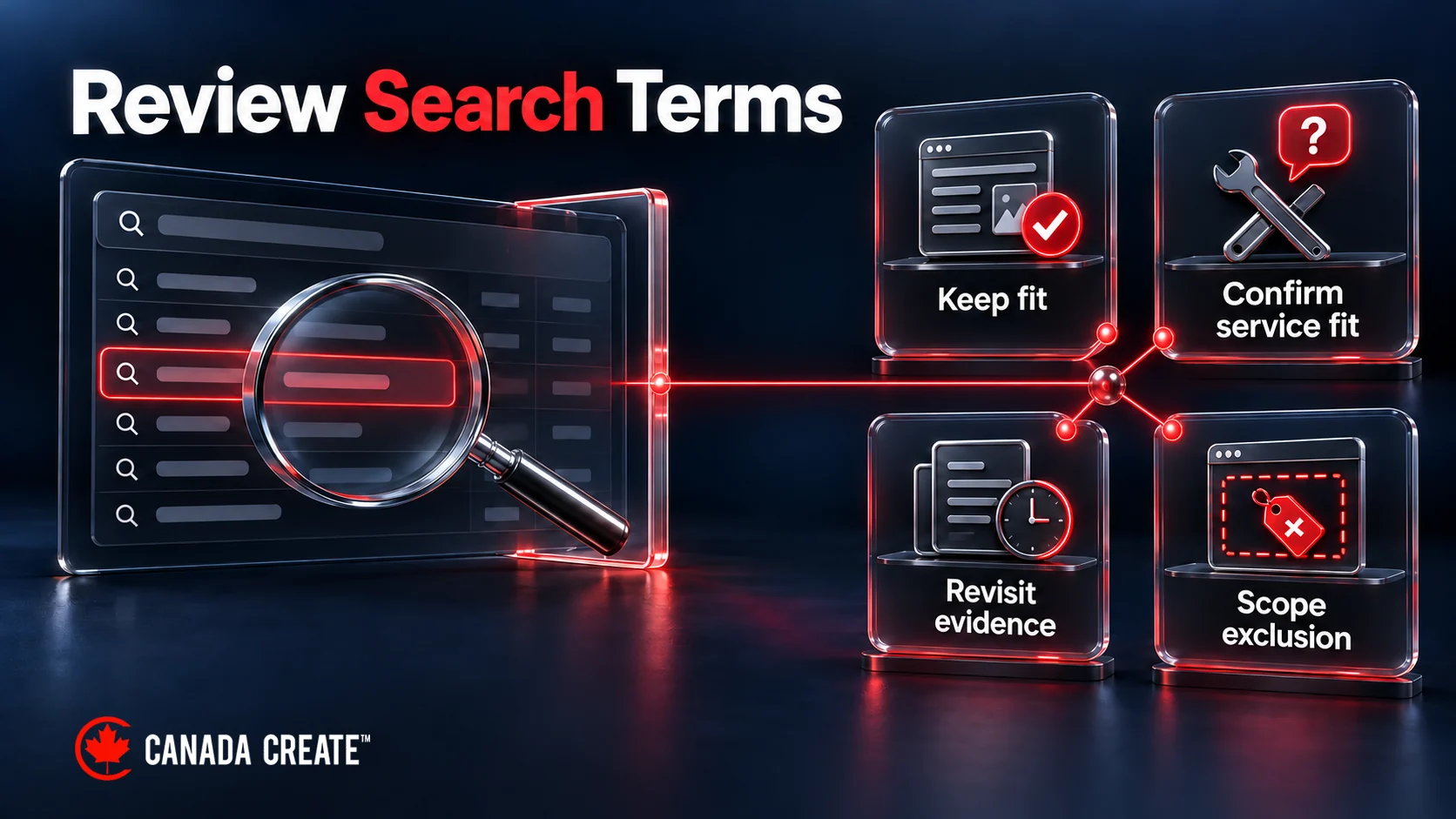
A useful search-terms review ends with a decision about the searches your ads are reaching. Keep relevant demand, investigate an unanswered business question, improve a confusing offer or exclude a clear mismatch. A term with no conversions does not automatically belong on a negative-keyword list.
Consider this hypothetical review for Harbour Appliance Repair, an invented company offering daytime residential repairs in its Ottawa service area. The campaign is for customers, not recruitment or training. The company has not yet confirmed whether it repairs commercial glasswashers.
| Search term | Clicks | Cost, CAD | Recorded enquiries | First decision |
|---|---|---|---|---|
| book dishwasher repair Ottawa | 20 | $180 | 3 | Keep: the service fits |
| dishwasher repair reviews Ottawa | 12 | $96 | 1 | Keep: comparison can lead to a booking |
| appliance repair technician jobs | 8 | $64 | 0 | Propose an exclusion for employment intent |
| commercial glasswasher repair Ottawa | 10 | $150 | 0 | Ask operations whether this service is offered |
| washing machine repair estimate | 15 | $210 | 0 | Revisit after recent outcomes have developed |
| appliance repair course Ottawa | 25 | $200 | 0 | Propose an exclusion for training intent |
We build and run Google Ads campaigns measured on calls, forms and booked jobs, not clicks.
All figures and queries are fictional. The report covers September, is reviewed in early October and counts recorded enquiry submissions, not qualified customers. Its six visible rows contain 90 clicks, CAD 900 of cost and four recorded enquiries.
The four zero-conversion rows lead to three different responses. Employment and training are outside the confirmed offer. Commercial equipment needs a service answer. The estimate query needs more mature outcome evidence. Sorting by zero conversions and excluding all four would erase those differences.

That is the central skill this guide teaches: use the report to make a better decision about demand, rather than rewarding or punishing a phrase because of one column.
Find the report and choose the columns you need
In Google Ads, open Campaigns, then Insights and reports, then Search terms. Use the column controls to include the information needed for your question. The Keyword column may need to be added. Google’s search-terms report instructions describe the current interface.
For a first review, keep the view manageable: search term, campaign, ad group, keyword where applicable, match relationship, clicks, cost and the relevant conversion measure. Add another dimension when it helps explain a specific pattern.
Select a clear period and campaign scope. If you want to understand residential-repair demand, begin with the campaign advertising that service. Combining it immediately with recruitment, retail parts and commercial maintenance creates ambiguity that no spreadsheet colour can resolve.
Download a working copy if you need to annotate decisions. Preserve the original export so you can check a number or phrase later. At the top of your review, note the period, selected campaigns, account currency and what the conversion column means. You do not need a large reporting specification to answer those basic questions.
Understand the difference between a search and a keyword
The search term is the wording reported from a user’s search. The keyword is a targeting input in your account. They may differ, and the report’s match label describes their relationship rather than simply repeating the keyword’s configured match type. This distinction is explained in Google’s report documentation.
If a familiar phrase appears with an unexpected match label, inspect the actual keyword and campaign configuration before deciding the report is wrong. Broader matching can include close relationships as well as more varied ones.
The separate keyword match-types guide explains the mechanics. Here, the immediate question is what the reported search suggests about the person’s task and whether your offer could satisfy it.
Keep the same phrase separate when its context differs
“Appliance repair course” is unsuitable for Harbour’s customer campaign. It might be appropriate for a training business. The words alone cannot decide the action across every account.
The same principle applies inside one business. A company may run a customer-acquisition campaign and a recruitment campaign. A job-related query could be useful in one and irrelevant in the other. Preserve the campaign context before grouping repeated phrases.
If an export divides a term into several rows, understand why before adding or removing them. Different campaigns, networks or selected segments can describe distinct activity. Combining overlapping exports can also count the same activity twice. Keep your working total tied to one clearly defined view.
Read the search as a question someone is asking
“High intent” is a useful description of a plausible commercial next step. It is not a guarantee that a person will buy or that the click will be profitable.
A person may be ready to book, comparing providers, checking price, looking for instructions or seeking employment. The wording offers clues. Your job is to consider those clues alongside the service, destination and outcomes.
Start by translating the phrase into an ordinary question. “Dishwasher repair reviews Ottawa” might mean, “Which local repair company can I trust?” “Washing machine repair estimate” might mean, “Is repairing this machine worth the cost?” Both can belong in a real buying journey.
Now compare “appliance repair course Ottawa”. Its apparent task is learning the trade. For the fictional residential-repair campaign, that is a much clearer mismatch even before a long performance history accumulates.
Avoid rules based only on buying words
Words such as “book”, “quote”, “cost”, “near me” and “best” can indicate useful demand, but they do not establish service fit. “Book commercial glasswasher repair” is still unsuitable if Harbour cannot repair commercial equipment.

Conversely, a short general query can come from someone ready to act. A person with a leaking appliance may simply search “dishwasher repair” without describing their urgency. You do not know the person’s complete situation from the number of words they typed.
Use intent labels only when they clarify the decision. A complicated taxonomy can give an impression of precision while leaving the practical question unanswered. “Likely comparing local providers; service fits; inspect whether the page answers trust questions” is more useful than a score whose meaning nobody can explain.
Consider the service boundary before the performance column
Confirm what the business currently offers. Old page copy, an obsolete service list or a campaign copied from another branch can mislead the reviewer.
For Harbour, the relevant facts include residential work, the service area, supported appliance types and the hours in which appointments are available. A request can be commercially clear and still fall outside those boundaries.
Distinguish a permanent exclusion from a temporary constraint. A business that never repairs commercial equipment has a different reason to exclude that demand from one that has temporarily filled its schedule. The latter may need a capacity or availability decision rather than a lasting keyword rule.
Ask the person who delivers the service when a boundary is uncertain. Guessing from the term’s cost is especially unhelpful: a high number does not tell you whether the technicians can perform the work.
Work through the six-query example first
The fictional report at the top is deliberately small enough to reason through. The decisions below show what information matters and where the report stops being sufficient.
“Book dishwasher repair Ottawa”: keep the opportunity
This search fits the stated service and place. Three recorded enquiries provide some outcome evidence, although they do not establish that three customers booked or paid.
The first decision is to retain the opportunity. That does not automatically mean raising a bid, adding a duplicate keyword or giving the term its own campaign. It is already reaching the business through the current configuration.
A useful next check is whether the destination supports the promised booking step. Does it explain appointment availability and the relevant repair service? If the next step is actually a callback request, the page should make that clear rather than implying an instantly confirmed appointment.
If later sales feedback shows that these enquiries are suitable, it strengthens the business case for retaining the demand. If the feedback shows a recurring mismatch, investigate that specific discrepancy. The phrase’s apparently strong intent should not prevent you from learning from outcomes.
“Dishwasher repair reviews Ottawa”: keep comparison demand
The search suggests evaluation rather than an immediate booking command. That can still be a reasonable step towards choosing a repair provider.
Review what the landing page offers a person making that comparison. Clear information about the service, who provides it, what the booking process involves and genuinely available evidence can help them decide. Do not manufacture testimonials, credentials or guarantees to make the page look persuasive.
The single recorded enquiry is limited evidence. It is enough to show that the row is not simply a zero-outcome phrase in this example, but it does not establish a stable conversion rate or a reason to scale spending.
The practical conclusion remains modest: the intent fits, so there is no demonstrated reason to remove it. A page improvement may be worth exploring separately if comparison questions are repeatedly left unanswered.
“Appliance repair technician jobs”: propose an exclusion
The apparent purpose is employment. Harbour’s customer campaign does not recruit, so the mismatch is about the offer rather than the absence of conversions.
Write down that reason before choosing the technical exclusion. The implementation needs to specify the negative text, match type and scope, and check what useful searches might also be blocked. This guide does not turn a diagnosis into an automatic account-wide change.
For example, the word “jobs” can appear in an ordinary description of work someone needs done. That does not mean every jobs-related phrase must stay eligible. It means the reviewer should consider the full phrase and test the intended control against plausible valuable demand.
If the business also advertises vacancies, keep that other campaign in view. A customer-acquisition exclusion should not silently remove recruitment traffic the business intentionally wants.
“Commercial glasswasher repair Ottawa”: ask the service question
The query has clear commercial purpose, but Harbour’s capability is unresolved. A search-term report cannot answer whether its technicians support that equipment.
The next action is an operations question: “Do we offer this repair, and under what conditions?” If the answer is no, the campaign manager can propose an appropriately scoped exclusion. If the answer is yes, the destination may need to explain the service more clearly.
There may also be an intermediate answer: the company handles some models but needs a qualified person to assess the request. In that case, a useful enquiry route may collect the relevant equipment detail instead of rejecting the entire category.
This is why “investigate” should name the missing fact. Waiting for more clicks would not resolve a question only the business can answer.
“Washing machine repair estimate”: wait for the relevant outcome
In this invented case, recent enquiries may still develop into the recorded outcome. The absence of a conversion at the review moment is incomplete performance evidence.
Check how long comparable customers usually take to enquire and how promptly the tracking system reports the action. Then revisit the same period after an appropriate interval. The delay should be grounded in the business’s actual measurement and buying process.
Waiting does not mean ignoring ongoing cost. If continued uncertainty is commercially uncomfortable, the account owner may need to limit exposure or choose another proportionate action. That is a business risk decision, not proof that the search is irrelevant.
The useful note is specific: “Service fits; review recent outcomes after the normal enquiry delay and confirm tracking is working.” It tells the next reviewer what would change the decision.
“Appliance repair course Ottawa”: exclude the training mismatch
This phrase asks for training, which Harbour does not provide. The underlying rationale is similar to the employment row, but the exclusion still needs its own wording and scope check.
A query review can group the two as demand outside the offer for a summary. It should retain enough detail that the implementer can distinguish the intended controls. One broad exclusion should not be invented merely to make the worksheet shorter.
The CAD 264 spent across these two mismatch rows is historical cost associated with proposed exclusions. It is not a promise of future savings. Future budget may be spent on other searches, and their value will need to be assessed on its own evidence.
Use conversions carefully in recent periods
Before sorting the report by conversions, establish what is counted. A form submission, connected call, appointment and completed repair are different outcomes.
In the example, the column counts recorded enquiry submissions. Calling those four events “four qualified leads” would add information the report does not contain. Calling them customers would go further still.
If you have reliable, appropriately collected sales feedback, use it to understand whether the recorded enquiries were suitable. Keep that evidence distinct from the platform count so the reader can see what each source establishes.
Google’s primary and secondary conversion documentation explains how conversion actions relate to reporting and bidding, including the exception for actions inside custom goals. Inspect the actual goal configuration when you need to understand which actions the campaign is using.
Zero is an observation with conditions
A zero-conversion row means no conversions were reported for the chosen metric and period at the time you checked. It does not reveal whether the page failed, the person called through an unmeasured route, the enquiry is delayed or the service was unsuitable.
Inspect those possibilities when the search appears relevant and the decision is consequential. You do not need an exhaustive technical audit for every low-cost row, but you should not turn uncertainty into a confident statement about intent.
Keep unavailable values distinct from zeros. If you do not have a qualified-outcome field, leave it unavailable rather than entering zero qualified enquiries. If a row has zero conversions, its cost per conversion is undefined; displaying zero cost per conversion would imply something very different.
Preserve fractional conversion values when the source reports them. Do not round them into invented people. A report metric and a count of distinct customers are not interchangeable.
Give delayed outcomes a fair chance
Google explains that recent cost can be fully reported before later conversions arrive, making recent performance appear weaker. Its time-to-conversion guidance describes reviewing historical conversion delay using an older period.
Use that evidence to choose a suitable performance-review window. A same-day booking service and a business with a multi-week buying process should not borrow the same waiting rule simply because both advertise on Google.
Reporting freshness is another issue. An action may have happened but not yet appeared in the report. Google’s data-freshness guidance explains that metrics update on different schedules. Note when you exported recent data before comparing it with a later download.
These two delays require different thinking: one concerns customer behaviour, the other reporting. Neither is a reason to postpone correcting an obvious permanent service mismatch.
A relevant search can still be too costly for the business
Relevance and affordability answer different questions. A search can accurately describe the service while acquiring enquiries at a cost the business cannot support. Keep that commercial concern visible instead of relabelling the phrase as low intent.
Before making an affordability decision, check the outcome definition and whether the period has matured. Then consider the value and suitability of the enquiries, not just their initial count. A low-cost form filled out by the wrong customer may be less useful than a more expensive qualified request.
The right response may involve bidding, budget, the offer or the economics of delivering the service. A negative keyword can remove eligibility, but it does not explain which of those underlying factors made the traffic uneconomic. Hand the finding to the broader campaign or budget review with the original figures and assumptions intact.
If the business cannot tolerate more spending while the question is investigated, a temporary control may be reasonable. Describe it honestly as a risk-management decision under uncertainty. That wording preserves the option to reconsider the opportunity when measurement or the offer improves.
Recognize what the report leaves out
The visible rows are not a complete transcript of every search. Google omits some low-activity terms for privacy. Search terms insights can group activity without exposing every underlying phrase. Read the report’s visibility explanation before interpreting missing rows.
Suppose the fictional campaign’s comparable total cost is CAD 1,250 while the six reviewed rows sum to CAD 900. The review describes 72% of that cost at visible-query level. The remaining CAD 350 cannot be assigned to particular queries from this worksheet.
That remainder is not automatically poor intent, wasted spend or undiscovered savings. It is a limit on the conclusion. You can still act on a clearly irrelevant visible phrase without claiming to have classified the entire campaign.

Before calculating coverage, make sure the totals are comparable. The same date range, campaigns, networks, currency and metric definition should be represented. A filtered export cannot be compared casually with a total covering different inventory.
Separate hidden activity from work you have not reviewed
If the export contains 600 rows and you inspect 80, the unreviewed visible rows are a different gap from activity the report does not expose. You can address the first by reviewing more rows. You cannot address the second by guessing phrases.
Be honest about the scope when sharing the result: “We reviewed the highest-cost visible rows in this campaign and identified two clear service mismatches.” That is more useful than claiming that every wasteful query has been removed.
A large report may be easier to review by recurring intent themes. Preserve representative examples and the campaign context so a summary can be traced back to actual rows. Avoid using a theme label to flatten important differences between services.
Treat search terms insights as a different view
Google’s search terms insights group activity into categories and subcategories. Their labels summarize a theme and are not necessarily literal searches that triggered an ad.
Use a category to ask a better question. If a repairs campaign has a training-related theme, inspect the available detail and relevant enquiries. Do not automatically paste the category label into a negative-keyword list.
Likewise, a category containing a word you excluded does not by itself prove that the exclusion failed. The category’s meaning and the underlying reported terms need to be understood. The control’s scope and implementation are separate checks.
Decide whether the search or the page needs a change
Sometimes the search is sensible and the customer journey is weak. A person looking for repair estimates arrives on a page with no explanation of how estimates work. A person looking for emergency assistance sees a general page that does not state the company’s hours. Excluding those searches would remove the symptom without resolving the message.

Read the relevant ad and destination together. What would someone reasonably expect after seeing the ad? Can the destination fulfil or clearly explain that expectation?
For Harbour, “washing machine repair estimate” might lead to a useful page explaining what information is needed, whether a visit is required and how the estimate process works. That does not require publishing an invented fixed price for every repair.
A comparison query might need reliable information about service coverage, experience that can be substantiated and the booking process. It does not require a landing page titled with every exact search phrase.
Be specific about the proposed improvement
“Improve message match” is difficult to evaluate. “Explain on the estimate page that the first step is a callback to establish the appliance and issue” identifies a change someone can assess.
Keep the offer truthful. If the campaign promises a free estimate but the business charges for a diagnostic visit, resolve the underlying distinction. Making the page more persuasive should not make the conditions harder to see.
Test the path on the devices relevant to the pattern. Information visible beside a desktop form may sit far below it on a phone. A page can contain the necessary explanation without presenting it at the point where a customer decides to enquire.
A useful page correction may reduce unsuitable enquiries, increase suitable enquiries or help people decide sooner. Until it is evaluated, those are hypotheses. The query review supplies a reason to investigate the page; it does not measure the result of a change that has not happened.
Route follow-up problems to their actual owner
A relevant search can also lead to an unanswered call or an unassigned form. If those failures are evident, send them to the intake or measurement owner.
The Google Ads lead-quality guide explains how to separate suitability from spam, duplicates and missed response. Use those findings as inputs to this review. Removing a query cannot repair a telephone route that fails for every caller.
This is especially important when sales feedback says only “poor quality”. Ask what was unsuitable. A specific reason can connect the enquiry to a query or offer decision. A vague label can push the reviewer towards exclusions without showing what they would solve.
Turn a justified exclusion into a safe proposal
Write the business reason first, then the proposed control. For Harbour’s training query, the reason is that this customer-acquisition campaign does not offer courses. The implementation should address that mismatch at the appropriate scope.
Specify the negative text and match type, the campaign or other level affected, and the valuable searches you want to preserve. Review those details with the person implementing the change.
Negative matching behaves differently from positive keyword matching. Do not assume that knowing how an exact positive keyword works tells you how an exact negative behaves. The negative-keyword guide covers the implementation and conflict checks.
Use a plausible counterexample to test your reasoning. If the proposed control includes a broad word such as “jobs”, consider whether a customer could use that word while describing relevant work. Label invented counterexamples as hypothetical; they are a check on the proposal, not observed account traffic.
Match the scope to the business rule
An exclusion valid for residential repairs may be wrong for a commercial-service campaign. An exclusion valid for customer acquisition may be wrong for recruitment. Account-wide convenience is not enough reason to apply an account-wide rule.
Temporary availability constraints need particular care. If a business intends to resume a service, record when an exclusion should be reconsidered. Otherwise, a sensible short-term decision can quietly become a permanent barrier to useful demand.
Keep the previous state and the reason for the change. A platform log may tell you that someone added a negative, but it may not explain the business fact that justified it. A short note is usually enough to make later review possible.
Do not describe a proposed exclusion as implemented. After the change, confirm the actual account state and scope. The review has two separate jobs: decide what should happen, then verify what did happen.
Review a large report without scoring every row
Begin with the decision you are trying to make. If the concern is unsuitable services, prioritize obvious mismatches and costly ambiguous terms. If the concern is a misleading promise, inspect queries and destinations associated with that expectation.
Also read some relevant-looking rows. A review that inspects only failures can miss a false assumption about successful demand. Comparison phrases, unusual customer wording or a less familiar service description may be contributing useful enquiries.
Group terms only when they share a meaningful business question. “Employment searches in the customer campaign” is a useful group. “Everything with no conversions” combines too many different explanations.
For each group, keep one plain decision and enough supporting detail to act. The goal is to reduce repeated reasoning while preserving important exceptions.
Use a compact worksheet
A practical manual review can start with six fields: the search term and campaign context, reported cost and outcome, the service-fit question, the decision, the reason and the next check. You can add fields when the account’s complexity requires them.
The existing search-term review worksheet includes a detailed blank CSV, fictional examples, a field dictionary and instructions. Use it if you need a more formal handover. The article’s simpler decision path still applies.
Keep the raw export in an appropriate restricted location. Search strings and working notes may include information that should not be shared publicly. When preparing a presentation, use a redacted summary or fictional teaching example instead of publishing customer-related details.
A worksheet should help someone understand the decision without another meeting. “Wrong audience” leaves too much unexplained. “This campaign sells repairs, while the query asks for a training course; review a campaign-level exclusion” makes the next action clear.
Handle place names and language without guessing
A city in a query describes part of the search, not necessarily the searcher’s physical location. Someone can look for repairs at a rental property, help a relative or plan work before moving. Ask where the service is required when that fact determines suitability.
For Harbour, “dishwasher repair Ottawa” fits the stated area at a language level. It does not confirm the appliance’s address. A query naming another place might be unsuitable, but the business should distinguish a firm coverage boundary from an assumption about who searched.
Google’s location-options guidance explains that targeting may use likely presence or interest in an area, depending on the settings. Treat those settings and actual service-location feedback as additional evidence. A place name alone cannot diagnose the entire geographic configuration.
Suppose a hypothetical landlord outside Ontario arranges a repair for an Ottawa tenant. A blanket rule rejecting remote callers could remove a suitable request even when the search correctly describes the service location. Conversely, someone physically in Ottawa could enquire about a property outside Harbour’s coverage.
This distinction helps decide which control belongs in the discussion. A repeated out-of-area problem may warrant reviewing targeting, service-area wording or an intake question. It should not automatically become a list of city names added as negatives without examining the surrounding searches.
Read bilingual queries for meaning
A Canadian business may encounter searches in more than one language. Review the meaning with someone competent in that language, particularly when colloquial wording, abbreviations or regional terms affect the service question.
Do not treat an unfamiliar phrase as irrelevant because it differs from the English wording in the account. A translation can help the reviewer, but retain the original query and mark the translation separately. A translated summary should not become a fabricated report row.
For example, an ordinary customer may use a regional term for an appliance that the business services under another name. The useful question is whether the need is supported. If language support affects the customer experience, check that the ad, page and intake team can communicate the relevant offer appropriately.
Keep language and service decisions distinct. A relevant request may require routing to the right team. An unrelated request remains unrelated even when it contains a familiar product word. Neither accents nor spelling quality provide a reliable shortcut to commercial suitability.
Use the same reasoning carefully in Performance Max
Performance Max has search-term reporting, so advice that treats all its query activity as permanently unavailable is incomplete. Check the current report available to your campaign rather than assuming it has the same fields as a standard Search keyword export.
Google’s Performance Max search-term guidance explains the available view. Keep the report surface and campaign type visible in your working notes. A missing keyword field can reflect how the campaign reaches demand rather than an export error.
The decision questions remain useful: does the search fit the offer, what destination was involved where that detail is available, and what does the outcome actually measure? The implementation choices may differ.
Imagine a hypothetical multi-service advertiser sees a commercially relevant repair query associated with a destination about buying replacement appliances. The first investigation is the relationship between the query, advertised service and destination. Automatically excluding the search could remove demand the business wanted to serve through a different page.
By contrast, a clearly unrelated training request still raises a service-fit question. The reviewer should identify which available control would address that demand and what inventory the control affects before recommending a change.
Keep query findings in proportion to the campaign
A query-level view describes search activity, not every part of a multi-channel campaign. Avoid turning a handful of visible searches into a conclusion about all placements, all assets or the campaign’s overall value.
Similarly, do not combine Search and Performance Max rows without explaining what the totals represent. The same phrase appearing in both may require understanding the service and destination context before deciding whether there is a problem.
A practical handover can be short: “These visible terms suggest a destination mismatch in the repair offer. Review the campaign’s destination settings and relevant outcomes.” That is an investigation grounded in the report. It does not require a blanket instruction to disable the campaign or rebuild the whole account.
When you need broader campaign diagnosis, hand the finding to that review with the original scope intact. Search-term analysis is valuable because it supplies specific evidence. It becomes less useful when it is asked to answer questions the report cannot establish.
Revisit the decision once the evidence arrives
The next review should begin with earlier open questions. Did operations confirm commercial equipment support? Did the recent estimate-query outcomes develop? Was the proposed exclusion implemented at the intended scope?
Then examine both the intended effect and possible harm. Did visible unsuitable searches change? Did suitable demand also decline? Did a new service or changed offer make an old exclusion inappropriate?
An absent row alone does not prove success because report visibility is incomplete. Look at the relevant campaign and outcome evidence while preserving that limit. A change in total cost can also have several explanations beyond the exclusion.
Keep comparisons reasonably consistent. Changes in season, availability, promotions, tracking or other campaign settings may affect the result. If several things changed, describe the outcome as observed after those changes rather than attributing it entirely to one query decision.
Do not invent a universal review interval or minimum click count. A clear service mismatch can be addressed promptly. A performance question may need more mature outcomes or a longer period. The review schedule should follow the uncertainty you are trying to resolve.
For the fictional report, a useful finished review would retain the two relevant opportunities, prepare custom proposals for the employment and training terms, obtain an operations answer about commercial equipment and set a meaningful revisit for the estimate query. It would not claim that CAD 264 had been saved or that the campaign would now produce better customers.
That is a stronger outcome than a longer negative list. Each decision has a reason, and each uncertainty has a next step. If you need help reviewing those decisions in the context of your business, discuss your Google Ads campaigns with Canada Create with the selected report period, service boundaries and the outcomes you can genuinely measure.
Frequently asked questions
How do you find better search queries in a Google Ads search terms report?
Open Campaigns, then Insights and reports, then Search terms, and add the columns your question needs, such as campaign, ad group, keyword, match relationship, clicks, cost and conversions. Pick a clear period and campaign scope before reading anything. Then read each search as a question someone is asking and decide whether to keep it, investigate it, improve the offer or exclude it.
When should a search term become a negative keyword in Google Ads?
Exclude it when the search is a clear mismatch with what the campaign offers, such as job hunting or training on a customer campaign. Write down the reason first, then specify the negative text, match type and scope. Check which useful searches the exclusion might also block before applying it.
What is keyword intent in a Google Ads search terms review?
Keyword intent is the task a person seems to be pursuing when they type a search, such as booking, comparing providers, checking price, finding instructions or looking for work. The wording gives clues, never proof. Weigh those clues alongside the service you offer, the landing page and the outcomes recorded.
What are examples of high intent keywords for a local repair business?
In the guide's fictional Ottawa example, a search to book dishwasher repair in that city fits the service and shows a likely next step. Words like book, quote, cost and near me can signal useful demand, but they do not confirm service fit. A booking search for commercial glasswasher repair is still unsuitable if the company does not do that work.
Does a low intent search always waste Google Ads budget?
No. A search for repair reviews in a city suggests comparison, and comparing providers is a normal step before booking. A short general query can also come from someone ready to act right now. Judge the search against your service and outcomes instead of the number of words typed.
How is a search term different from a keyword in Google Ads?
The search term is the wording a person actually typed, as reported back to you. The keyword is the targeting input you set in the account. The report's match label describes the relationship between the two, which is not always the keyword's configured match type, so check the real setup before deciding the report is wrong.
How can search terms reveal problems with a Google Ads landing page experience?
Comparison searches show what people need to see before choosing, so check that the page explains the service, who provides it and how booking works. If the next step is really a callback request, make that plain on the page and avoid implying an instant appointment. Use only genuine evidence on the page, never invented testimonials or credentials.
Why is search intent important when reviewing Google Ads search terms?
The same phrase can be right for one campaign and wrong for another. A search for an appliance repair course is useless to a repair company's customer campaign but could suit a training business. Reading intent alongside the service boundary stops you from rewarding or cutting a phrase because of one performance column.
Is a search term with zero conversions automatically a bad keyword?
No, a zero is an observation made under particular conditions. Recent clicks may not have had time to turn into enquiries, so a search for a repair estimate may simply need its outcomes to mature. Other zero rows may need a service question answered by operations instead of an exclusion.