
9 Best Recipe Plugins for WordPress
Last updated: July 2026
Quick answer: our top picks
If you only read one section, read this one. For most food bloggers, WP Recipe Maker offers the best balance of design flexibility and recipe schema plugin depth. Budget-conscious creators should start with the free tier of Delicious Recipes or Recipe Card Blocks, both of which cover core structured data needs without a subscription. At Canada Create, we test these plugins the same way we’d evaluate any tool for a client’s e-commerce web design build: real setup time, real page speed impact, and real search results over several months.
| Plugin | Best For | Free Tier | Recipe Schema | Starting Price |
|---|---|---|---|---|
| WP Recipe Maker | Full-featured food blogs | Yes | Full | Free / Premium add-ons from $49 |
| Tasty Recipes | Design-focused bloggers | No | Full | From $99/yr |
| Delicious Recipes | Beginners on a budget | Yes | Full | Free / Pro tiers available |
| Recipe Card Blocks | Block editor users | Yes | Full | Free / Pro upgrade optional |
| WP Delicious | Recipe index pages | Yes | Full | Free / Pro add-on |
| Cooked | Community recipe sites | No | Full | One-time license |
| Zip Recipes | Lightweight setups | Yes | Basic to full | Free / Pro upgrade optional |
| Meal Planner Pro | Meal planning sites | No | Full | Subscription based |
| Simmer | Multi-author food magazines | No | Full | Subscription based |
Why a dedicated recipe plugin beats a plain blog post
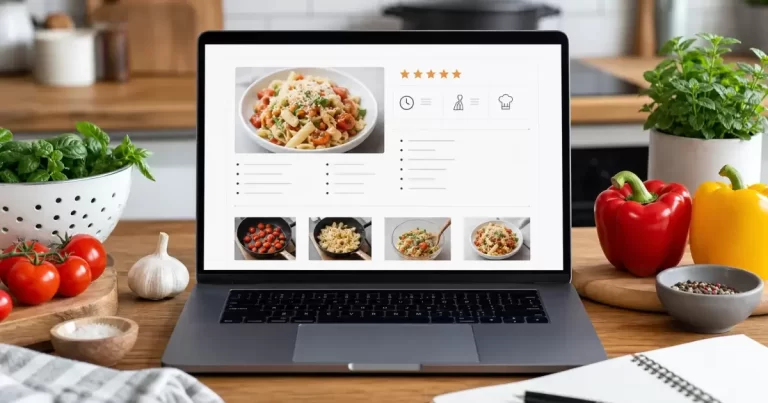
A food blog recipe card plugin does more than format ingredients into a bulleted list. It generates the structured data Google needs to show your recipe in rich results: star ratings, cook time, calories, and an image carousel. Without a wordpress recipe schema plugin, your recipe still shows up in search, but it looks like a plain blue link next to competitors with photos and ratings. The same logic applies to product pages, which is one reason we often point store owners toward our comparison of WooCommerce and Shopify platform costs before they add specialty plugins on top.
Canada Create readers often ask whether a generic SEO plugin already covers this. It doesn’t, at least not fully. General SEO plugins handle page-level metadata, while recipe plugins output the specific Recipe schema type with nested properties like recipeIngredient, recipeInstructions, and nutrition. You need both working together for the best results, which is why we also cover general on-page structure in our guide on why schema markup matters for local businesses.
WP Recipe Maker
Pros
- Deep customization of recipe card layout and colors
- Built-in nutrition calculator add-on
- Metric and imperial unit switching for ingredients
- Active development and frequent updates
Cons
- The best features live behind paid add-ons
- Slight learning curve for full customization
Pricing
The core plugin is free. Premium add-ons for nutrition facts, ad injection, and advanced templates start around $49 as one-time purchases.
Best For
Food bloggers who want granular control over how their recipe card plugin looks without touching custom CSS.
Tasty Recipes
Pros
- Polished, conversion-focused card design out of the box
- Simple video embedding for step-by-step content
- Reliable schema output that plays well with Google Discover
Cons
- No free tier
- Fewer layout options compared to WP Recipe Maker
Pricing
Plans start at roughly $99 per year, billed annually.
Best For
Creators who want a done-for-you design and are happy to pay for less setup time.
Delicious Recipes
Pros
- Generous free tier covering the schema basics
- Clean recipe index and category browsing
- Print and save-to-Pinterest buttons included free
Cons
- Advanced layout controls require the pro version
Pricing
Free at the core, with pro tiers for extra templates and integrations.
Best For
New food bloggers who want a capable free recipe plugin wordpress option before committing budget to a premium tool.
Recipe Card Blocks
Pros
- Built as native WordPress blocks, so it fits the block editor workflow
- Lightweight, with minimal impact on page speed
- Good default schema markup with no configuration
Cons
- Fewer visual themes than premium-only competitors
Pricing
Free, with an optional pro upgrade for extra blocks and styling.
Best For
Anyone building content primarily in the Gutenberg block editor rather than classic shortcodes.
WP Delicious
Pros
- Strong recipe index and taxonomy features for large archives
- Ingredient highlighting when readers hover or tap
- Good documentation for first-time users
Cons
- Some design templates feel dated compared to newer entrants
Pricing
Free core plugin with an optional pro add-on for extended features.
Best For
Sites with hundreds of recipes that need strong internal search and filtering.
Cooked
Pros
- Supports user-submitted recipes, useful for community sites
- Built-in rating and review system
- Meal planning calendar add-on available
Cons
- No free tier
- Steeper setup for multi-author permissions
Pricing
Sold as a one-time license through third-party marketplaces.
Best For
Community-driven recipe sites accepting submissions from multiple authors.
Zip Recipes
Pros
- Very lightweight, minimal effect on load times
- Straightforward setup for beginners
- Solid free tier for a basic recipe seo plugin wordpress need
Cons
- Design options are more limited than competitors
Pricing
Free, with a pro upgrade for extra styling and features.
Best For
Bloggers who want the schema and print functionality without extra bloat.
Meal Planner Pro
Pros
- Weekly meal planning grid readers can save and print
- Shopping list generator tied to recipe ingredients
- Good fit for niche meal-prep content sites
Cons
- Overkill for a simple food blog without planning content
Pricing
Subscription based, billed monthly or annually.
Best For
Sites built specifically around meal planning rather than standalone recipes.
Simmer
Pros
- Built for larger, multi-author food magazines
- Strong editorial workflow and recipe approval queue
- Advanced analytics on which recipes convert to newsletter signups
Cons
- More than most solo bloggers need
- Higher cost reflects the enterprise feature set
Pricing
Subscription based, priced for publishers rather than hobby blogs.
Best For
Established food magazines with editorial teams and higher traffic volumes.
How we chose these recipe plugins
Canada Create tested each plugin on a live staging site before ranking it here. We prioritized plugins that output valid Recipe schema without extra configuration, since that structured data is what earns rich results in Google. We also weighed page speed impact, since a bloated food blog recipe card plugin can undo the SEO gains it promises. As we cover at Canada Create when auditing client sites, a plugin that adds two seconds of load time can quietly cost more traffic than the schema markup gains back.
For Toronto-based food bloggers and small restaurant sites working with a developer, this is the kind of plugin decision worth making early, before the site structure is set. If you are planning a full build, our team’s web design services in Yorkville, Toronto can help scope which plugins fit your content plan from day one.
Setup tips that apply to any recipe plugin
- Always test the output with Google’s official Recipe structured data guidelines before publishing at scale.
- Keep ingredient lists in plain, consistent units so scaling features work correctly.
- Compress recipe photos before upload. Most plugins do not compress images for you.
- Use consistent category taxonomies so your recipe index stays easy to browse as it grows.
For a closer look at one of the most widely used options, the official WP Recipe Maker plugin page lists current install numbers and changelog history worth checking before you commit.
If your site already runs WooCommerce for merchandise or meal kits alongside recipe content, it’s worth reviewing how your WooCommerce checkout handles flexible payment options, since food and lifestyle brands increasingly bundle physical products with content.
FAQ
What is the best free recipe plugin for WordPress?
Delicious Recipes and Recipe Card Blocks both offer strong free tiers that include full recipe schema, print buttons, and clean card layouts, making either a solid free recipe plugin wordpress starting point. Canada Create recommends starting free and upgrading only once you outgrow the basics.
Do recipe plugins help with SEO?
Yes. A proper recipe seo plugin wordpress outputs Recipe schema markup, which helps recipes qualify for rich results like star ratings and cook time snippets in Google search.
Can I use a recipe plugin with any WordPress theme?
Most recipe plugins are theme-agnostic and rely on shortcodes or blocks, though some visual styling may need minor CSS adjustments depending on your theme.
Is WP Recipe Maker free?
The core plugin is free. Advanced features like the nutrition calculator and premium templates are sold as separate one-time add-ons.
How do recipe plugins add schema markup?
They automatically wrap your ingredients, instructions, and metadata (like cook time and calories) in JSON-LD Recipe schema, without requiring you to write any code.
Related resources
- 7 Best WooCommerce Installment Plugins
- WooCommerce vs Shopify: Which Is Better
- Why Schema Markup Matters for Toronto Businesses
{
“@context”: “https://schema.org”,
“@type”: “Article”,
“headline”: “9 Best Recipe Plugins for WordPress”,
“description”: “Running a food blog? These 9 free and premium WordPress recipe plugins add beautiful, SEO friendly recipe cards, ranked and reviewed for 2026.”,
“datePublished”: “2026-07-21T09:00:00-04:00”,
“dateModified”: “2026-07-21T09:00:00-04:00”,
“author”: {
“@type”: “Person”,
“name”: “Canada Create Editorial Team”
},
“publisher”: {
“@type”: “Organization”,
“name”: “Canada Create”,
“logo”: {
“@type”: “ImageObject”,
“url”: “https://canadacreate.com/wp-content/uploads/2024/03/canada-create-logo.png”
}
},
“mainEntityOfPage”: {
“@type”: “WebPage”,
“@id”: “https://canadacreate.com/best-recipe-plugins-wordpress/”
}
}
{
“@context”: “https://schema.org”,
“@type”: “BreadcrumbList”,
“itemListElement”: [
{“@type”: “ListItem”, “position”: 1, “name”: “Home”, “item”: “https://canadacreate.com/”},
{“@type”: “ListItem”, “position”: 2, “name”: “WordPress Plugins”, “item”: “https://canadacreate.com/category/wordpress-plugins/”},
{“@type”: “ListItem”, “position”: 3, “name”: “9 Best Recipe Plugins for WordPress”, “item”: “https://canadacreate.com/best-recipe-plugins-wordpress/”}
]
}
{
“@context”: “https://schema.org”,
“@type”: “FAQPage”,
“mainEntity”: [
{“@type”: “Question”, “name”: “What is the best free recipe plugin for WordPress?”, “acceptedAnswer”: {“@type”: “Answer”, “text”: “Delicious Recipes and Recipe Card Blocks both offer strong free tiers that include full recipe schema, print buttons, and clean card layouts, making either a solid free recipe plugin starting point.”}},
{“@type”: “Question”, “name”: “Do recipe plugins help with SEO?”, “acceptedAnswer”: {“@type”: “Answer”, “text”: “Yes. A proper recipe SEO plugin outputs Recipe schema markup, which helps recipes qualify for rich results like star ratings and cook time snippets in Google search.”}},
{“@type”: “Question”, “name”: “Can I use a recipe plugin with any WordPress theme?”, “acceptedAnswer”: {“@type”: “Answer”, “text”: “Most recipe plugins are theme-agnostic and rely on shortcodes or blocks, though some visual styling may need minor CSS adjustments depending on your theme.”}},
{“@type”: “Question”, “name”: “Is WP Recipe Maker free?”, “acceptedAnswer”: {“@type”: “Answer”, “text”: “The core plugin is free. Advanced features like the nutrition calculator and premium templates are sold as separate one-time add-ons.”}},
{“@type”: “Question”, “name”: “How do recipe plugins add schema markup?”, “acceptedAnswer”: {“@type”: “Answer”, “text”: “They automatically wrap your ingredients, instructions, and metadata like cook time and calories in JSON-LD Recipe schema, without requiring you to write any code.”}}
]
}
{
“@context”: “https://schema.org”,
“@type”: “ItemList”,
“itemListElement”: [
{“@type”: “ListItem”, “position”: 1, “name”: “WP Recipe Maker”, “url”: “https://canadacreate.com/best-recipe-plugins-wordpress/#1-wp-recipe-maker”},
{“@type”: “ListItem”, “position”: 2, “name”: “Tasty Recipes”, “url”: “https://canadacreate.com/best-recipe-plugins-wordpress/#2-tasty-recipes”},
{“@type”: “ListItem”, “position”: 3, “name”: “Delicious Recipes”, “url”: “https://canadacreate.com/best-recipe-plugins-wordpress/#3-delicious-recipes”},
{“@type”: “ListItem”, “position”: 4, “name”: “Recipe Card Blocks”, “url”: “https://canadacreate.com/best-recipe-plugins-wordpress/#4-recipe-card-blocks”},
{“@type”: “ListItem”, “position”: 5, “name”: “WP Delicious”, “url”: “https://canadacreate.com/best-recipe-plugins-wordpress/#5-wp-delicious”},
{“@type”: “ListItem”, “position”: 6, “name”: “Cooked”, “url”: “https://canadacreate.com/best-recipe-plugins-wordpress/#6-cooked”},
{“@type”: “ListItem”, “position”: 7, “name”: “Zip Recipes”, “url”: “https://canadacreate.com/best-recipe-plugins-wordpress/#7-zip-recipes”},
{“@type”: “ListItem”, “position”: 8, “name”: “Meal Planner Pro”, “url”: “https://canadacreate.com/best-recipe-plugins-wordpress/#8-meal-planner-pro”},
{“@type”: “ListItem”, “position”: 9, “name”: “Simmer”, “url”: “https://canadacreate.com/best-recipe-plugins-wordpress/#9-simmer”}
]
}





