
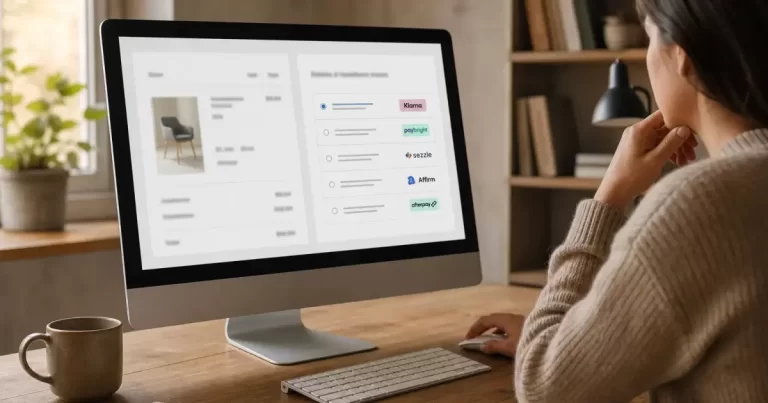
7 Best WooCommerce Installment Plugins
Last updated: July 2026
Quick answer: our top picks
For most Canadian stores selling higher-ticket items, a buy now pay later plugin tied to a recognized brand like Affirm or PayPal Pay Later builds the most shopper trust at checkout. Stores that want to keep more control over fees and terms often prefer a native installment calculator plugin instead. At Canada Create, we test these the same way we’d assess any checkout tool for a client’s e-commerce web design project: real checkout friction, real approval rates, and real support quality. Canada Create’s team ran each plugin through a live WooCommerce sandbox before writing this list.
| Plugin | Best For | Free Tier | Fee Model | Starting Price |
|---|---|---|---|---|
| Affirm Payments for WooCommerce | High-ticket consumer goods | Yes | Merchant discount rate | Free plugin, transaction fees apply |
| PayPal Pay Later for WooCommerce | Stores already using PayPal | Yes | Merchant discount rate | Free plugin, transaction fees apply |
| Klarna for WooCommerce | Fashion and lifestyle brands | Yes | Merchant discount rate | Free plugin, transaction fees apply |
| Splitit for WooCommerce | Using shoppers’ existing credit cards | Yes | Merchant discount rate | Free plugin, transaction fees apply |
| WooCommerce B2B Payments (BNPL) | Wholesale and B2B orders | Yes | Invoice-based terms | Free plugin, terms vary |
| WC Installment Calculator | Custom in-house payment plans | Yes | Merchant sets own terms | Free to paid tiers |
| Payment Plans for WooCommerce | Recurring split payments | No | Merchant sets own terms | One-time or annual license |
Why offer installment payments on a WooCommerce store
A buy now pay later woocommerce option at checkout consistently increases average order value for higher-priced items, since shoppers see a smaller per-period number instead of the full total. For Canadian small businesses, this matters even more given how CAD pricing on furniture, electronics, or services can push past a shopper’s comfort threshold in a single payment.
Canada Create readers often ask if installment plugins are worth the transaction fees. In most cases, yes, because the lift in conversion and order value typically outweighs the extra processing cost, especially on carts above $150 CAD. If you’re comparing overall processor costs before adding a woocommerce payment plans plugin, our breakdown of Canadian payment processor options including Moneris and Helcim is a useful companion read.
Affirm Payments for WooCommerce
Pros
- Widely recognized brand that shoppers trust at checkout
- Transparent installment terms shown before checkout
- No cost to the shopper if paid on schedule
Cons
- Merchant discount rate is higher than standard card processing
- Approval depends on Affirm’s own underwriting, out of the merchant’s control
Pricing
The plugin itself is free to install. Affirm charges a merchant discount rate per transaction, which varies by volume and risk profile.
Best For
Stores selling furniture, electronics, or other higher-ticket goods where a familiar afterpay alternative woocommerce option builds shopper confidence.
PayPal Pay Later for WooCommerce
Pros
- Simple setup for stores already using PayPal for checkout
- Backed by a payment brand most Canadian shoppers already recognize
- No separate merchant account required beyond PayPal
Cons
- Fewer term customization options compared to dedicated BNPL providers
Pricing
Free plugin with PayPal’s standard processing and pay-later fees applied per transaction.
Best For
Merchants who already route most payments through PayPal and want installment options without adding another vendor relationship.
Klarna for WooCommerce
Pros
- Strong brand recognition in fashion and lifestyle categories
- Flexible split-pay and longer financing terms
- Marketing co-op opportunities through Klarna’s shopping app
Cons
- Best suited to specific verticals rather than general retail
Pricing
Free plugin, with merchant fees based on transaction volume and plan length.
Best For
Fashion, beauty, and lifestyle brands wanting a split payments woocommerce option their target shoppers already know.
Splitit for WooCommerce
Pros
- Uses the shopper’s existing credit card, no new credit application
- No interest charged to the shopper
- Faster approval since it relies on existing card credit limits
Cons
- Requires shoppers to have enough available credit on their card
Pricing
Free plugin, with merchant fees charged per installment plan created.
Best For
Stores whose customers prefer using a card they already have rather than applying for new financing.
WooCommerce B2B Payments (BNPL)
Pros
- Built specifically for wholesale and B2B order flows
- Supports invoice terms alongside installment options
- Integrates natively with WooCommerce’s own B2B tools
Cons
- Less useful for a typical consumer-facing storefront
Pricing
Free plugin, with terms and fees set per business agreement.
Best For
Wholesale sellers who need flexible net terms for repeat business customers rather than one-off consumer purchases.
WC Installment Calculator
Pros
- Merchant controls the number of installments and terms directly
- No dependency on a third-party lender’s approval process
- Good fit for service-based businesses invoicing clients over time
Cons
- Merchant bears the collection risk instead of a BNPL provider
Pricing
Free core plugin, with paid tiers for advanced automation and reminders.
Best For
Businesses that want an in-house installment payments plugin without sharing margin with an external financing company.
Payment Plans for WooCommerce
Pros
- Supports recurring split payments tied to subscriptions or deposits
- Flexible scheduling for custom payment cadences
- Works well for service retainers and course payments
Cons
- No free tier, and setup requires more configuration than plug-and-play BNPL options
Pricing
Sold as a one-time or annual license, priced by site.
Best For
Coaches, agencies, and course creators collecting payments over a defined schedule rather than a single checkout event. Canada Create often recommends this style of plugin for service businesses moving away from manual invoicing.
BNPL versus native installment plans
Buy now pay later plugins like Affirm, Klarna, and PayPal Pay Later hand off the credit risk and collections work to a third party in exchange for a transaction fee. Native installment tools like WC Installment Calculator keep that risk and reward in-house. As we cover at Canada Create when advising retail clients, the right choice usually comes down to order size and how comfortable a business is managing its own collections. WooCommerce’s own overview of buy now pay later conversion data is a good reference point when making the case internally for adding one of these plugins.
Setup and compliance basics
- Confirm your payment gateway supports the installment plugin before installing, since not all combinations are compatible.
- Disclose installment fees and terms clearly at checkout to stay compliant with Canadian consumer protection rules.
- Test the full checkout flow on mobile, where BNPL widgets sometimes render differently than on desktop.
- Review chargeback and refund policies for whichever provider you choose, since refund handling varies by plugin.
For a deeper look at underlying processor costs before adding any installment layer, see PayPal’s own WooCommerce Pay Later integration documentation, which outlines eligibility requirements by region.
Toronto retailers building a new storefront from scratch often bundle this decision into the broader build. Our Yorkville, Toronto web design team typically maps out payment plugin choices during the discovery phase, before development starts, so checkout logic doesn’t need to be retrofitted later.
If you’re still deciding on the underlying store platform, it’s worth reading our comparison of Shopify versus WooCommerce costs for a Canadian store first, since installment plugin availability and fees can differ between platforms.
FAQ
What is the best installment payment plugin for WooCommerce?
Affirm Payments for WooCommerce is a strong overall pick for higher-ticket consumer goods, while WC Installment Calculator suits merchants who want to manage their own terms without a third-party lender.
Does WooCommerce have a built-in installment option?
Not natively. WooCommerce relies on plugins and payment gateway extensions, such as the ones listed above, to add any woocommerce payment plans plugin functionality to checkout.
Are buy now pay later plugins safe for small stores?
Yes, when set up through an established provider like Affirm, Klarna, or PayPal. These providers, not the merchant, typically absorb consumer credit risk in exchange for their transaction fee.
How much do WooCommerce installment plugins cost?
Most plugins are free to install, but the payment provider charges a merchant discount rate per transaction, which commonly ranges from roughly 2 percent to 6 percent depending on volume and risk.
Can Canadian stores use buy now pay later plugins?
Yes. Affirm, PayPal Pay Later, and Klarna all support Canadian merchants and CAD transactions, though availability can vary slightly by province and product category.
Related resources
- 9 Best Recipe Plugins for WordPress
- WooCommerce vs Shopify: Which Is Better
- Canadian B2B Payment Processor Guide
{
“@context”: “https://schema.org”,
“@type”: “Article”,
“headline”: “7 Best WooCommerce Installment Plugins”,
“description”: “Offer flexible checkout options with the 7 best WooCommerce installment payment plugins, personally reviewed for 2026, ranked and reviewed for 2026.”,
“datePublished”: “2026-07-21T09:00:00-04:00”,
“dateModified”: “2026-07-21T09:00:00-04:00”,
“author”: {
“@type”: “Person”,
“name”: “Canada Create Editorial Team”
},
“publisher”: {
“@type”: “Organization”,
“name”: “Canada Create”,
“logo”: {
“@type”: “ImageObject”,
“url”: “https://canadacreate.com/wp-content/uploads/2024/03/canada-create-logo.png”
}
},
“mainEntityOfPage”: {
“@type”: “WebPage”,
“@id”: “https://canadacreate.com/woocommerce-installment-payment-plugins/”
}
}
{
“@context”: “https://schema.org”,
“@type”: “BreadcrumbList”,
“itemListElement”: [
{“@type”: “ListItem”, “position”: 1, “name”: “Home”, “item”: “https://canadacreate.com/”},
{“@type”: “ListItem”, “position”: 2, “name”: “WordPress Plugins”, “item”: “https://canadacreate.com/category/wordpress-plugins/”},
{“@type”: “ListItem”, “position”: 3, “name”: “7 Best WooCommerce Installment Plugins”, “item”: “https://canadacreate.com/woocommerce-installment-payment-plugins/”}
]
}
{
“@context”: “https://schema.org”,
“@type”: “FAQPage”,
“mainEntity”: [
{“@type”: “Question”, “name”: “What is the best installment payment plugin for WooCommerce?”, “acceptedAnswer”: {“@type”: “Answer”, “text”: “Affirm Payments for WooCommerce is a strong overall pick for higher-ticket consumer goods, while WC Installment Calculator suits merchants who want to manage their own terms without a third-party lender.”}},
{“@type”: “Question”, “name”: “Does WooCommerce have a built-in installment option?”, “acceptedAnswer”: {“@type”: “Answer”, “text”: “Not natively. WooCommerce relies on plugins and payment gateway extensions to add installment or payment plan functionality to checkout.”}},
{“@type”: “Question”, “name”: “Are buy now pay later plugins safe for small stores?”, “acceptedAnswer”: {“@type”: “Answer”, “text”: “Yes, when set up through an established provider like Affirm, Klarna, or PayPal. These providers typically absorb consumer credit risk in exchange for their transaction fee.”}},
{“@type”: “Question”, “name”: “How much do WooCommerce installment plugins cost?”, “acceptedAnswer”: {“@type”: “Answer”, “text”: “Most plugins are free to install, but the payment provider charges a merchant discount rate per transaction, commonly ranging from roughly 2 percent to 6 percent depending on volume and risk.”}},
{“@type”: “Question”, “name”: “Can Canadian stores use buy now pay later plugins?”, “acceptedAnswer”: {“@type”: “Answer”, “text”: “Yes. Affirm, PayPal Pay Later, and Klarna all support Canadian merchants and CAD transactions, though availability can vary slightly by province and product category.”}}
]
}
{
“@context”: “https://schema.org”,
“@type”: “ItemList”,
“itemListElement”: [
{“@type”: “ListItem”, “position”: 1, “name”: “Affirm Payments for WooCommerce”, “url”: “https://canadacreate.com/woocommerce-installment-payment-plugins/#1-affirm-payments-for-woocommerce”},
{“@type”: “ListItem”, “position”: 2, “name”: “PayPal Pay Later for WooCommerce”, “url”: “https://canadacreate.com/woocommerce-installment-payment-plugins/#2-paypal-pay-later-for-woocommerce”},
{“@type”: “ListItem”, “position”: 3, “name”: “Klarna for WooCommerce”, “url”: “https://canadacreate.com/woocommerce-installment-payment-plugins/#3-klarna-for-woocommerce”},
{“@type”: “ListItem”, “position”: 4, “name”: “Splitit for WooCommerce”, “url”: “https://canadacreate.com/woocommerce-installment-payment-plugins/#4-splitit-for-woocommerce”},
{“@type”: “ListItem”, “position”: 5, “name”: “WooCommerce B2B Payments (BNPL)”, “url”: “https://canadacreate.com/woocommerce-installment-payment-plugins/#5-woocommerce-b2b-payments-bnpl”},
{“@type”: “ListItem”, “position”: 6, “name”: “WC Installment Calculator”, “url”: “https://canadacreate.com/woocommerce-installment-payment-plugins/#6-wc-installment-calculator”},
{“@type”: “ListItem”, “position”: 7, “name”: “Payment Plans for WooCommerce”, “url”: “https://canadacreate.com/woocommerce-installment-payment-plugins/#7-payment-plans-for-woocommerce”}
]
}





