Every website owner aims for a site that is exceptionally fast, secure, and features a unique design. Implementing a Headless WordPress setup is a contemporary approach to achieving these goals.
This approach combines the strengths of both worlds. The powerful and user-friendly WordPress content editor you are accustomed to remains intact.
The key change is that your content is served to a completely separate, custom-built front-end, which enhances your site’s speed and distinctive appearance.
This separation can elevate your website’s performance and creative flexibility, allowing it to stand out in a competitive online landscape.
Let’s delve into the advantages and disadvantages together. Our aim is to empower you to decide if this is the right choice for your needs.
Here’s a brief overview of the topics we will discuss in this guide:
- Understanding Headless WordPress
- How Headless WordPress Functions
- Benefits of Using Headless WordPress
- Drawbacks of a Headless WordPress Website
- Is a Headless WordPress Website Right for You?
- Steps to Create a Headless WordPress Website
- Common Questions About Headless WordPress
What Exactly is Headless WordPress?
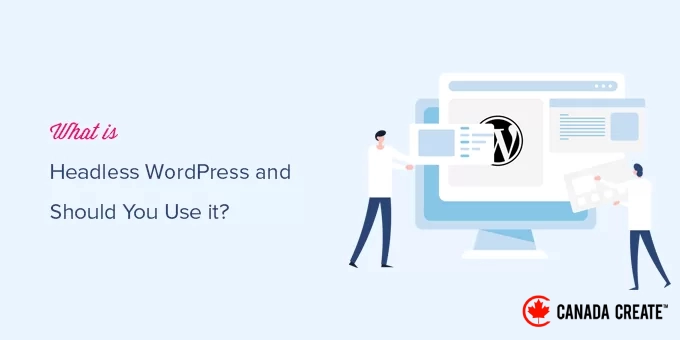
Headless WordPress refers to a setup where WordPress is utilized as the back-end system for managing data and content, while different technologies are employed to present that data on the front end.
The back-end refers to the administrative section of a website, where you can create content such as posts and pages, install plugins, manage comments, and perform other administrative tasks.
The front end is the part of your website that is visible to the public.
This is what users see when they access your site through their web browsers.
Typically, WordPress manages both the back-end and front-end functionalities within a single, robust software package, allowing you to easily showcase your website using any available WordPress theme.
However, some developers and website owners may have unique needs that require them to utilize other technologies, such as React.js, Angular.js, or Faust.js, to build a tailored front-end for their website.
Headless WordPress enables them to leverage these technologies while still benefiting from WordPress as the back-end for streamlined content management.
How Does Headless WordPress Function?
WordPress provides a user-friendly admin area for content creation and website management, along with a templating engine that allows for the display of the site’s front end using various themes.
For more information, check out our article explaining how WordPress operates behind the scenes.
WordPress includes an API known as the WordPress REST API.
This API offers a programming interface that allows developers to retrieve WordPress website data in JSON format.
When creating a headless WordPress site, developers utilize the REST API to obtain data from WordPress, which can then be incorporated into their applications or other front-end technologies like React.js, Angular.js, Faust.js, and more to build a tailored website.
What Are the Benefits of Using Headless WordPress?
Headless WordPress can be advantageous in certain situations. We will discuss some of the benefits of utilizing headless WordPress in these contexts.
1. Headless WordPress Can Offer Improved Speed Compared to Traditional WordPress Websites
Many developers believe that headless WordPress can facilitate the creation of significantly faster WordPress websites.
By decoupling the front end of the site with technologies like React.js, many developers aim to deliver more efficient code than what is typically found in most WordPress themes.
However, based on our experience, simpler WordPress performance optimization methods can be just as effective as headless WordPress for the majority of small business websites and use cases.
2. Seamlessly Integrate Headless WordPress Data into Other Applications
Imagine you have a mobile app and want to incorporate your blog or other sections from your WordPress site into that app.
Headless WordPress allows you to integrate your WordPress content into various applications, enabling you to utilize different technologies for a smooth user experience.
If you have a static website and require a dynamic section, such as a blog, reviews, or an online store, headless WordPress can seamlessly integrate your WordPress content into your static site.
3. Publish Across Multiple Platforms with Headless WordPress
Headless WordPress makes your WordPress content easily portable, allowing you to use it wherever you need.
You can leverage this data in marketing campaigns, share it on social media, utilize it on IoT devices like smart speakers, feed it into AI tools, connect it to virtual assistants, and much more.
4. Headless WordPress is More Cost-Effective than Proprietary Headless CMS
Headless WordPress offers a more affordable and powerful alternative to proprietary enterprise CMS solutions like Contentful, which can cost you tens of thousands just for hosting, excluding development expenses.
What Are the Drawbacks of Using a Headless WordPress Website?
Building a headless WordPress website can present certain challenges. Let’s explore a few of these drawbacks.
1. Headless WordPress Can Be More Costly Than Traditional WordPress Sites
You may need to hire a developer to build a custom front end for your site, which can cost tens of thousands of dollars.
If you are a developer, you’ll invest significant time creating a custom front end.
Even when using a front-end development framework, the process will require more time and effort than utilizing a pre-designed WordPress theme with effective caching at the server or DNS level.
2. Compatibility Issues with Some WordPress Plugins
Plugins function like applications for your WordPress site, enabling you to add features and enhance functionality.
A headless WordPress setup may not support all WordPress plugins.
For example, some plugin data might not be accessible through the REST API, or certain features may depend on having a WordPress theme to operate correctly.
However, well-known plugins like AIOSEO offer a REST API extension that allows for the creation of SEO-optimized headless WordPress sites.
3. Maintenance Challenges
You will be working with two separate platforms for your website’s front end and back end, requiring independent maintenance for each.
At times, issues may arise on either side of the system. You will either need to depend on developers to resolve these problems or spend your own time fixing them.
The added complexity may hinder your business growth as it expands.
Is a Headless WordPress Website Right for You?
In our view, most WordPress users do not require a headless WordPress website or similar headless frameworks.
It can be costly, unnecessarily complicated, and unsuitable for most website owners, bloggers, small businesses, or online retailers.
For example, if your primary focus is on speed and performance, your current WordPress site can easily surpass any headless WordPress site.
All leading WordPress caching plugins offer features like page caching, cache preloading, object caching, and gzip compression.
Activating these features can greatly enhance your website’s speed without the need for developer assistance.
When paired with a robust CDN and web application firewall such as Cloudflare or Sucuri, your website’s speed will improve even further.
Discover how we improved Canada Create™’s loading speed to outperform headless websites in our case study.
With over 59,000 WordPress plugins available, you can easily integrate with nearly every third-party platform.
Tools like Uncanny Automator enable seamless integrations between WordPress websites and third-party applications using Zapier.
If you require a specific integration that isn’t covered by existing WordPress plugins, consider hiring a developer to create a custom plugin.
This approach can be more cost-effective, and you might even generate income by selling it as a digital download to other WordPress users.
Who Should Consider Headless WordPress?
We recommend using headless WordPress only in particular situations.
First, assess whether there is a real need for a headless content management system (CMS).
For example, a company with a custom website or application may benefit from WordPress for easier content management, making headless WordPress a viable option.
Additionally, you should either have the budget to hire and retain developers or possess the necessary skills to manage a headless CMS.
A headless WordPress CMS is designed for building custom applications or for utilizing WordPress to simplify content creation and management.
Key Considerations for Using Headless WordPress
As a business owner without a technical background, it can be challenging to determine whether headless WordPress is the right choice for you.
Some WordPress developers and agencies may advocate for headless websites, so it’s crucial to understand what you’re committing to. Keep in mind that their motivation may be to increase their earnings.
If the primary reason they suggest headless WordPress is for improved speed or SEO, inquire about the specific steps they have taken to enhance your website’s speed and the actual impact that switching to headless WordPress might have. If their response is vague, consider getting a second opinion.
You may be surprised to find that for most websites, the performance enhancements are minimal, while the costs associated with developing and maintaining headless WordPress sites are significantly higher.
Be cautious about being persuaded to move away from WordPress to alternatives like Contentful, as this could lead to disappointment.
We’ve heard from many business owners who switched platforms only to realize it was a mistake and eventually returned to WordPress.
If you are completely certain that a headless WordPress website is the right choice for you, here’s a concise step-by-step guide to get started.
Creating a Headless WordPress Website: A Step-by-Step Guide
There are numerous methods to build a headless WordPress website, depending on the front-end tools you choose to utilize.
In this tutorial, we will guide you through the process of setting up a headless WordPress website using only the static pages generated by WordPress. While this approach may not offer the most flexibility, it is the simplest option for beginners.ideal for newcomers..
First, you need to set up a WordPress website that will serve as your headless CMS.
This website must be live and hosted on its own domain with a web hosting account.
We recommendSiteGround, known for being one of the fastest WordPress hosting providers and officially endorsed.provider.
SiteGround’s servers utilize Google Cloud technology, which includes numerous built-in performance optimization features.
Alternatively, if you have a bit more time to invest, consider WP Engine. Their Atlas plan is specifically designed for larger headless WordPress websites and caters to developers.
Atlas offers a free sandbox account, customizable content modules, and pre-configured blueprints to enhance your workflow, along with seamless integration with the WPGraphQL plugin.
You can create a local WordPress website directly on your computer.
After setting it up, you can begin building your website by adding posts and pages, as well as selecting and customizing a WordPress theme.
Once your website is complete, install and activate the Simply Static plugin. For detailed instructions, refer to our comprehensive guide on how to install a WordPress plugin.
After activation, navigate to the Simply Static » Settings page to set up the plugin.
Here, you can specify the URL path for your static files.
For example, if you have the URL or domain name where your static files will be hosted, enter that URL in the ‘Absolute URLs’ field.
If you’re uncertain, you can opt for the ‘Relative URLs’ option.
Next, go to the ‘Include/Exclude’ tab where you can specify additional pages to include or exclude.
You can also utilize regex expressions to exclude URLs that fit a specific pattern.
Remember to click the ‘Save Changes’ button to apply your settings.
You are now prepared to create static files for your headless website. Simply navigate to theSimply Static » Generatepage and click the ‘Generate Static Files’ button.
The plugin will begin crawling your website and saving static files in a temporary directory. The duration of this process may vary based on the number of pages on your site.
Once the process is complete, you will receive a success notification along with a link to download the files as a zip archive.
After downloading the zip file, you will need to extract its contents.
You are now ready to upload the extracted files to your website or to the server where you intend to host your headless site.
You can connect to your website using an FTP client orthe file manager application in your hosting control panel.
Once connected, upload the extracted static files you downloaded earlier to your website.
Afterward, you can visit your static website to see it live.
Note:To update your static website, you will need to create new content in your WordPress installation and repeat the entire process to replace the static files being delivered to your users.
It’s essential to understand that this approach may not offer the highest level of flexibility for building a static WordPress website.
Using a headless WordPress solution like WP Engine Atlas provides enhanced developer tools, starter site templates, comprehensive how-to guides, advanced production deployment options, and much more.
For larger websites and enterprise-level solutions, we recommend utilizing WP Engine Atlas in conjunction with WPGraphQL to fully leverage the capabilities of a headless WordPress CMS.
However, if you are a small business owner who has been advised that a headless WordPress site is necessary for improving your SEO rankings, that information is misleading. You can achieve comparable results by enhancing your website’s performance using our guide on optimizing WordPress speed.
Common Questions About Headless WordPress
We recognize that the idea of headless WordPress can raise numerous questions. To provide clarity, we have compiled answers to some of the most frequently asked questions from users like you.
1. What is the primary distinction between traditional WordPress and headless WordPress?
The primary distinction lies in how your website is presented to users. Traditional WordPress integrates both content management and design into a single platform, handling everything through its backend and frontend theme. In contrast, Headless WordPress decouples these elements, utilizing WordPress solely for backend content management while employing a different technology to create a tailored frontend.
2. Is building and maintaining a headless WordPress site more costly?
Yes, it can be considerably more expensive. Creating a custom frontend for a headless site typically requires hiring experienced developers, which can lead to high costs. Additionally, you will need to manage two distinct systems (the WordPress backend and the custom frontend), increasing complexity and potential future expenses for maintenance or updates.
3. Does headless WordPress enhance speed and SEO performance?
Not always. While a headless site can achieve impressive speed, which benefits SEO, a traditional WordPress site can also deliver comparable or even superior performance. By utilizing high-quality hosting, effective caching plugins, and a content delivery network (CDN), you can optimize a standard site for speed without incurring extra costs and complications. Keep in mind that some features of SEO plugins may not function properly without a conventional theme.
4. Can I continue using my preferred WordPress plugins with a headless configuration?
The suitability of headless WordPress varies. Many plugins, particularly those that enhance your site’s front-end functionality (such as form builders or page builders), may not function properly as they depend on the WordPress theme system. Although some well-known plugins provide REST API support for headless configurations, you might miss out on a significant portion of the WordPress plugin ecosystem that contributes to its strength.
5. When should you consider implementing headless WordPress?
Headless WordPress should only be considered in specific scenarios. For instance, if you have an existing mobile application and wish to integrate your blog content, or if you need to distribute your WordPress content across multiple platforms and devices simultaneously. For most small businesses, blogs, and online stores, a conventional WordPress setup is typically more practical, cost-effective, and easier to manage.
We hope this article has provided you with valuable insightson headless WordPress and whether it is the right choice for your website. You may also want to check out our guide onhow to conduct a WordPress speed test or explore our expert recommendations for the fastest WordPress hosting options.
If you enjoyed this article, please subscribe to our YouTube Channel for WordPress video tutorials. You can also connect with us on Twitter and Facebook.