During a recent content audit, one pattern kept showing up: pages that were genuinely helpful, but still almost invisible in search. The writing was strong. The topic matched intent. The problem was the site’s pathways. Internal linking for SEO is often the difference between a page that gets discovered, understood, and ranked—and one that quietly collects dust.
This guide is designed for real-world execution on any website: blog, service business, SaaS, or ecommerce. You’ll learn how internal links work, how to build a scalable internal linking strategy, how to use anchor text naturally, and how to run an internal link audit that finds the issues holding you back. Keep reading to learn how to turn internal links into a repeatable SEO advantage that also improves user experience.
What internal linking for SEO is and how it helps search engines
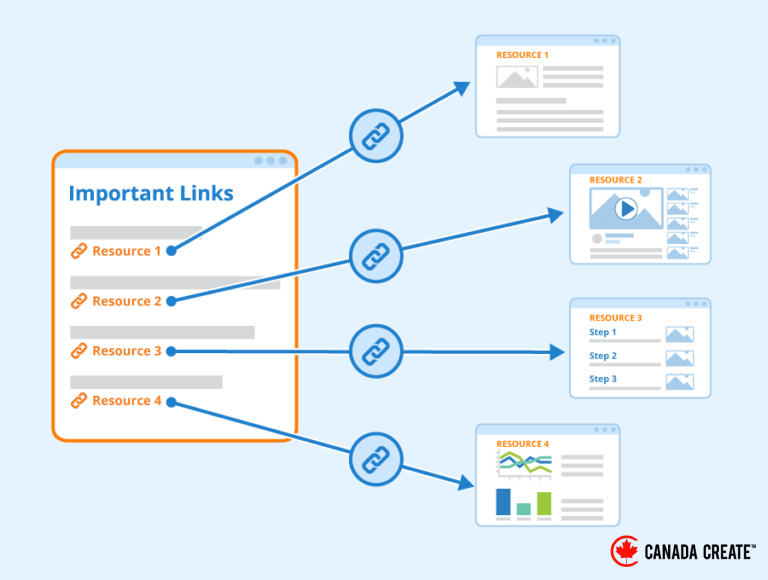
Internal links are hyperlinks that point from one page on your website to another page on the same domain. They can appear in navigation menus, footers, breadcrumbs, and inside the main body of your content. When most SEOs discuss internal linking for SEO, they’re usually focusing on contextual links (links inside paragraphs), because those are the clearest signals of topical relevance.
A useful mental model is a map. Each page is a location, and each internal link is a road. More roads don’t automatically create a better city—but the right roads make it easier for visitors and search engines to reach the places that matter.
Internal links vs. external links (and why the difference matters)
It helps to separate three link types:
Internal links: page A on your site → page B on your site
External links: your page → another website
Backlinks: another website → your page
Backlinks can be powerful, but they’re not fully under your control. Internal linking for SEO is powerful because you can improve it today, measure it, and keep refining it as your site grows.
The three SEO mechanisms internal links influence
1) Crawling and discovery
Search engines find pages by following links. If a page has no internal links pointing to it, it becomes an orphan page, and it may be crawled and indexed inconsistently.
2) Understanding and topical context
Internal linking for SEO helps search engines interpret relationships. When a guide links to a tutorial or a service page links to a case study, you’re signaling relevance and hierarchy.
3) Authority distribution (link equity)
Some pages naturally gain more strength over time (homepages, top blog posts, popular tools). Internal links help move some of that link equity to pages that need it—often service pages, product pages, or new content.
Why users benefit, too
Internal linking for SEO isn’t only about crawlers. Readers use internal links to:
get definitions without leaving your site
compare options before choosing
move from awareness to solutions
find related resources that build trust
When internal links are placed intentionally, you often see better engagement, clearer navigation, and more conversions—because users aren’t forced to “hunt” for what to do next.
Want Your Pages to Rank Faster with a Smarter Internal Linking Strategy? Book an SEO Consultation in Toronto
Canada Create™ helps you fix orphan pages, strengthen topic clusters, and build internal links that improve crawlability and conversions.
Designing a site structure that makes internal linking for SEO easier
Internal linking works best when it reflects a clear architecture. If you try to “fix internal links” without structure, you usually end up with random cross-linking: too many links in some places, too few in others, and no reliable framework you can scale.
A strong internal linking strategy starts with hierarchy.
A simple hierarchy that works for most websites
A practical structure looks like this:
Homepage (often the strongest page on the site)
Hub pages (broad topics or categories)
Cluster pages (specific subtopics that support the hub)
Supporting pages (deep how-tos, FAQs, comparisons, case studies)
This is commonly called a topic cluster model. In internal linking for SEO, clusters link up to hubs, hubs link down to clusters, and related clusters link to each other only when the connection is genuinely helpful.
Pillar pages and topic clusters (the “center of gravity” approach)
A pillar page is a comprehensive guide for a broad topic. Cluster pages target narrower queries and link back to the pillar. The pillar becomes a central reference point.
For example, a pillar page about internal linking for SEO might link to cluster pages like:
internal link audit checklist
anchor text best practices
site architecture for SEO
orphan pages and crawl depth
internal linking for ecommerce category pages
Then each cluster page links back to the pillar with a natural, descriptive anchor. This creates a tight topical network that search engines and users can follow easily.
Use hubs to prevent content sprawl
As your site grows, internal linking for SEO becomes harder to maintain unless you organize content. Hub pages act like curated directories with context.
A good hub page includes:
a short overview that defines the topic
sections for key subtopics
links to your best resources
updates as you publish new content
If you want internal linking for SEO that stays clean over time, hubs are one of the most reliable solutions.
Where internal links should live (and what each placement does)
Internal links usually appear in four locations:
1) Navigation links (menus)
Best for core pages: services, products, key hubs, contact.
2) Contextual links (inside the main content)
Best for relevance and intent. Contextual internal linking for SEO is often the most impactful because the surrounding text explains the destination page.
3) Breadcrumb links
Helpful for large sites and category-heavy structures. Breadcrumbs reinforce hierarchy and simplify navigation.
4) Related content modules
Useful for engagement, but review them. Automated modules can create irrelevant linking patterns if left unchecked.
Anchor text, contextual links, and how to link without sounding spammy
Anchor text is the clickable text inside a link. In internal linking for SEO, anchor text matters because it tells both users and search engines what the linked page is about.
A common mistake is treating anchor text like a keyword dump. A better approach is treating anchor text like a promise: it should accurately describe what someone will get after clicking.
Anchor text types you can use naturally
Exact match: “internal linking for SEO” (use occasionally, not repeatedly)
Partial match: “internal linking strategy” (often a safe, natural choice)
Descriptive: “internal link audit checklist” (usually the best for clarity)
Branded: your brand name (useful for branded resources)
Generic: “click here” (fine sometimes, but weak for context)
Practical anchor text rules that stay human
Make it specific: the anchor should describe the destination.
Keep it short: a phrase is usually enough.
Vary naturally: avoid repeating identical anchors everywhere.
Link when it helps: if it doesn’t improve understanding, skip it.
Good example:
If you’re building a new hub, follow an internal linking strategy that connects cluster pages back to a pillar guide.
Weak example:
Learn more by clicking here.
How many internal links should you add per page?
There’s no universal “perfect number.” Internal linking for SEO depends on page length, topic breadth, and site size. Use relevance as your filter.
A practical guideline for contextual internal links:
800–1,200 words: 5–12 links when relevant
1,500–2,500 words: 10–20 links when relevant
3,500–4,000 words: 15–35 links when relevant
If links start to feel forced, reduce the count. The best internal linking for SEO feels like helpful recommendations—not a checklist.
Link placement: where internal links work best
Strong link placement locations include:
after defining a term (link to a deeper explanation)
after presenting a problem (link to a solution or checklist)
near the end of a section (link to the next logical step)
inside examples (link to templates, case studies, or supporting tutorials)
Avoid stacking multiple links in a single sentence. One well-placed internal link usually beats three forced ones.
Internal link audit and fixes that improve performance fast
Most websites have internal link issues that quietly suppress rankings. An internal link audit helps you find them, prioritize fixes, and measure improvements.
If you want quick wins, start with three areas: orphan pages, broken internal links, and crawl depth.
The internal link audit checklist
Run this checklist quarterly (or monthly for fast-growing sites):
identify orphan pages (no internal links pointing to them)
find broken internal links (404 errors)
fix redirect chains (internal links pointing to redirects)
review crawl depth for priority pages
check repetitive, over-optimized anchors
confirm you’re linking to the canonical URL versions
reduce links to low-value pages that don’t support your strategy
review internal links to noindex pages (remove if unnecessary)
make sure top pages link to related, important pages
Internal linking for SEO improves when you treat linking as a system instead of random edits.
How to reduce crawl depth without redesigning your site
Crawl depth is the number of clicks it takes to reach a page from your homepage. On large sites, deep pages can be crawled less often, especially if they don’t receive strong internal links.
Ways to reduce crawl depth:
add links from hub pages to key cluster pages
add a “recommended next” section on pillar pages
link from high-traffic posts to related priority pages
add breadcrumbs for category-heavy sites
keep your sitemap clean, but don’t rely on it alone
The goal isn’t to make every page one click away. The goal is to make important pages easy to reach.
Fix broken internal links and redirect chains
Broken links create dead ends for users and crawlers. Redirect chains add friction and slow crawling.
To fix them:
update internal links to point directly to the final URL
remove or replace links pointing to removed pages
keep redirects for external visitors if needed, but don’t keep internal links relying on redirects
Internal linking for SEO benefits from clean, direct pathways.
Metrics to track after improving internal linking
Internal linking for SEO is measurable. You don’t have to guess if your changes worked—you can track outcomes that typically move when linking improves.
Track these signals over the next 2–8 weeks:
index coverage patterns in Search Console (especially pages that struggle to get indexed)
impressions and average position for pages you strengthened with internal links
click paths and pages per session in analytics tools
the number of internal links pointing to priority pages (simple counts help consistency)
If rankings move slowly, don’t assume internal linking for SEO “didn’t work.” Structure changes first, then crawling behavior, then visibility.
Common internal linking mistakes (and how to avoid them)
Mistake 1: Linking purely for “SEO juice”
If a link doesn’t help a reader understand the topic or take a logical next step, skip it. Relevance is the foundation.
Mistake 2: Using the same exact anchor text everywhere
Exact-match anchors can be fine occasionally, but repeated anchors can look unnatural. Use descriptive variations that match the sentence.
Mistake 3: Over-linking from one page
A page with hundreds of links can dilute focus. For key pages, keep links purposeful and grouped by subtopic.
Mistake 4: Forgetting to link back to new content
Publishing is only half the job. Add links from older relevant pages so new content becomes part of your network quickly.
Mistake 5: Letting templates create irrelevant links
Auto “related posts” sections can help engagement, but they can also create noisy connections. Review them and curate where possible.
A practical example of internal linking for SEO in action
Suppose you publish a blog post titled “How to Fix Orphan Pages.” That post targets readers who suspect indexing problems. A strong internal linking plan might look like this:
early in the post, link to a “Technical SEO Basics” guide for readers who need background
midway, link to an “Internal Link Audit Checklist” page for the full process
near the end, link to your service page only after explaining when help makes sense (large sites, migrations, ecommerce complexity)
Then build reverse support:
add a link from your internal linking for SEO pillar page to the orphan page article
update 2–3 older posts about indexing or crawlability to link to the new orphan page post
That’s internal linking for SEO as a system: forward links guide the reader, reverse links integrate the page into your structure.
Advanced internal linking for SEO tactics that compound over time
Once your foundation is solid, internal linking becomes a growth lever. These tactics work especially well for content-heavy websites and service businesses.
Use strong pages to lift priority pages
Identify pages that already perform well. These are usually pages with:
strong organic traffic
backlinks from other sites
high engagement
keyword rankings that match your topic clusters
Then add contextual internal links from those pages to priority pages that need visibility. This is one of the most reliable internal linking for SEO tactics because you’re leveraging existing strength.
Create a consistent linking pattern for every new article
A repeatable publishing checklist prevents orphan pages and weak integration.
For every new post:
link to one hub or pillar page
link to 2–4 relevant cluster pages
add one link to a commercial page only when it fits the intent
update 2–5 older posts with links pointing to the new post
This process turns internal linking for SEO into a habit, not a project you forget.
Use internal links to support the buyer journey (awareness to decision)
Internal linking for SEO becomes more powerful when it also supports conversion paths.
A simple funnel-based linking map:
Awareness content links to foundational guides and definitions
Consideration content links to comparisons, case studies, and FAQs
Decision content links to service pages, pricing, demos, or contact
If your internal links always jump from informational content straight to “buy now,” readers may feel pushed. A natural progression builds trust and improves conversion rates.
Ecommerce-specific internal linking (categories, filters, and product discovery)
Ecommerce sites often struggle with internal linking for SEO because of:
faceted navigation that creates duplicates
thin tag pages
filters generating crawl traps
products buried in deep pagination
Improvements often come from:
strengthening category pages as hubs
adding links from category content blocks to subcategories
linking from guides to relevant categories and top products
using breadcrumbs consistently
managing faceted URLs with canonical and noindex rules where appropriate
Multi-location websites (avoid internal linking confusion)
For multi-location sites, internal links should help users and search engines understand:
which page is for which location
which services are offered in each location
how location hubs connect to service pages
A clean approach:
create a city hub page
link to services specific to that city
link between nearby locations only when it helps users
avoid duplicating content and linking patterns across every location
Internal linking for SEO can either clarify local relevance or create confusion, depending on how consistent your architecture is.
Internal links and content refreshes (make updates visible)
When you refresh a page, reinforce it with internal links:
add a link from your hub page highlighting the updated resource
add links from related posts that reference new sections
update older anchors that point to outdated information
This helps search engines revisit the page and helps users find the most current version of your work.
Sum Up
Internal linking for SEO is one of the most controllable ways to improve crawlability, topical relevance, and page performance. When you connect content intentionally, you make it easier for search engines to find your best pages and easier for users to take the next step.
If you want the biggest results with the least complexity, focus on three moves: eliminate orphan pages, build hubs and topic clusters, and use descriptive anchor text with clean link paths. Internal linking for SEO compounds over time, so small improvements—done consistently—often beat huge one-time overhauls.
FAQs
What is internal linking for SEO?
Internal linking for SEO is the practice of linking between pages on the same website to help search engines crawl and understand content and to help users navigate.
What are internal linking best practices?
Internal linking best practices include using descriptive anchor text, linking between genuinely related pages, fixing orphan pages, avoiding broken links, and keeping key pages reachable with reasonable crawl depth.
How do I run an internal link audit?
An internal link audit checks for orphan pages, broken internal links, redirect chains, crawl depth issues, repetitive anchor text, and whether priority pages receive enough internal support from strong pages.
How many internal links should I use in a blog post?
Use as many internal links as are helpful and relevant. Longer guides can include more links, but avoid forcing them. Prioritize clarity, intent, and usefulness.
Does anchor text matter for internal linking?
Yes. Anchor text helps search engines and users understand what the linked page is about. Descriptive anchors are usually best, and excessive exact-match repetition should be avoided.
Can internal linking improve conversions?
Yes. Internal links guide visitors to the next logical step—such as a related guide, a case study, or a service page—which often increases engagement and leads.