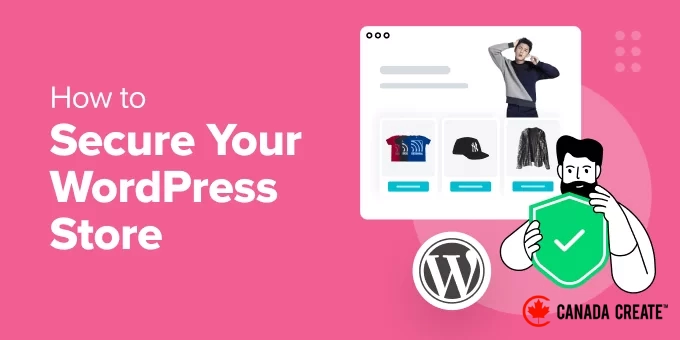
When creating an eCommerce store, prioritizing security is essential for successful businesses.
Through our experience with numerous store owners, we’ve observed that those who emphasize security from the start are more likely to achieve long-term success.
The most astute store owners understand that security goes beyond mere protection; it’s about building customer trust. Our partner brands operate their stores on WordPress and implement effective strategies to safeguard their websites.
This commitment to security has become a defining factor that distinguishes them in the marketplace.
In this guide, we will outline practical security measures that empower our stores to protect customer data and ensure a secure shopping experience.
Why Is It Important to Secure Your WordPress Store?
If you are launching an online store, it is crucial to implement various preventive measures for its security.
As a store owner, you are responsible for collecting sensitive customer information, including names, addresses, and credit card details. Without adequate protection, a security breach could expose this information, leading to serious consequences for your customers, such as identity theft and financial losses.
Your online store can be compromised by hackers or malware, leading to downtime, lost sales, and damage to your brand’s reputation.
Implementing various security measures on your website can increase traffic, enhance conversion rates, and improve your SEO, as search engines favor secure sites in their rankings.
Here are essential eCommerce security tips to protect your WordPress store.
- Choose a Reliable WordPress Hosting Provider
- Keep Your Ecommerce Plugins and Software Updated
- Implement a Firewall for Your Online Store
- Design a Secure Login Page
- Activate Two-Factor Authentication
- Verify User Data
- Conduct Regular Backups for Your Store
- Utilize Secure Payment Gateways and Prevent Fraudulent Orders
- Partner with Seahawk Media to Build a Secure Ecommerce Store
1. Choose a Reliable WordPress Hosting Provider
Selecting a robust hosting plan is crucial for establishing a secure eCommerce store. Your hosting provider is where your website resides online and stores all its data.
Budget hosting options often lack vital security features such as firewalls and protection against cyber threats, leaving your WordPress store exposed to potential attacks.
Additionally, these hosting providers may be operating on outdated servers and software, and they might lack proper backups in case of hardware failures.
That’s why we recommend choosing a trusted and well-known hosting service like SiteGround. They provide exceptionally fast servers along with 24/7 customer support, regular backups, site migration services, and a staging environment.
Their hosting package also includes a complimentary domain name, SSL certificate, and CDN for your website. They help protect against cyberattacks, carry out routine updates, and much more.
Over the past few years, we have relied on SiteGround to host our websites and eCommerce stores, and our experience has been outstanding. Their dependable performance and top-notch customer support make them our preferred choice.
If you are looking for more alternatives, check out our top recommendations for the best WooCommerce hosting providers.
2. Ensure Your Ecommerce Plugin or Software is Up-to-Date
Another important security measure is to consistently update the eCommerce software used to create your store. Each new version of the plugin includes improved security features, bug fixes, performance enhancements, and additional functionalities.
For instance, if you built your online store using WooCommerce, it is essential to keep your WooCommerce plugin updated at all times.
To accomplish this, you can visit the Plugins » Installed PluginsNavigate to the WordPress dashboard and locate the ‘WooCommerce’ option. If there is a new version of the plugin available, an alert notice will be displayed.
Click the ‘Update Now’ button to upgrade to the latest version of the plugin.
After updating WooCommerce, make sure to also update other plugins you are using, such as contact form and coupon plugins. For guidance, refer to our tutorial on how to effectively update WordPress plugins.
We also suggest updating the WordPress theme used for your store. Theme updates help maintain compatibility with the eCommerce platform and WordPress updates.
This prevents display issues or errors on your online store. To update a theme, go to the Appearance » Themes section in the WordPress dashboard.
You will see a yellow alert notice if an update is available for your theme. Simply click the ‘Update Now’ button to initiate the update.
For more information, check out our tutorial on how to update a WordPress theme without losing your customizations.
3. Implement a Firewall for Your Store
A WordPress firewall plugin serves as a protective barrier between your website and incoming traffic. It scans for and blocks common security threats, enhancing the safety of your online store.
A firewall plugin effectively blocks hackers, prevents harmful traffic, and mitigates DDoS attacks. Additionally, it can boost your site’s performance and loading speed.
Cloudflare is an excellent choice for firewall and security solutions. At CanadaCreate, we transitioned from Sucuri to Cloudflare because of its superior uptime reliability, customizable firewall rules, and efficient DNS management.
For more information, please refer to our comprehensive WordPress security guide.
4. Establish a Secure Login Page
If your online store allows customer registration, an important eCommerce strategy is to create a secure login page. This will help protect customer login credentials from hackers.
We recommend using WPForms, the leading contact form plugin available. It includes a specific add-on that enables you to create a secure login and registration form in just a few minutes.
The plugin offers complete spam protection and allows you to design a form using the pre-made ‘Login Form’ template in its user-friendly drag-and-drop builder.
For more information, check out our tutorial on creating a custom WordPress login page.
After completing this step, you can restrict login attempts to thwart brute-force attacks, where hackers try numerous username and password combinations in a short timeframe.
To implement this, simply install and activate the Limit Login Attempts Reloaded plugin. For detailed instructions, check our tutorial on installing a WordPress plugin.
Once activated, navigate to the Limit Login Attempts » Settings page and scroll down to the ‘Local App’ section. Here, you can specify the maximum number of login attempts allowed for each user before their account is locked.
You can also ensure your login page complies with GDPR by adjusting some of the other settings.
For further details, refer to our beginner’s guide on the importance of limiting login attempts in WordPress.
5. Activate Two-Factor Authentication
Another effective way to secure your online store’s login page is by enabling two-factor authentication. This adds an extra layer of protection against stolen passwords.
To use this feature, you will need a smartphone authenticator app that generates a temporary one-time password for the accounts you set up.
When a user logs in with the correct credentials, they will also need to enter a one-time password generated by an authenticator app to gain access to your store.
You can implement this feature using Google Authenticator or plugins such as WP 2FA.
For a step-by-step guide on setting this up, check out our tutorial on enabling two-factor authentication for WordPress.
6. Validate User Data
Cybercriminals frequently exploit online stores by injecting SQL attacks through user input fields, such as comment sections or registration forms.
This type of attack targets your database server, inserting harmful code or commands into your SQL. To mitigate this risk, it’s essential to validate user data in your online store.
This means that any user data that does not conform to a specified format will not be accepted by your store.
For example, a customer will be unable to submit their registration form if the email address field is missing the ‘@’ symbol. By implementing this validation across most of your form fields, you can effectively prevent SQL injection attacks.
To achieve this, consider using Formidable Forms, a robust form builder that includes an ‘Input Mask Format’ feature, allowing you to specify the required format for users to submit their form data.
If you are using WPForms to create registration forms, you can enhance security by adding checkboxes and dropdown menus to defend against SQL injection attacks targeting your store.
For more information, check out our tutorial on preventing SQL injection attacks in WordPress.
7. Regularly Backup Your Store
One of the best practices for eCommerce security is to regularly back up your online store.
This protects you from data loss caused by hardware failures, software issues, human mistakes, or cyberattacks. Additionally, if a hacker compromises your site files, you can restore a clean version of your data from backups.
You can easily accomplish this with Duplicator, the leading WordPress backup plugin. It provides features like scheduled backups, recovery points, cloud storage integration, migration tools, and archive encryption for improved security.
The plugin simplifies the backup process directly from your WordPress dashboard and offers a free version for those on a budget.
For detailed instructions, refer to our guide on backing up your WordPress site.
8. Utilize Secure Payment Gateways and Prevent Fraudulent Orders
Payment gateways manage sensitive customer data in your online store, making it crucial to choose secure and reputable options that customers trust.
We suggest using well-known payment gateways like Stripe or PayPal, as they provide a seamless checkout experience, facilitate recurring payments, and ensure completely secure transactions.
After setting up your payment gateway, consider installing the WooCommerce Anti Fraud plugin to help prevent fraudulent orders.
Once activated, navigate to the WooCommerce » Settings section and select the ‘Anti Fraud’ tab. Here, you can establish minimum and maximum risk threshold scores.
Next, click the ‘Save Changes’ button.
Then, go to the ‘Rules’ tab, where you can assign scores for suspicious IP addresses, email addresses, high-risk countries, and geographic location matches.
After finishing your settings, click the ‘Save Changes’ button. The plugin will now detect any fraudulent orders placed by hackers on your store.
For additional advice, check out our tutorial on preventing fraud and fake orders in WooCommerce.
Bonus: Partner with Seahawk Media to build a secure ecommerce store.
Managing an online store involves significant effort, particularly when it comes to ensuring its security. Hiring professionals can be a wise decision in this regard.
We recommend Seahawk Media for this purpose. Their experienced team specializes in WordPress and has assisted thousands of businesses, including renowned brands like WP Engine and GoDaddy, in enhancing their online stores.
They are equipped to detect and resolve any malware or errors in your store, conduct security threat scans, perform cloud backups, and offer 24/7 support. Additionally, they will consistently monitor your online store’s uptime to ensure it remains accessible to potential customers.
We hope this article has provided you with valuable eCommerce security insights and guidance on securing your WordPress store. You might also find our ultimate WordPress security guide and comprehensive eCommerce setup guide helpful.
If you enjoyed this article, please subscribe to our YouTube Channel for WordPress video tutorials. You can also connect with us on Twitter and Facebook.