You’re about to read a guide, book a service, or buy a product—then the page disappears. That dead-end experience is the 404 Not Found error, and it can quietly drain traffic, trust, and rankings if it happens on important URLs. This article explains what a 404 Not Found error is, why it occurs, how it affects SEO, and exactly how to fix it with practical steps you can apply today. Keep reading to learn how to find 404s, repair them correctly, and prevent them long-term.
What Is a 404 Not Found Error?
A 404 Not Found error is an HTTP status code that appears when a visitor or search engine requests a URL that your server cannot locate. The website is reachable, but the specific page at that address is missing.
404 Not Found vs Similar Errors
404 Not Found: Page is missing at that URL.
410 Gone: Page was intentionally removed and isn’t coming back.
500 Server Error: Server failed to load a page that may exist.
403 Forbidden: Page exists, but access is blocked.
Soft 404: Page looks missing, but the server incorrectly returns a “200 OK” status.
Why 404 Not Found Happens
A 404 Not Found error usually happens after pages are moved, renamed, removed, or linked incorrectly. Here are the most common causes.
URL Changes Without Redirects
If a page slug changes (for example, during a redesign or SEO update), old links still point to the previous URL. Visitors and Google hit a 404 Not Found until a redirect is added.
Common triggers include:
Renamed services or categories
Changed permalink structure
Moved blog posts or product pages
Site migrations and platform changes
Deleted or Unpublished Pages
Pages often get removed when:
A product is discontinued
A service is no longer offered
A campaign page expires
A post is deleted instead of updated
If those URLs still have traffic or backlinks, the 404 becomes a bigger issue.
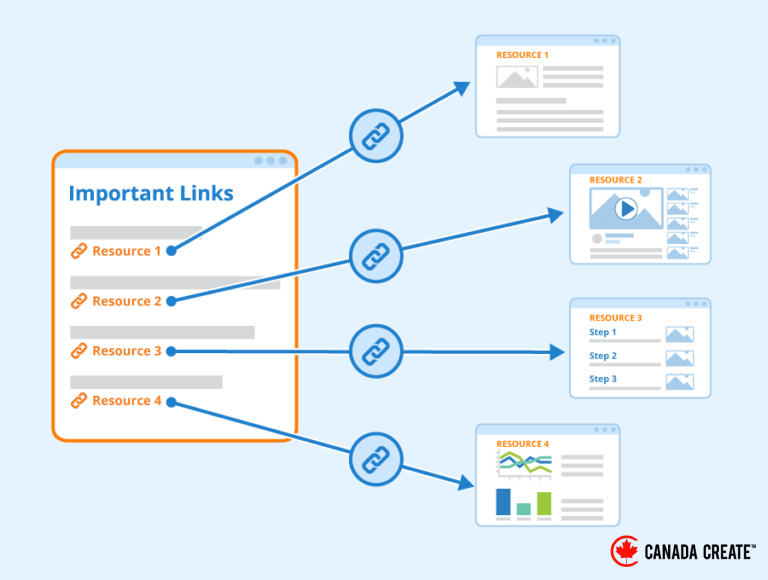
Broken Internal Links
Internal links can break due to:
Typos in URLs
Outdated menu and footer links
Hardcoded links in templates
Old blog posts linking to removed pages
Broken internal links create repeat 404 Not Found errors and should be fixed first.
External Links Pointing to Wrong URLs
Other websites may link to your old or incorrect URLs. This can happen even if your site is clean. If those links send valuable traffic, you can often recover it with the right redirect.
Trailing Slash, Uppercase, and HTTPS Issues
Depending on your server setup:
/Pagemay not equal/page/servicesmay not equal/services/http://may not equalhttps://
Inconsistent URL rules can generate avoidable 404s.
Keep 404 Errors From Hurting Your Rankings — Need a Fast Fix?
Book an SEO Consultation in Toronto
Canada Create™ helps you find broken URLs, set up clean 301 redirects, fix internal links, and improve crawlability so your pages recover and rank stronger.
How 404 Not Found Affects SEO and Users
Not every 404 is bad. Some are normal. But repeated 404 Not Found errors on important pages can create real damage.
User Experience Problems
When visitors hit a 404, they often:
Lose trust quickly
Leave the site and return to Google
Abandon the action they were about to take
404s hurt the most when they affect:
Service pages
Product pages
Pricing pages
Booking/contact pages
High-ranking blog posts
SEO Problems
Important 404 errors can cause:
Lost organic traffic to pages that used to rank
Lost link equity from backlinks pointing to dead URLs
Wasted crawl activity on missing pages
Broken internal linking paths that weaken topical structure
When a 404 Is Acceptable
A 404 Not Found is usually fine when:
The URL is random or spammy
The page never existed
The page was removed with no replacement and no demand
A 404 is a problem when:
The URL has backlinks
The URL still gets traffic
The URL is linked internally
The page is part of your conversion path
How To Fix 404 Not Found Errors
Fixing a 404 Not Found error is about choosing the correct action: restore, redirect, repair links, or intentionally leave it as 404.
Best Fix Options at a Glance
| Situation | Best Fix | Why It Works |
|---|---|---|
| Page moved to a new URL | 301 redirect old → new | Keeps SEO value and sends users to the right page |
| Page deleted, close match exists | 301 redirect to closest relevant page | Saves traffic and avoids dead ends |
| Page deleted, no relevant match | Keep 404 or use 410 | Prevents misleading redirects |
| Internal link typo or outdated link | Fix the internal link | Stops repeated errors at the source |
| External site links to wrong URL | Add 301 redirect if relevant | Recovers referral traffic and link equity |
| Spammy/random URL hits | Keep 404 | No need to “fix” meaningless URLs |
| Page should exist | Restore/rebuild the page | Best for traffic, SEO, and users |
Step 1: Find 404 Not Found Errors
Start by collecting the URLs that return a 404 Not Found status. Focus on the ones that matter most.
Prioritize 404s that have:
Organic traffic
Backlinks
Internal links
High-intent user journeys (menus, CTAs, product paths)
Step 2: Fix Broken Internal Links First
If your own site points to dead URLs, fix those links before adding redirects.
Common places to check:
Main navigation and footer
Buttons and CTAs
Old blog posts
Sidebar widgets
Reusable blocks and templates
What to do:
Update the link to the correct URL
Replace links to removed pages with a relevant alternative
Remove low-value links that no longer serve a purpose
Step 3: Add 301 Redirects for Moved or Replaced Pages
If a page moved or has a clear replacement, create a 301 redirect.
Redirect rules that protect SEO:
Redirect to the most relevant equivalent page
Avoid redirect chains (A → B → C)
Avoid redirect loops (A → B → A)
Keep redirects organized and documented
Good redirect targets include:
Updated service page
Updated blog post
New product page
Relevant category page (only if it matches intent)
Avoid redirecting everything to the homepage. It frustrates users and can be treated like a low-quality signal.
Step 4: Restore Pages That Still Matter
If a URL still gets traffic, has backlinks, or matches a core service/product, restoring the page can be the best fix. This is often better than redirecting if the page topic is unique.
Restore when:
It was removed accidentally
It still represents a core offering
It ranks (or used to rank) for valuable keywords
Users continue searching for it
Step 5: Use 410 Gone When Removal Is Permanent
If a page is intentionally removed and should not return, a 410 Gone status can be appropriate. It clearly signals that the content is permanently unavailable.
Use 410 when:
The page has no replacement
You want search engines to drop it faster
The content is intentionally retired
Step 6: Fix Soft 404 Issues
A soft 404 happens when a page looks like “not found,” but the server returns a success status code. This confuses search engines and can harm indexing quality.
Fix soft 404s by:
Returning a real 404 for missing content
Restoring content if it should exist
Redirecting to a relevant page if it moved
Avoiding thin “empty” pages that add no value
Step 7: Improve Your 404 Page to Keep Users On-Site
Even well-maintained sites get some 404 visits. A strong custom 404 page reduces bounce rates.
A good 404 page should include:
A clear message that the page is missing
A search box (especially for blogs and stores)
Links to key categories or services
A link back to the homepage
Optional: a way to report the broken link
How To Prevent 404 Not Found Errors
Prevention saves time and protects SEO long-term.
Create a Redirect Process for URL Changes
Any time you change URLs, create a simple redirect map:
Old URL → New URL
Do this for:
Redesigns
Rebrands
Platform migrations
Category restructuring
Slug updates
Standardize URL Rules
Reduce formatting-based 404s by enforcing:
HTTPS only
Consistent trailing slash behavior
Lowercase URLs
Clean canonical URL signals
Run Regular Link Checks
A simple monthly routine helps:
Crawl your site to catch broken internal links
Review new 404 URLs
Fix link sources first
Redirect only when the match is truly relevant
Don’t Delete Valuable Pages Without Reviewing Performance
Before removing a page, check if it has:
Organic traffic
Backlinks
Internal links
Conversion value
If yes, consider updating, consolidating, or redirecting instead of deleting.
Conclusion
A 404 Not Found error is common, but it shouldn’t be ignored—especially when it affects pages that drive traffic, leads, or sales. The most effective approach is to find the 404s that matter, repair broken internal links, use 301 redirects for moved or replaced pages, restore pages that still have value, and keep truly retired pages as 404 or 410. With consistent monitoring and a clear redirect process, you can protect rankings, improve user experience, and keep your site technically clean.