Have you ever noticed how some online stores tailor their product offerings based on your location?
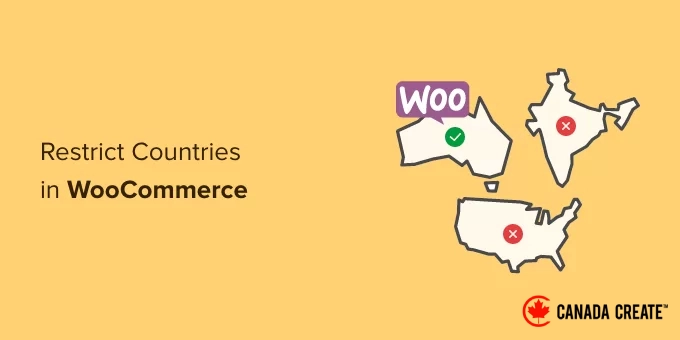
This is the effect of country restrictions, a crucial feature that every dedicated WooCommerce store owner should implement.
Whether you have products that can only be shipped to specific areas or digital goods with licensing limitations, geographic restrictions help streamline your operations and enhance the shopping experience for your customers.
In this guide, we will provide you with the most effective methods to implement country restrictions for your WooCommerce products.
From straightforward built-in options to advanced plugin solutions, you’ll find all the tools you need to manage product availability based on location.
Why Implement Country Restrictions in WooCommerce?
Establishing country restrictions in WooCommerce is vital for ensuring a seamless customer experience and safeguarding your business. It avoids scenarios where a customer adds an item to their cart, only to discover at checkout that they cannot finalize the purchase.
Here are the main reasons why online store owners adopt these restrictions:
- Compliance with Legal and Licensing Requirements:Certain products, particularly digital items, may be prohibited for sale in specific countries or have licensing agreements that restrict their distribution.
- Shipping and Logistics:In some regions, you may encounter prohibitively high shipping fees, complicated customs regulations, or unreliable delivery options, making order fulfillment challenging.
- Payment Gateway Issues:Not all payment processors may be available in every country, which can prevent transactions from customers located there.
- Business Strategy:You might choose to sell only to certain markets due to logistical challenges, supplier contracts, or a focused marketing strategy.
By proactively limiting sales to specific countries, you can enhance customer satisfaction and reduce the likelihood of losing them to competitors.
With this in mind, we will outline the steps to easily restrict your products to certain countries.
Here’s a brief overview of the two methods we will discuss. You can navigate to either method by clicking the links below:
- Method 1: Restricting Countries Using WooCommerce Settings (No Plugin Required)
- Method 2: Implementing Country-Based Restrictions for WooCommerce Products (With Plugin)
- Bonus Tip: Utilizing Geolocation Targeting in WooCommerce to Increase Sales
- Common Questions About Country Restrictions in WooCommerce
Are you ready? Let’s begin.
Step 1: Restricting Countries Through WooCommerce Settings
You can easily restrict access to your online store in certain countries using the default WooCommerce settings.
To start, navigate to the WooCommerce » Settings section from your WordPress dashboard and click on the ‘General’ tab.
Once you’re there, scroll down to the ‘General Options’ section. You will see the ‘Selling Location’ area. Click on the dropdown menu in this field to reveal three options.
You can choose either the ‘Sell to specific countries, except for…’ option or the ‘Sell to specific countries’ option.
If you select the ‘Sell to specific countries, except for…’ option, a new field will appear.
In this field, you can select any countries where you wish to restrict sales of your products.
If you opt for the ‘Sell to specific countries’ option, a ‘Sell to specific countries’ field will show up instead.
Now you can select all the countries where your store will be accessible.
This method is user-friendly, and you won’t need to install any extra WooCommerce plugins.
The drawback is that these restrictions apply to your entire store. Customers in restricted countries will still see your products, but they won’t be able to make a purchase.
When a customer from a restricted country attempts to check out, WooCommerce displays a message indicating that there are no shipping options available for their location.
This effectively prevents the purchase, but it does not remove the visibility of the products. If your goal is to hide specific products in certain countries, you will need to utilize a plugin.
Plugins allow you to completely remove products from view, which differs from the default settings in WooCommerce.
Method 2: Implement Country-Based Restrictions for WooCommerce Products
If you wish to hide certain products in specific countries, this method is ideal for you.
To begin, you will need a dedicated plugin. We recommend the free Country-Based Restrictions For WooCommerce plugin, which is a popular option available in the official WordPress repository.
For further information, you can refer to our guide on how to install a WordPress plugin.
Once activated, navigate to WooCommerce » Country Restrictions in the WordPress admin sidebar.
Next, expand the ‘Catalog Visibility’ tab.
This will present three options for controlling product visibility:
- Completely Hide – Restricted products will be entirely invisible to visitors from blocked countries. This option is ideal for preventing any potential confusion.
- Hide from Catalog – Restricted products will not appear on shop pages or in search results, but they can still be accessed via a direct link. This is helpful if you need to share a product page with specific distributors or partners in a restricted area.
- Catalog Visible (not purchasable) – Products will be displayed normally, but the ‘Add to Cart’ button will be disabled. This is a great option if you want to showcase your entire product range globally, even in regions where you do not sell.
After selecting an option, click the ‘Save Changes’ button.
Next, navigate to WooCommerce » All Products in your WordPress dashboard.
Find the product you wish to restrict and click on the ‘Edit’ link.
This will take you to the ‘Edit Product’ page, where you need to scroll down to the ‘Product Data’ section.
Then, locate and click the ‘Country Restrictions’ tab on the left.
After selecting the ‘Country Restrictions’ option, you will find a field labeled ‘Restriction Rule.’
Click on the dropdown menu next to this field and choose the ‘Product Not Available For Selected Countries’ option.
Next, navigate to the ‘Select Countries’ field and click on the dropdown next to it.
Select the countries where your product will not be available for purchase.
Once you are satisfied with your selections, remember to click the ‘Publish’ button. You can repeat this process to restrict additional products.
Now, if a customer from a restricted country visits your store, the product you have restricted will not be visible.
Important Note on VPNs and Geolocation
It’s crucial to understand that the methods outlined in this guide depend on IP-based geolocation, which checks the visitor’s IP address to identify their country.
While this method is effective for most users, it is not entirely foolproof. A determined individual can use a VPN (Virtual Private Network) to disguise their actual location and appear as if they are browsing from an approved country.
This represents a small percentage of users, but it’s a technical limitation that is important to be aware of.
Bonus Tip: Utilize Geolocation Targeting in WooCommerce to Increase Sales
Geotargeting in WooCommerce can significantly boost your sales by allowing you to present tailored offers to visitors based on their geographical location, rather than merely restricting content.
You can achieve this using a powerful tool like OptinMonster, which enables you to set display rules that target or exclude campaigns based on specific countries, states, or even cities.
For instance, you might create a floating bar campaign that is exclusively visible to visitors from the United States.
This campaign could feature a special promotion, such as ‘Enjoy Free Shipping on All US Orders!’ to drive sales.
For additional inspiration, we have compiled a comprehensive guide on geolocation targeting in WordPress.
This guide will teach you how to utilize various tools to craft personalized content and offers for users located in specific countries.
Common Questions About Country Restrictions in WooCommerce
Here are some of the most frequently asked questions from our readers regarding country restrictions in their WooCommerce store:
Is it possible to restrict an entire product category by country?
Absolutely! The Country-Based Restrictions For WooCommerce plugin allows you to impose restrictions on entire product categories, which is particularly beneficial if you have a selection of products available only in certain regions.
Will implementing country restrictions have a negative impact on my SEO?
No, implementing country restrictions is unlikely to harm your SEO. It is a common practice among international eCommerce businesses.
In fact, it can enhance the user experience by ensuring that visitors only see products available for purchase in their region.
What is the difference between hiding a product and making it unavailable for purchase?
Hiding a product completely removes it from your store pages and search results for users in restricted countries.
Making a product unavailable for purchase keeps it visible, but disables the ‘Add to Cart’ button, preventing any transactions.
Can I display different prices for products depending on the user’s location?
Yes, this can be achieved through geolocation targeting.
While this guide primarily focuses on restricting access, tools like OptinMonster or dynamic pricing plugins can help you show different currencies and prices based on the customer’s location.
We hope this article has helped you understand how to set country restrictions in your WooCommerce store. You may also find our guides on disabling payment methods in WooCommerce and limiting purchase quantities in WordPress useful.
If you enjoyed this article, consider subscribing to our YouTube Channel for insightful WordPress video tutorials. Connect with us on Twitter and Facebook for more updates.