When I first started building websites with WordPress, choosing hosting was nothing like it is today. There were fewer hosting providers, most of them were slow, and almost all locked you into a long-term plan without much flexibility.
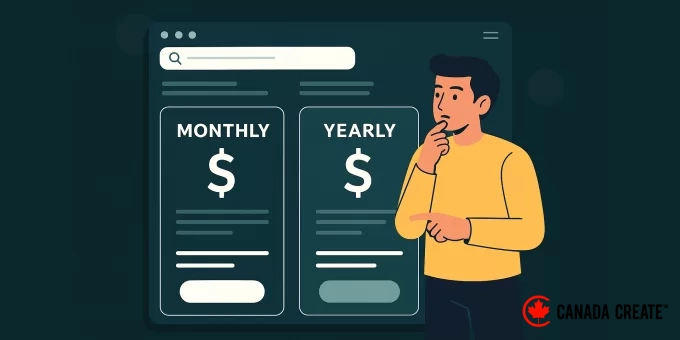
Now, things have changed for the better. You can choose between monthly or yearly hosting plans that actually fit your budget and goals, without sacrificing performance or support.
But that choice can still be confusing. Should you commit to a full year of hosting to save money? Or stay flexible with a monthly plan?
In this guide, I’ll break down the pros and cons of each option, share my personal experience, and help you decide which plan is right for your WordPress site.
Monthly vs Yearly WordPress Hosting: Quick Comparison Table
Don’t want to read the full article? Here is a quick comparison of monthly and yearly WordPress hosting plans:
| Feature | Monthly Hosting | Yearly Hosting |
|---|---|---|
| Estimated Costs | $10–$20/mo | $2.99–$7.99/mo (paid yearly) |
| Upfront Payment | Low | High |
| Flexibility | High | Medium |
| Bonuses (free domain, SSL) | Rare | Often included |
| Support Level | Standard | Often premium |
| Best for | Short-term use, testing | Long-term sites, savings |
Now, let’s dive into a more detailed comparison to help you choose between monthly vs yearly hosting plans.
Here is a list of topics I’ll cover in this article:
- Monthly hosting involves paying for web server space and resources on a recurring month-to-month basis.
- What Is Yearly Hosting?
- Advantages & Disadvantages: Monthly WordPress Hosting
- Yearly WordPress Hosting: Advantages & Disadvantages
- Critical Factors in Selecting a Payment Plan
- Spotlight on Hosting Companies (Crucial Details Included)
- Strategies for Optimizing Hosting Value
- Final Recommendation: Optimal Payment Plan
- Common Questions: Monthly vs. Yearly Hosting
- Further Resources on WordPress Hosting
Understanding Monthly Hosting
Monthly hosting involves paying each month rather than an annual lump sum. It’s a flexible, pay-as-you-go system without long-term commitments.
This model is well-suited for specific scenarios, such as:
- Experimenting with a novel business concept or niche website
- Creating a client website with a limited timeframe
- Deploying websites for seasonal events or time-sensitive promotions
- Evaluating a new hosting service before committing to a longer term
- When you are uncertain about the project’s longevity
Monthly hosting allows you to cancel anytime, change providers without penalties, or halt the project if your plans evolve. This adaptability can be comforting if you’re concerned about losing money on a short-lived endeavor.
Monthly plans are also typical for enhanced options like VPS WordPress hosting, allowing you to better manage expenses monthly.
However, this convenience typically involves a higher price. Providers often charge more monthly and exclude benefits like a free domain or premium support.
For those with short-term projects, numerous managed WordPress hosting providers offer the convenience of monthly billing.
Yearly Hosting Explained
Yearly hosting, also called annual hosting, involves paying for a minimum of twelve months of service upfront. You’ll make a single payment to cover the entire hosting duration, avoiding monthly invoices.
Hosting providers often incentivize this commitment by offering reduced monthly rates and additional perks, such as a complimentary domain name, an SSL certificate, or automatic backups.
I opt for yearly hosting across my important websites because it’s more cost-effective, offers additional benefits, and eliminates the hassle of monthly payment alerts or unexpected price increases.
Consider yearly hosting in these scenarios:
- You are developing a business-oriented website or blog with the intention of sustained growth.
- You aim to reduce hosting expenses through promotional discounts.
- You seek enhanced security through supplementary features like backups and SSL certificates.
- You prefer to avoid monthly invoices and potential service disruptions.
- You have confidence in your hosting provider and are prepared to make a commitment.
In general, yearly hosting offers a greater return on investment. While it entails a larger initial payment, it typically proves worthwhile within the initial months if you’re confident in your project’s viability.
If you’re hesitant about committing to a year, note that the majority of WordPress hosting providers provide substantial money-back guarantees, typically lasting 30 or even 45 days.
This allows you to experience the yearly plan without risk, ensuring a complete refund if it doesn’t align with your needs.
Advantages and Disadvantages of Monthly WordPress Hosting Plans
A monthly hosting plan offers adaptability, freeing you from extended agreements. I’ve employed this approach when evaluating new ventures or assessing a hosting service before fully committing.
However, this adaptability typically involves higher expenses.
| ✅ Monthly Hosting Benefits: Enjoy the flexibility to scale up or down based on your current needs, and reduce your initial financial commitment. | ❌ Monthly Hosting Drawbacks: Be aware that you’ll generally face higher overall costs compared to annual plans, and you might miss out on long-term discounts. |
|---|---|
| Payment is on demand, eliminating a substantial initial expenditure. | In the long run, it’s more costly than yearly subscriptions. |
| The ability to change hosts whenever needed. | Often excludes extras such as a complimentary domain or SSL certificate. |
| Ideal for short-duration, seasonal, or exploratory projects. | Potentially restricted access to superior features or enhanced assistance. |
| Demands ongoing monthly payments and heightened invoice administration. |
If you’re hesitant to commit or desire flexibility, monthly hosting serves as a beneficial starting point. Closely monitor long-term expenditures, especially as your website grows.
Certain cloud-based WordPress platforms provide monthly options, delivering scalable resources without binding you to a lengthy agreement.
Refer to our expert suggestions for the top monthly WordPress hosting solutions for a detailed catalog of recommendations.
Advantages and Disadvantages of Yearly WordPress Hosting
For any website I’m committed to, I favor annual hosting. This approach reduces expenses, grants access to premium features, and reduces my recurring monthly obligations.
However, like any long-term commitment, it’s not universally suited.
| ✅ Yearly Hosting Advantages: You’ll typically secure lower rates compared to paying monthly, and you often get additional perks or bonuses. | ❌ Yearly Hosting Disadvantages: You should know that your upfront cost will be higher, and you may not be able to easily switch providers if your needs change during the year. |
|---|---|
| Reduced monthly expenditure resulting in substantial savings. | Necessitates a larger initial outlay |
| A yearly plan simplifies management by eliminating monthly renewals. | Committing to a year can seem like a gamble if you’re uncertain about the hosting service. |
| Yearly plans provide assurance for sustained website development. |
For me, the sense of security and overall value make annual plans worthwhile. Also, money-back guarantees let you test them with minimal danger.
Important Aspects to Evaluate When Selecting a Payment Option
Your choice between monthly and yearly hosting depends on how you prefer to handle your budget, development, and long-range objectives.
I always assess these critical elements before deciding on a plan:
- Expenses and Potential Savings– Monthly hosting provides an inexpensive way to start, but the expenses accumulate rapidly. At $10 each month, your annual cost reaches $120; a yearly plan might be $60–$80 with a discount.
- Adaptability and Growth Potential– Monthly plans give you maximum freedom to cancel anytime without significant financial consequences, ideal when exploring concepts. However, regardingConsider the potential for growth. Scalability refers to your website’s capability to handle increased traffic and data without experiencing performance issues.(enhancing your plan for increased resources), the majority of hosts facilitate simple upgrades regardless of whether you have a monthly or yearly arrangement. Upgrading an annual plan typically involves covering the proportional cost for the remaining period.
- Efficiency and Operational Reliability– The efficiency remains relatively consistent between monthly and annual billing, at least from a technical standpoint. From my experience, long-term subscribers often experience enhanced reliability, notably during periods of substantial traffic.
- Assistance and Overall Usability – Monthly plans usually come with standard support, which may involve longer wait times or basic responses. Yearly customers often get access to premium support channels, priority queues, or live chat.
Keeping these factors in mind, you can choose the payment schedule that would be the better option for your website project.
Featured Hosting Providers (With What You Need to Know)
I’ve personally used dozens of hosting companies while building websites for myself and others. These three consistently stand out for their performance, support, and beginner-friendly features.
Here’s how they compare on monthly vs. yearly pricing, features, and refund policies so you can make the right call.
Bluehost– Overall best value 🏆
I often recommend Bluehost for beginners launching their first website. Their dashboard is easy to use, and their yearly plans come packed with helpful extras like a free domain name and SSL certificate. Read my Bluehost review for more information.
- Monthly Plan: Available — Starting from $15.99/mo
- Yearly Plan: Starts at $2.99/month (billed annually)
- Free Domain: ✅ Free for the first year
- Money-Back Guarantee: ✅ 30-day refund window
DreamHost – Affordable monthly hosting plans
I have hosted personal sites with DreamHost for a long time and have found them to be highly dependable. Their monthly hosting plan is quite affordable and offers a balanced set of features and performance. See my Dreamhost review for more details.
- Monthly Plan: Available — Starting from $4.95/mo
- Yearly Plan: Starting from $2.59/month
- Free Domain: Yes, available with annual plans
- Money-Back Guarantee: ✅ 30-day money-back guarantee
Rocket.net – Premium managed WordPress hosting
If you need enterprise-grade performance without a yearly commitment, then Rocket.net is a great fit. Some of our partner brands use them, and they’re one of the fastest WordPress hosts on the market. For more details, see our Rocket.net review.
- Monthly Plan: ✅ Available — Starting from $30/mo
- Yearly Plan: Starts at $25/mo (billed annually)
- Free Domain: ❌ No
- Money-Back Guarantee: ✅ 30-day refund window with yearly plans
Hostinger – High-performance WordPress hosting on a budget
If you’re looking for budget-friendly hosting without sacrificing speed, Hostinger is a strong choice. I’ve used them on personal and client sites, and their setup is surprisingly fast and smooth for the price. See my full Hostinger review for more details.
- Monthly Plan: ✅ Available — Starting from $9.99/mo
- Yearly Plan: Starts at $2.69/month (billed annually)
- Free Domain: ✅ Included with most yearly plans
- Money-Back Guarantee: ✅ 30-day refund window
For more hosting providers, take a look at our pick of the best WordPress hosting providers. Most of them offer both yearly and monthly hosting plans.
Tips to Maximize Hosting Value
- Start monthly, then switch to yearly. Many users try a monthly plan first, then upgrade once they feel confident about the host.
- Look for holiday deals. Hosting discounts are often the highest during Black Friday, the New Year, or the back-to-school season.
- Negotiate renewals. Hosts frequently give discounts if you reach out before renewing. Don’t be afraid to ask.
- Use all the included features. SSL, backups, and email—yearly plans often include these. Set them up to get the best value for your money.
Final Verdict: Which Payment Schedule Should You Choose?
If you’re serious about your website, then I recommend going with a yearly plan. The cost savings, added features, and peace of mind are worth it. It’s what I use on all my serious projects.
I recommend starting with Bluehost for yearly plans. They are offering Canada Create™ users a massive discount and a free domain name (for a year).
But if you’re just testing the waters or building something short-term, then starting with a monthly plan makes sense. Just keep an eye on the costs and be ready to switch when you’re confident.
Whichever path you take, make sure your host is reliable, fast, and has great support, because that matters more than billing cycles.
FAQs About Monthly vs. Yearly Hosting
Readers often reach out to me with their questions about choosing the best WordPress hosting. Here are my answers to the most frequently asked questions.
Can I switch from monthly to yearly hosting later?
Yes. Most hosts allow you to upgrade at any time. It’s a smart move once you’re happy with the service.
Will I get a refund if I cancel my annual hosting plan early?
Yes, but almost always only within the initial trial period. Most hosts offer a 30 or 45-day money-back guarantee. If you cancel within that window, then you can get a full refund.
However, if you cancel a yearly plan after that period (for example, at 6 months), you typically will not receive a partial refund for the remaining time. That’s why you should always check the host’s refund policy before you buy.
Do yearly hosting plans come with better support?
Often, yes. Some hosts prioritize yearly users or offer bonus services like priority support or a dedicated account manager.
Is it risky to commit to a yearly hosting plan?
Only if you haven’t tested the host first. That’s why starting with a monthly plan is sometimes a good idea.
Additional WordPress Hosting Resources
Here are some additional resources that will help you learn more about WordPress hosting and choosing the best option for your websites:
- Best Cheap WordPress Hosting (Compared)
- Shared Hosting vs. Cloud Hosting vs. Managed WordPress – What’s the Difference?
- How to Choose the Best WooCommerce Hosting Company
- When Should You Change Your WordPress Web Hosting (Top 7 Key Indicators)
- How to Move WordPress to a New Host or Server With No Downtime
I hope this guide helped you choose between a monthly or yearly WordPress hosting plan. The best part about WordPress is that it lets you control the cost of building your site, and you can always adjust it to meet your needs.
If you liked this article, then please subscribe to our YouTube Channel for WordPress video tutorials. You can also find us on Twitter and Facebook.